
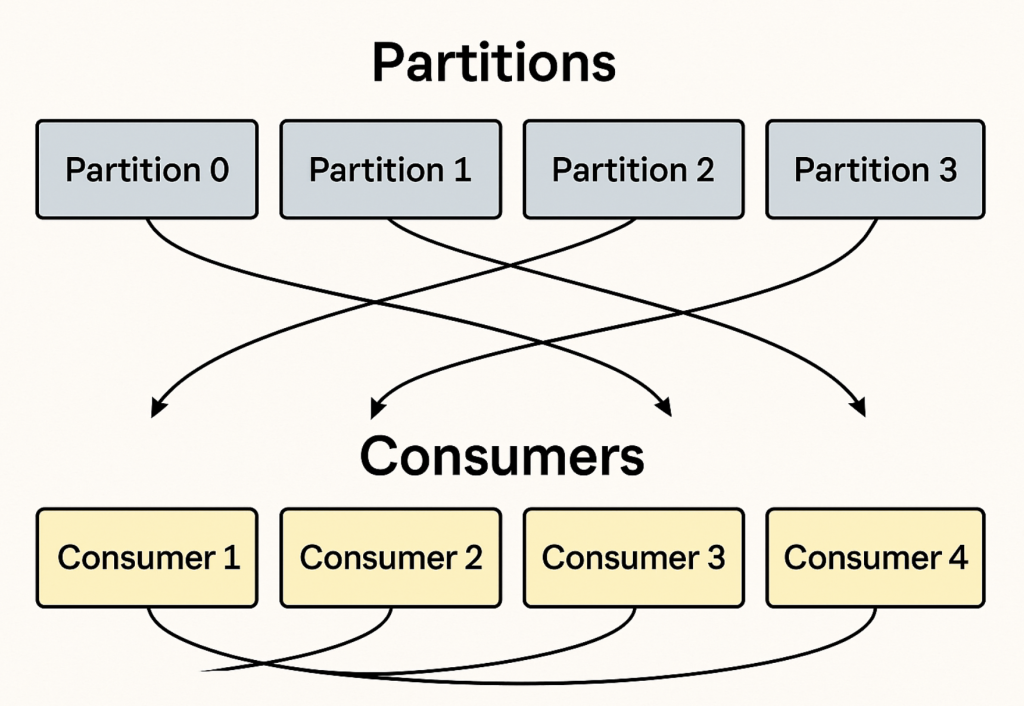
let’s go step-by-step so Kafka partitions and consumer groups are crystal clear.
1. Kafka Partition
Think of a Kafka topic as a folder and partitions as the individual files inside it.
Each partition is:
- A totally ordered log (append-only sequence of messages).
- Stored on Kafka brokers.
- Identified by an integer (0, 1, 2, …).
Why partitions matter
- Parallelism → More partitions allow more consumers to read in parallel.
- Scalability → Kafka distributes partitions across brokers for load balancing.
- Ordering → Kafka only guarantees message order within a single partition, not across the whole topic.
Example:
Topic: telemetry with 4 partitions
Partition 0: [msg1, msg5, msg9 ...]
Partition 1: [msg2, msg6, msg10 ...]
Partition 2: [msg3, msg7, msg11 ...]
Partition 3: [msg4, msg8, msg12 ...]
Code language: CSS (css)
If a producer sends with a key (e.g., vehicle ID), Kafka uses a hash(key) % partition_count to choose the partition → same key always goes to the same partition → ordering preserved per key.
2. Kafka Consumer
A consumer is an application that reads messages from Kafka.
- It subscribes to a topic (or topics).
- Reads messages in order from one or more partitions.
- Tracks progress using offsets (like bookmarks).
3. Kafka Consumer Group
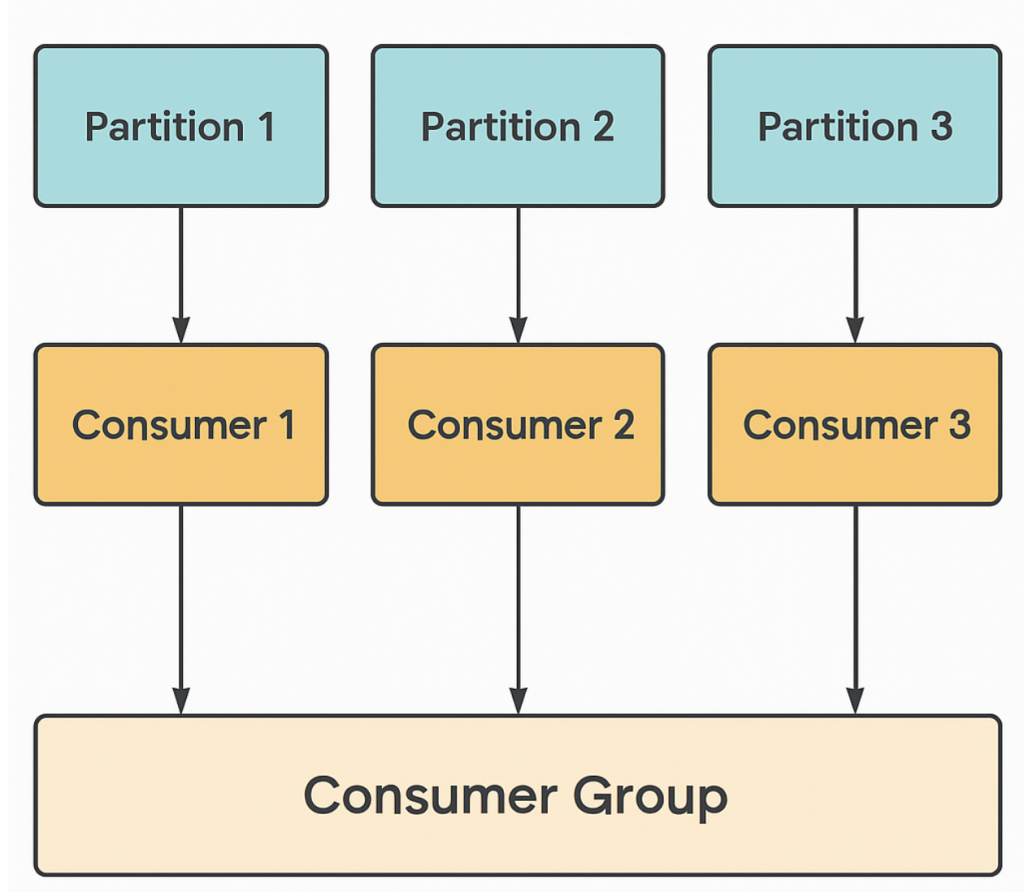
A consumer group is a set of one or more consumers that share the work of reading a topic.
Key rules:
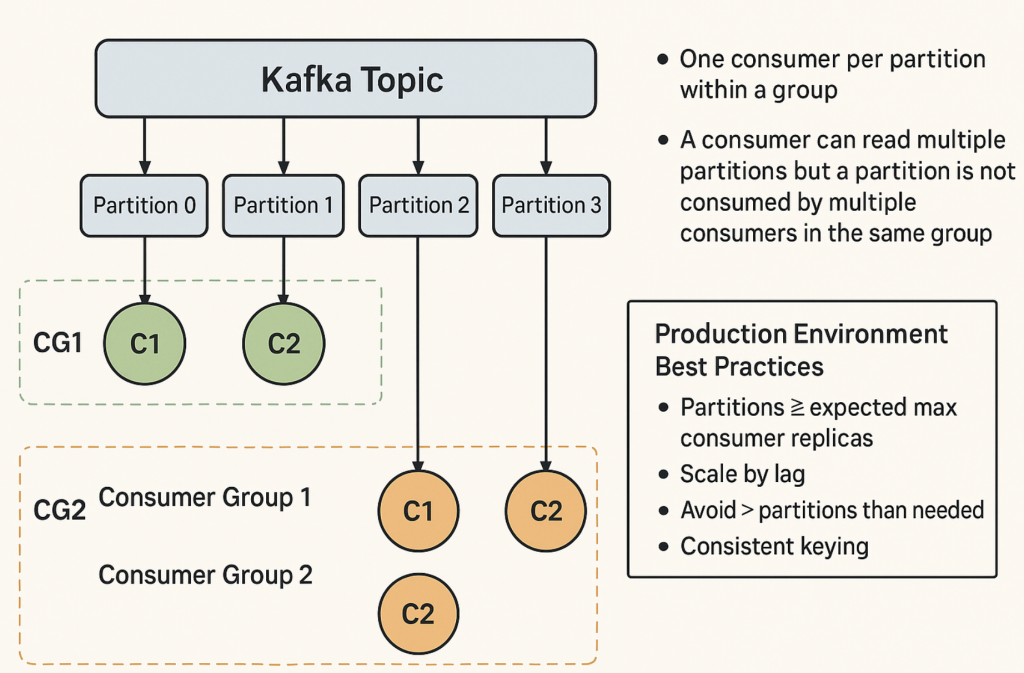
- Each partition is assigned to only ONE consumer in the group at a time.
- A consumer can read from multiple partitions, but a partition cannot be read by multiple consumers in the same group.
Example: Topic with 4 partitions
Scenario A — 1 consumer in the group
C1 reads: P0, P1, P2, P3
➡ All work done by 1 consumer (no parallelism).
Scenario B — 2 consumers in the group
C1 reads: P0, P1
C2 reads: P2, P3
➡ Work split between 2 consumers.
Scenario C — 4 consumers in the group
C1 reads: P0
C2 reads: P1
C3 reads: P2
C4 reads: P3
➡ Maximum parallelism — each consumer gets 1 partition.
Scenario D — 6 consumers in the group
C1 reads: P0
C2 reads: P1
C3 reads: P2
C4 reads: P3
C5, C6: idle (no partitions assigned)
➡ Extra consumers sit idle because there are no spare partitions.
4. Scaling with Partitions + Consumer Groups
- Scaling limit: You cannot have more active consumers in a group than there are partitions.
- Example: 4 partitions → max 4 active consumers in the same group.
- If you need more processing power:
- Increase partitions (up to 100s or 1000s, but plan carefully).
- Use multiple consumer groups if you want all messages processed independently by multiple systems.
5. Why this matters for your telematics case
- You have 4 partitions and 1 pod with 4 threads (each thread reads one partition).
- This maxes out consumer parallelism inside one pod — you can’t scale horizontally to more pods unless you add more partitions.
- Increasing partitions to 128 means you could have up to 128 consumers in the same group, which lets you:
- Spread the load across more pods.
- Autoscale based on Kafka lag.
Quick Analogy
- Topic = highway.
- Partition = lane.
- Message = car in that lane.
- Consumer group = convoy of trucks removing cars from the lanes.
- Rule: Only one truck in the convoy can drive in a given lane at a time.
- If you want more trucks working → you need more lanes (partitions).
Here’s the clear breakdown of using a consumer group vs. not using a consumer group in Kafka, along with pros/cons for each.
1. Using a Consumer Group
Definition:
Multiple consumers share the same group.id, and Kafka splits partitions among them. Kafka also tracks offsets per group so consumers can resume from where they left off.
Advantages
- Parallelism & Scalability
- Consumers in the same group process different partitions in parallel → faster processing.
- Can scale out by adding more consumers (up to the partition count).
- Automatic Load Balancing
- Kafka automatically reassigns partitions to consumers when instances join/leave.
- Offset Management
- Kafka stores the last read offset for each partition in the group → allows resuming after restart without reprocessing messages.
- Fault Tolerance
- If a consumer crashes, Kafka reassigns its partitions to other consumers in the group.
- Work Sharing
- Ideal for processing large topics where multiple consumers divide the workload.
Disadvantages / Limitations
- Partition limit: Max active consumers per group = number of partitions.
- Ordering: Ordering is guaranteed only within a partition, not across partitions.
- Shared work: Not all consumers see all messages; each message is delivered to only one consumer in the group.
2. Without a Consumer Group (“Standalone Consumer” or unique group ID for each)
Definition:
Each consumer has its own group.id (or no group at all), meaning Kafka treats them as separate groups and delivers all messages from all partitions to each consumer.
Advantages
- Broadcast Messaging
- Every consumer gets all messages from the topic.
- Good for fan-out scenarios (e.g., analytics service, monitoring service) where each needs a complete copy.
- Independent Offset Tracking
- Each consumer manages its own offset, unaffected by others.
- Isolation
- Failures in one consumer do not affect partition assignments of others.
Disadvantages
- No Work Sharing
- Each consumer must process the full topic workload → slower if the dataset is large.
- No load balancing across consumers.
- More Load on Brokers
- Kafka must send every message to every consumer → higher network and CPU usage.
- Manual Offset Management
- If no group is used, you might need to manage offsets manually (depends on client).
Quick Comparison Table
| Feature / Behavior | Consumer Group | Without Group (Unique Group ID or No Group) |
|---|---|---|
| Parallel Processing | ✅ Yes, partitions split among members | ❌ No, each processes all partitions |
| Load Balancing | ✅ Automatic | ❌ Manual / None |
| Offset Tracking | ✅ Stored in Kafka per group | ⚠️ Per-consumer only (manual if no group) |
| All Messages to All Consumers | ❌ No (one consumer per message) | ✅ Yes |
| Max Parallelism | Limited by partition count | Full topic to each consumer |
| Use Case | Scalability + fault tolerance | Broadcast / fan-out consumption |
When to Use Which
- Consumer group →
- Real-time processing where workload is split (e.g., telematics ingestion → BQ).
- Scale-out for throughput.
- Need fault tolerance and checkpointing.
- Without consumer group →
- Multiple independent services each need all messages (e.g., one service for analytics, one for monitoring).
- Event broadcasting.
If you want, I can draw a diagram showing the exact difference — one side with consumer groups splitting partitions, the other with all consumers reading all partitions — so you can visually show your team why consumer groups matter for scaling. Would you like me to make that?

I’m Rajesh Kumar, a DevOps, SRE, DevSecOps, Cloud, and Platform Engineering expert passionate about sharing practical knowledge, real-world experiences, and industry best practices. I have worked at Cotocus and regularly write about technology, travel, investing, health, product reviews, and digital marketing through my various platforms.
I publish technical articles at DevOps School, travel stories at Holiday Landmark, stock market insights at Stocks Mantra, health and fitness guidance at My Medic Plus, product reviews at TrueReviewNow, and SEO and digital marketing strategies at Wizbrand.
Find Trusted Cardiac Hospitals
Compare heart hospitals by city and services — all in one place.
Explore Hospitals
Great explanation of Kafka concepts! 👍 The breakdown of partitions, consumers, and consumer groups is clear and easy to understand. Very helpful — thanks for sharing!