
Introduction
RLHF and RLAIF training platforms help AI teams improve model behavior using structured feedback. RLHF, or reinforcement learning from human feedback, uses human preference signals, ratings, rankings, corrections, and expert reviews to make models more useful, safe, and aligned with real-world expectations. RLAIF, or reinforcement learning from AI feedback, uses AI-generated judgments, policies, or evaluator models to scale feedback when human review alone is too slow or expensive.
These platforms matter because modern AI systems are no longer just chatbots. They power agents, copilots, customer support workflows, coding assistants, multimodal tools, healthcare assistants, finance workflows, and enterprise knowledge systems. Teams now need feedback loops that improve reliability, reduce hallucinations, support governance, and control model behavior across production use cases.
Common use cases include chatbot alignment, agent behavior improvement, preference data collection, safety review, model evaluation, fine-tuning datasets, red-team feedback, and domain-specific response ranking. Buyers should evaluate privacy, feedback quality, reviewer workflows, model flexibility, evaluation depth, guardrails, auditability, integrations, cost controls, deployment options, and human-in-the-loop governance.
Best for: AI engineering teams, ML teams, data operations teams, product teams, enterprise AI labs, regulated businesses, and companies building customer-facing AI systems. These tools are especially useful for teams that need repeatable feedback workflows, high-quality evaluation data, and safe model improvement processes.
Not ideal for: very small teams using only basic prompt engineering, companies that do not fine-tune or evaluate models, or teams that only need simple survey feedback. In those cases, lightweight annotation tools, spreadsheet-based review, or standard LLM evaluation tools may be enough.
What’s Changed in RLHF / RLAIF Training Platforms in
- Agentic workflows need behavior-level feedback, not just answer-level ratings. Teams now evaluate whether agents choose the right tools, follow instructions, avoid unsafe actions, and recover from errors.
- RLAIF is becoming more practical because AI evaluator models can help pre-score outputs, reduce reviewer workload, and scale feedback collection before human validation.
- Multimodal feedback is growing, especially for models that process text, images, audio, documents, code, screenshots, and video-like sequences.
- Human review is becoming more specialized, with domain experts, safety reviewers, legal reviewers, medical reviewers, and coding experts contributing different feedback layers.
- Evaluation pipelines are moving closer to production, where model outputs are logged, reviewed, scored, and converted into improvement datasets.
- Guardrails are now part of the feedback loop, especially for jailbreaks, prompt injection, harmful outputs, policy violations, and sensitive data leakage.
- Privacy and retention controls matter more, especially when feedback data contains customer conversations, regulated information, or proprietary business context.
- Cost and latency are becoming buyer concerns, because large-scale feedback generation, model judging, and human review can become expensive without sampling and routing controls.
- BYO model and open-source workflows are more important, as teams want to avoid lock-in and use different models for generation, judging, reward modeling, and fine-tuning.
- Auditability is now a core enterprise requirement, including reviewer history, versioned rubrics, dataset lineage, approval workflows, and traceable model changes.
- Synthetic and human feedback are being combined, where AI judges create draft labels and humans review the most uncertain, risky, or high-impact cases.
- Feedback quality is replacing feedback volume, because noisy preference data can damage model behavior even when the dataset is large.
Quick Buyer Checklist
- Confirm whether the platform supports human feedback, AI feedback, or both.
- Check if it supports preference ranking, pairwise comparison, ratings, corrections, and rubric-based review.
- Verify data privacy and retention controls, especially for production logs and customer data.
- Review model choice options, including hosted models, BYO models, open-source models, and multi-model workflows.
- Look for evaluation workflows such as regression tests, human review queues, benchmark datasets, and failure analysis.
- Confirm whether the tool supports guardrails, policy review, safety scoring, jailbreak testing, or prompt-injection analysis.
- Check latency and cost controls, including sampling, batch review, AI pre-labeling, and usage visibility.
- Evaluate auditability, including reviewer history, dataset versioning, approvals, and admin controls.
- Review integrations with model providers, data warehouses, annotation pipelines, MLOps tools, experiment tracking, and APIs.
- Consider vendor lock-in risk, especially if feedback data cannot be exported easily.
- Check whether the tool supports domain expert workflows, not just generic crowd annotation.
- Confirm if the platform can support production feedback loops, not only one-time training datasets.
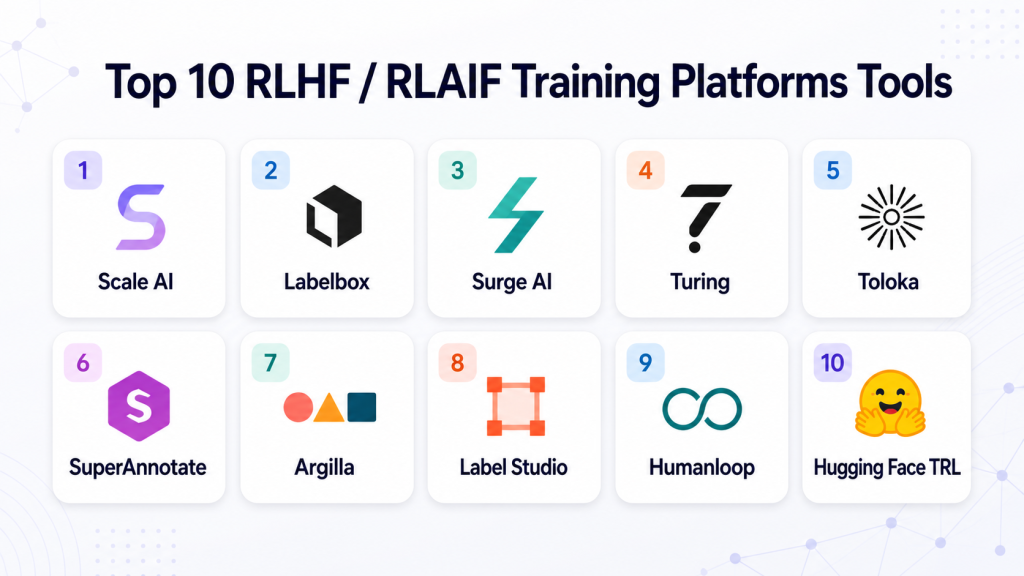
Top 10 RLHF / RLAIF Training Platforms Tools
#1 — Scale AI
One-line verdict: Best for enterprises needing managed RLHF data operations at large production scale.
Short description:
Scale AI provides data labeling, model evaluation, and RLHF-style feedback workflows for teams building advanced AI systems. It is typically used by enterprises, AI labs, autonomous systems teams, and organizations needing large-scale expert data operations.
Standout Capabilities
- Large-scale human feedback and annotation operations.
- Support for preference data, ranking, evaluation, and expert review workflows.
- Strong fit for enterprise AI teams that need managed data pipelines.
- Useful for LLM, vision, multimodal, and domain-specific AI training workflows.
- Can support complex review guidelines and quality control processes.
- Suitable for high-volume feedback projects with operational oversight.
- Strong focus on data quality and human-in-the-loop workflows.
- Can help teams convert raw model outputs into structured training signals.
AI-Specific Depth
- Model support: Varies / N/A; generally model-agnostic through data and evaluation workflows.
- RAG / knowledge integration: Varies / N/A.
- Evaluation: Human review, preference ranking, quality review, and model evaluation workflows.
- Guardrails: Varies / N/A; safety evaluation may be supported through custom review workflows.
- Observability: Varies / N/A; usually integrated with customer-side ML and analytics systems.
Pros
- Strong option for large-scale RLHF and evaluation data programs.
- Good fit when teams need managed reviewers and quality assurance.
- Useful for complex enterprise and AI lab workflows.
Cons
- May be more than smaller teams need.
- Pricing and engagement model are usually enterprise-oriented.
- Technical flexibility depends on project scope and implementation.
Security & Compliance
Not publicly stated for all specific RLHF workflows. Enterprise security controls may vary by contract, deployment model, data handling requirements, and customer configuration. Buyers should verify SSO, RBAC, audit logs, encryption, data retention, and residency directly during procurement.
Deployment & Platforms
- Web-based platform and managed services.
- Cloud-oriented delivery.
- Hybrid or custom enterprise workflows may vary.
- Windows/macOS/Linux access is generally through browser-based usage.
Integrations & Ecosystem
Scale AI is often used as part of a broader AI training, evaluation, and data operations stack. Teams typically connect it with internal data pipelines, model outputs, labeling instructions, review processes, and downstream training systems.
- APIs and managed data workflows.
- Data annotation and review pipelines.
- Human feedback operations.
- Model evaluation support.
- Enterprise AI workflow support.
- Custom project configuration.
- Exportable datasets depending on engagement.
Pricing Model
Not publicly stated. Typically enterprise/custom pricing based on scope, volume, data type, reviewer expertise, and workflow complexity.
Best-Fit Scenarios
- Enterprise RLHF programs requiring managed human feedback.
- AI labs needing large-scale preference data.
- Teams building safety, evaluation, and quality review pipelines.
#2 — Labelbox
One-line verdict: Best for teams needing structured RLHF data workflows with strong annotation operations.
Short description:
Labelbox supports data labeling, model evaluation, and feedback workflows for AI teams. It is commonly used by ML teams, data operations teams, and enterprises that need human feedback, preference data, and review pipelines.
Standout Capabilities
- Supports RLHF-style data workflows such as preference collection and ranking.
- Strong annotation and review environment for structured feedback.
- Useful for text, image, and multimodal data operations.
- Good workflow controls for reviewers, datasets, and quality checks.
- Supports collaboration between AI teams and domain experts.
- Can help build high-quality datasets for fine-tuning and evaluation.
- Suitable for iterative feedback collection.
- Strong fit for teams that need data operations plus AI review.
AI-Specific Depth
- Model support: Varies / N/A; generally model-agnostic data workflows.
- RAG / knowledge integration: Varies / N/A.
- Evaluation: Human review, annotation, preference feedback, and quality workflows.
- Guardrails: Varies / N/A; policy review can be configured through labeling workflows.
- Observability: Varies / N/A; may integrate with external data and ML systems.
Pros
- Strong fit for structured human feedback collection.
- Good for teams that need repeatable annotation and review processes.
- Useful across multiple data types and AI use cases.
Cons
- RLHF implementation may require workflow design by the customer.
- Advanced model training still depends on external ML infrastructure.
- Enterprise-grade needs may require custom setup.
Security & Compliance
Not publicly stated for every configuration. Buyers should verify SSO/SAML, RBAC, audit logs, encryption, data retention, and data residency requirements before deployment.
Deployment & Platforms
- Web-based platform.
- Cloud deployment.
- Enterprise deployment options may vary.
- Browser-based access across operating systems.
Integrations & Ecosystem
Labelbox fits into AI data pipelines where teams need to prepare, review, label, and export datasets for training or evaluation. It can work alongside model development, storage, and MLOps tools.
- Data import and export workflows.
- Annotation APIs.
- Review and quality control workflows.
- Team and reviewer management.
- Dataset management.
- AI data operations support.
- Integration with ML pipelines varies by setup.
Pricing Model
Tiered and custom pricing may apply. Exact pricing varies by use case, scale, seats, data volume, and enterprise requirements.
Best-Fit Scenarios
- Teams collecting preference data for LLM alignment.
- Organizations needing human review workflows for AI outputs.
- Companies building reusable training and evaluation datasets.
#3 — Surge AI
One-line verdict: Best for AI teams needing high-quality human feedback data from expert reviewers.
Short description:
Surge AI focuses on data labeling and RLHF-style human feedback for language, safety, and AI training workflows. It is commonly associated with high-quality data operations for LLM development and evaluation.
Standout Capabilities
- Strong focus on human-generated feedback data.
- Useful for LLM response ranking, data labeling, and evaluation workflows.
- Can support expert review for language-heavy AI tasks.
- Suitable for safety, alignment, and quality evaluation projects.
- Helps teams build datasets that reflect human judgment.
- Useful when feedback quality matters more than simple annotation volume.
- Can support custom instructions and review rubrics.
- Good fit for AI labs and advanced model teams.
AI-Specific Depth
- Model support: Varies / N/A; generally model-agnostic feedback data workflows.
- RAG / knowledge integration: N/A.
- Evaluation: Human feedback, ranking, labeling, and quality review.
- Guardrails: Varies / N/A; safety review may be configured as a task.
- Observability: N/A; typically used as a data and feedback layer.
Pros
- Strong fit for language model feedback data.
- Useful for teams prioritizing quality and reviewer expertise.
- Can support specialized evaluation projects.
Cons
- Less of a self-service ML training platform.
- Pricing and workflow details are not always public.
- May require clear task design and quality standards from the buyer.
Security & Compliance
Not publicly stated. Buyers should verify data handling, reviewer access controls, confidentiality workflows, encryption, retention policies, auditability, and compliance needs before sharing sensitive data.
Deployment & Platforms
- Managed service and platform workflows.
- Cloud-oriented access.
- Self-hosted deployment is not publicly stated.
- Platform access details may vary by engagement.
Integrations & Ecosystem
Surge AI is usually used as a human feedback and data quality partner within a larger model training stack. Teams can use it to create datasets that are later used in fine-tuning, evaluation, or reward modeling.
- Human feedback workflows.
- Preference data collection.
- Language data review.
- Safety and quality review tasks.
- Custom rubric support.
- Exportable datasets depending on workflow.
- Integration details vary by project.
Pricing Model
Not publicly stated. Pricing is likely custom based on task complexity, reviewer skill, volume, turnaround time, and quality requirements.
Best-Fit Scenarios
- LLM teams needing high-quality human preference data.
- Safety teams reviewing harmful or risky model outputs.
- AI labs building alignment datasets at scale.
#4 — Turing
One-line verdict: Best for companies needing expert human feedback from technical and domain specialists.
Short description:
Turing provides AI training data, expert talent, and human feedback workflows for model development. It is often relevant for teams that need skilled reviewers, coding expertise, domain review, and model evaluation support.
Standout Capabilities
- Access to technical and domain-specialist talent for AI feedback.
- Useful for coding model evaluation, reasoning review, and task-specific data.
- Can support RLHF-style workflows involving expert judgment.
- Strong fit for teams needing skilled human reviewers.
- Helpful for building supervised fine-tuning and preference datasets.
- Can support complex guidelines and quality review layers.
- Suitable for AI teams working on code, reasoning, and enterprise workflows.
- Can complement internal AI training teams.
AI-Specific Depth
- Model support: Varies / N/A; primarily model-agnostic feedback and talent workflows.
- RAG / knowledge integration: N/A.
- Evaluation: Human review, expert evaluation, coding review, task scoring.
- Guardrails: Varies / N/A; policy review can be structured by project.
- Observability: N/A; usually not positioned as an observability platform.
Pros
- Strong when expert feedback is more important than generic labeling.
- Useful for coding, reasoning, and technical AI evaluation.
- Can scale human review through managed talent workflows.
Cons
- Not a pure self-service RLHF training platform.
- Costs may vary based on expertise and project complexity.
- Requires strong internal project design and feedback rubrics.
Security & Compliance
Not publicly stated for all workflows. Buyers should verify SSO, RBAC, audit logs, encryption, NDA processes, data retention, reviewer controls, and data residency before using sensitive data.
Deployment & Platforms
- Managed service and web-based workflows.
- Cloud-oriented delivery.
- Self-hosted options are not publicly stated.
- Platform access may vary by project.
Integrations & Ecosystem
Turing can fit into AI development workflows that require skilled human judgment. Teams may use it for coding evaluations, prompt response review, benchmark creation, and data generation.
- Expert human review.
- Coding and technical evaluation.
- AI training data support.
- Managed project workflows.
- Custom task design.
- Dataset export options vary.
- Integration details depend on engagement.
Pricing Model
Not publicly stated. Usually custom based on scope, reviewer expertise, project duration, and feedback volume.
Best-Fit Scenarios
- Coding assistant evaluation and improvement.
- Technical RLHF datasets requiring expert reviewers.
- Enterprise AI teams needing managed expert feedback.
#5 — Toloka
One-line verdict: Best for scalable human feedback workflows with flexible crowd and expert task design.
Short description:
Toloka supports data labeling, human feedback, and AI training data workflows. It is useful for teams that need scalable review, annotation, ranking, and evaluation tasks across different data types.
Standout Capabilities
- Flexible task design for labeling, ranking, and review.
- Supports human-in-the-loop data collection at scale.
- Useful for building preference datasets and evaluation datasets.
- Can support multilingual and global feedback workflows.
- Suitable for both crowd-based and more controlled review operations.
- Helps teams collect structured human judgments.
- Can be used for AI quality evaluation and dataset improvement.
- Useful when teams need scalable feedback pipelines.
AI-Specific Depth
- Model support: Varies / N/A; model-agnostic data workflow.
- RAG / knowledge integration: N/A.
- Evaluation: Human review, ranking, labeling, and task-based scoring.
- Guardrails: Varies / N/A; safety review can be designed as a task.
- Observability: N/A; focused on data and feedback collection.
Pros
- Flexible for many annotation and feedback use cases.
- Useful for multilingual and large-scale review projects.
- Can support custom task guidelines and QA workflows.
Cons
- RLHF training pipeline requires external ML infrastructure.
- Feedback quality depends heavily on task design and reviewer management.
- Enterprise security details should be verified before sensitive use.
Security & Compliance
Not publicly stated for all configurations. Buyers should verify SSO, access controls, audit logs, encryption, data retention, and data residency requirements.
Deployment & Platforms
- Web-based platform.
- Cloud deployment.
- Self-hosted options are not publicly stated.
- Browser access across major operating systems.
Integrations & Ecosystem
Toloka can be used as a feedback collection layer for AI teams that already have model training, evaluation, and data storage systems. It is often valuable where task flexibility and human review scale are priorities.
- APIs for task workflows.
- Human labeling and review.
- Data quality workflows.
- Custom task templates.
- Exportable feedback datasets.
- Multilingual task support.
- Integration with ML pipelines varies.
Pricing Model
Varies / N/A. Pricing may depend on task type, volume, worker model, quality requirements, and enterprise needs.
Best-Fit Scenarios
- Large-scale human preference collection.
- Multilingual AI feedback workflows.
- Teams needing flexible annotation and evaluation tasks.
#6 — SuperAnnotate
One-line verdict: Best for teams combining annotation, LLM data workflows, and human review operations.
Short description:
SuperAnnotate provides annotation, data management, and AI data workflows for teams building computer vision, LLM, and multimodal systems. It can support human feedback and evaluation workflows used in model improvement pipelines.
Standout Capabilities
- Supports data annotation and review for multiple AI data types.
- Useful for LLM data workflows and feedback collection.
- Strong fit for teams combining text, image, and multimodal review.
- Can support quality control and reviewer management.
- Helps organize datasets for training and evaluation.
- Suitable for human-in-the-loop AI development.
- Can assist teams building supervised fine-tuning and preference datasets.
- Useful for structured review processes across AI projects.
AI-Specific Depth
- Model support: Varies / N/A; generally model-agnostic workflow support.
- RAG / knowledge integration: Varies / N/A.
- Evaluation: Human review, annotation QA, feedback workflows.
- Guardrails: Varies / N/A; policy review may be configured.
- Observability: N/A; external tools may be needed for production tracing.
Pros
- Good fit for multimodal data operations.
- Useful for teams that need both annotation and LLM review.
- Supports collaborative review and dataset management.
Cons
- Advanced RLHF training still requires external ML tooling.
- Some enterprise needs may require custom configuration.
- Public details for all AI-specific controls may be limited.
Security & Compliance
Not publicly stated for every configuration. Buyers should verify SSO, RBAC, audit logs, encryption, data retention, data residency, and compliance requirements directly.
Deployment & Platforms
- Web-based platform.
- Cloud deployment.
- Enterprise options may vary.
- Browser-based access across operating systems.
Integrations & Ecosystem
SuperAnnotate works well as part of an AI data pipeline where teams need to label, review, manage, and export datasets. It can support teams preparing data for model training, evaluation, and feedback loops.
- Annotation workflows.
- Dataset management.
- Review and quality control.
- LLM data workflows.
- Multimodal data support.
- APIs and export options.
- Integration details vary by setup.
Pricing Model
Not publicly stated in exact terms. Pricing may be tiered or custom depending on users, data volume, workflow type, and enterprise requirements.
Best-Fit Scenarios
- Multimodal AI feedback workflows.
- LLM dataset review and improvement.
- Teams needing annotation plus human feedback operations.
#7 — Argilla
One-line verdict: Best for open-source human feedback workflows for LLM data curation and evaluation.
Short description:
Argilla is an open-source data curation and feedback platform for AI teams. It is useful for collecting human and machine feedback, building datasets, reviewing model outputs, and improving LLM applications.
Standout Capabilities
- Open-source approach for AI data curation.
- Supports human feedback workflows for LLM projects.
- Useful for collecting ratings, rankings, labels, and expert reviews.
- Strong fit for teams wanting more control over feedback data.
- Can support human and machine feedback workflows.
- Good option for smaller teams, researchers, and developer-led AI teams.
- Helps build datasets for fine-tuning and evaluation.
- Active ecosystem around LLM data quality and feedback.
AI-Specific Depth
- Model support: Open-source and BYO model workflows are possible depending on setup.
- RAG / knowledge integration: Varies / N/A; can be integrated into custom pipelines.
- Evaluation: Human feedback, dataset review, model output review, annotation workflows.
- Guardrails: Varies / N/A; can be configured through custom review processes.
- Observability: Limited / N/A; external observability tools may be needed.
Pros
- Open-source flexibility and control.
- Good for teams that want to own feedback data.
- Useful for LLM dataset curation and human review.
Cons
- Requires more technical setup than managed platforms.
- Enterprise controls may depend on deployment and configuration.
- Less managed reviewer capacity than service-heavy vendors.
Security & Compliance
Not publicly stated for all deployments. Since Argilla can be self-managed, security depends on hosting, access controls, infrastructure, encryption, and administrative configuration chosen by the user.
Deployment & Platforms
- Web-based interface.
- Open-source deployment options.
- Self-hosted and cloud-style setups may be possible depending on configuration.
- Accessible through browser and developer environments.
Integrations & Ecosystem
Argilla is developer-friendly and can fit into custom LLM data workflows. Teams can connect it with notebooks, Python workflows, model outputs, evaluation pipelines, and dataset management processes.
- Python ecosystem.
- Dataset curation workflows.
- Human feedback collection.
- Model output review.
- Custom pipeline integration.
- Open-source extensibility.
- Community-driven ecosystem.
Pricing Model
Open-source plus possible hosted or enterprise options depending on provider and setup. Exact enterprise pricing is not publicly stated.
Best-Fit Scenarios
- Developer teams building custom RLHF feedback loops.
- Research teams curating LLM datasets.
- Organizations wanting more control over data and infrastructure.
#8 — Label Studio
One-line verdict: Best for flexible open-source annotation workflows that can support RLHF-style review.
Short description:
Label Studio is an open-source data labeling platform that can be used for text, image, audio, video, and multimodal annotation. AI teams can adapt it for human feedback, ranking, preference labeling, and review workflows.
Standout Capabilities
- Open-source and flexible labeling environment.
- Supports multiple data types and custom labeling interfaces.
- Can be adapted for pairwise preference and ranking tasks.
- Useful for teams building custom RLHF data workflows.
- Good fit for internal data operations teams.
- Supports annotation review and quality workflows.
- Can connect to broader ML pipelines.
- Useful when teams need control over task design.
AI-Specific Depth
- Model support: BYO / open-source workflows through custom integrations.
- RAG / knowledge integration: N/A unless custom-built.
- Evaluation: Human labeling, review, ranking, and annotation QA.
- Guardrails: N/A unless configured as a custom review task.
- Observability: N/A; external tools needed for production monitoring.
Pros
- Flexible and highly configurable.
- Useful for many data types and custom tasks.
- Good option for teams wanting open-source control.
Cons
- RLHF workflows require custom setup.
- Less turnkey for advanced AI alignment than specialized vendors.
- Reviewer management and quality depend on implementation.
Security & Compliance
Not publicly stated for every setup. Security depends on whether teams use open-source self-hosting, hosted services, or enterprise configurations. Buyers should verify SSO, RBAC, audit logs, encryption, and retention controls.
Deployment & Platforms
- Web-based interface.
- Open-source self-hosting available.
- Cloud and enterprise options may vary.
- Browser-based access across Windows, macOS, and Linux.
Integrations & Ecosystem
Label Studio is often used as a flexible data labeling layer inside ML and AI development workflows. It can connect with storage systems, scripts, APIs, and custom model pipelines.
- APIs and SDKs.
- Custom labeling templates.
- Data import and export.
- ML backend integrations.
- Annotation review workflows.
- Open-source community.
- Custom pipeline support.
Pricing Model
Open-source plus hosted or enterprise options. Exact enterprise pricing is not publicly stated.
Best-Fit Scenarios
- Teams building custom RLHF annotation workflows.
- Multimodal labeling projects.
- Organizations needing self-hosted data review tools.
#9 — Humanloop
One-line verdict: Best for product teams improving LLM behavior through feedback, evaluation, and prompt workflows.
Short description:
Humanloop helps teams manage prompts, evaluations, feedback, and LLM application workflows. While not a full annotation marketplace, it is useful for teams improving LLM systems with structured feedback and evaluation loops.
Standout Capabilities
- Supports LLM evaluation and feedback workflows.
- Useful for prompt management and iteration.
- Helps product and engineering teams compare model outputs.
- Can support human review for LLM application improvement.
- Useful for production-facing AI teams.
- Helps manage prompt versions and evaluation results.
- Can support multi-model experimentation depending on setup.
- Good fit for LLM application teams rather than pure data labeling teams.
AI-Specific Depth
- Model support: Multi-model / BYO model support may vary by configuration.
- RAG / knowledge integration: Varies / N/A.
- Evaluation: Prompt tests, human feedback, output comparison, regression-style workflows.
- Guardrails: Varies / N/A.
- Observability: Varies / N/A; may support logs, evaluations, and prompt-level monitoring.
Pros
- Good for teams improving deployed LLM applications.
- Useful feedback and evaluation workflow for product teams.
- Helps organize prompts, model behavior, and review cycles.
Cons
- Not a large-scale human annotation workforce platform.
- Deep RLHF training still requires external ML infrastructure.
- Some advanced enterprise requirements may need verification.
Security & Compliance
Not publicly stated for all features and configurations. Buyers should verify SSO/SAML, RBAC, audit logs, encryption, retention controls, and data residency before production use.
Deployment & Platforms
- Web-based platform.
- Cloud deployment.
- Self-hosted or hybrid availability is not publicly stated.
- Browser-based access across operating systems.
Integrations & Ecosystem
Humanloop fits into LLM product development workflows where teams need prompt management, testing, feedback, and evaluation. It is usually used alongside model APIs, application logs, and product engineering pipelines.
- LLM provider integrations.
- Prompt management.
- Evaluation workflows.
- Feedback collection.
- API-based workflows.
- Application development integration.
- Experiment and review workflows.
Pricing Model
Not publicly stated in exact terms. Pricing may be tiered or custom depending on seats, usage, evaluations, and enterprise needs.
Best-Fit Scenarios
- Product teams improving LLM application quality.
- Teams managing prompt versions and feedback loops.
- AI teams running human review and evaluation workflows.
#10 — Hugging Face TRL
One-line verdict: Best for developers and researchers building open-source RLHF, DPO, and alignment pipelines.
Short description:
Hugging Face TRL is a developer-focused library for training transformer language models with reinforcement learning and alignment methods. It is best suited for technical teams that want to build RLHF-like or preference optimization workflows directly.
Standout Capabilities
- Open-source library for RLHF and alignment experimentation.
- Supports developer workflows around transformers and fine-tuning.
- Useful for DPO, PPO-style workflows, reward modeling, and preference optimization.
- Strong fit for researchers, ML engineers, and open-source model teams.
- Works well with the broader Hugging Face ecosystem.
- Good option when teams want flexibility over managed services.
- Supports experimentation with custom datasets and models.
- Useful for teams building internal training pipelines.
AI-Specific Depth
- Model support: Open-source and BYO model workflows through Hugging Face ecosystem.
- RAG / knowledge integration: N/A; external systems required.
- Evaluation: Training-focused; external eval tools may be needed.
- Guardrails: N/A; safety workflows must be built separately.
- Observability: Limited / N/A; external experiment tracking and monitoring needed.
Pros
- Strong open-source flexibility.
- Good for hands-on RLHF and alignment research.
- Works well with transformer-based model workflows.
Cons
- Requires ML engineering expertise.
- Not a managed human feedback platform.
- Production governance, review, and security controls must be built separately.
Security & Compliance
Not publicly stated as a managed compliance platform. Security depends on the user’s infrastructure, model hosting, data storage, access controls, and deployment environment.
Deployment & Platforms
- Python-based developer library.
- Runs on Linux, macOS, and compatible development environments.
- Self-managed deployment.
- Cloud, local, or enterprise infrastructure depending on user setup.
Integrations & Ecosystem
Hugging Face TRL works best inside the broader open-source ML ecosystem. Teams can combine it with datasets, transformers, model hubs, training infrastructure, notebooks, and external evaluation tools.
- Hugging Face Transformers.
- Hugging Face Datasets.
- Python training pipelines.
- Experiment tracking tools.
- Model hosting workflows.
- Custom reward models.
- Open-source fine-tuning stacks.
Pricing Model
Open-source. Infrastructure, compute, storage, support, and enterprise services may create separate costs.
Best-Fit Scenarios
- ML teams building custom RLHF pipelines.
- Researchers testing alignment methods.
- Developers fine-tuning open-source language models.
Comparison Table
| Tool Name | Best For | Deployment | Model Flexibility | Strength | Watch-Out | Public Rating |
|---|---|---|---|---|---|---|
| Scale AI | Enterprise RLHF operations | Cloud / Managed | Model-agnostic / Varies | Large-scale feedback operations | Enterprise cost and setup | N/A |
| Labelbox | Structured feedback datasets | Cloud | Model-agnostic / Varies | Annotation and review workflows | Needs workflow design | N/A |
| Surge AI | High-quality human feedback | Managed / Cloud | Model-agnostic / Varies | Expert language feedback | Limited public platform detail | N/A |
| Turing | Expert technical feedback | Managed / Cloud | Model-agnostic / Varies | Skilled reviewer network | Custom engagement needed | N/A |
| Toloka | Scalable human feedback tasks | Cloud | Model-agnostic / Varies | Flexible task design | Quality depends on setup | N/A |
| SuperAnnotate | Multimodal data workflows | Cloud | Model-agnostic / Varies | Annotation plus AI data ops | Advanced RLHF needs external tools | N/A |
| Argilla | Open-source feedback curation | Self-hosted / Cloud-style | Open-source / BYO | Data control and flexibility | Requires technical setup | N/A |
| Label Studio | Flexible annotation workflows | Self-hosted / Cloud | BYO / Open-source | Custom labeling interfaces | Less turnkey for RLHF | N/A |
| Humanloop | LLM feedback and evaluation | Cloud | Multi-model / Varies | Prompt and evaluation workflows | Not a labeling workforce platform | N/A |
| Hugging Face TRL | Custom RLHF development | Self-managed | Open-source / BYO | Developer alignment library | Requires ML engineering | N/A |
Scoring & Evaluation
This scoring is comparative, not absolute. It reflects how well each tool fits RLHF and RLAIF-related workflows based on practical buyer needs such as feedback collection, evaluation, flexibility, governance, and implementation effort. Scores should not be treated as universal truth because fit depends heavily on team maturity, data sensitivity, budget, reviewer needs, and whether the buyer wants a managed platform or developer toolkit. Public ratings are not guessed. Security and compliance scores are conservative where details are not publicly stated. Buyers should run a pilot before making a final decision.
| Tool | Core | Reliability/Eval | Guardrails | Integrations | Ease | Perf/Cost | Security/Admin | Support | Weighted Total |
|---|---|---|---|---|---|---|---|---|---|
| Scale AI | 9 | 9 | 8 | 8 | 7 | 7 | 8 | 9 | 8.20 |
| Labelbox | 8 | 8 | 7 | 8 | 8 | 7 | 8 | 8 | 7.75 |
| Surge AI | 8 | 8 | 7 | 7 | 7 | 7 | 7 | 8 | 7.40 |
| Turing | 8 | 8 | 7 | 7 | 7 | 7 | 7 | 8 | 7.40 |
| Toloka | 7 | 7 | 6 | 7 | 8 | 8 | 7 | 7 | 7.10 |
| SuperAnnotate | 8 | 7 | 6 | 8 | 8 | 7 | 7 | 8 | 7.40 |
| Argilla | 7 | 7 | 6 | 8 | 7 | 8 | 6 | 7 | 7.10 |
| Label Studio | 7 | 6 | 5 | 8 | 7 | 8 | 6 | 7 | 6.80 |
| Humanloop | 7 | 8 | 7 | 8 | 8 | 7 | 7 | 7 | 7.45 |
| Hugging Face TRL | 8 | 7 | 5 | 9 | 5 | 8 | 5 | 8 | 7.05 |
Top 3 for Enterprise
- Scale AI
- Labelbox
- SuperAnnotate
Top 3 for SMB
- Humanloop
- Labelbox
- Toloka
Top 3 for Developers
- Hugging Face TRL
- Argilla
- Label Studio
Which RLHF / RLAIF Training Platforms Tool Is Right for You
Solo / Freelancer
Solo builders usually do not need a full enterprise RLHF platform. If you are experimenting with open-source models, Hugging Face TRL is the strongest fit because it gives you direct control over training workflows. If you need a simple way to collect human feedback, Argilla or Label Studio can help you structure review tasks without committing to a large vendor contract.
Choose lightweight tools if your main goal is learning, prototyping, or building small datasets. Avoid large managed platforms unless you have a serious production use case and a budget for expert review.
SMB
SMBs should focus on practical feedback loops, not overly complex RLHF architecture. Humanloop can be a good fit for teams improving LLM applications through prompt testing, review, and evaluation. Labelbox is useful when the company needs more structured annotation and review workflows. Toloka can work well when scalable human review is needed but the team still wants flexibility.
SMBs should prioritize ease of use, exportability, reviewer quality, and cost control. The goal should be to build repeatable feedback workflows before investing in large-scale reinforcement learning pipelines.
Mid-Market
Mid-market teams often need more governance, better review workflows, and integration with existing AI systems. Labelbox, SuperAnnotate, and Humanloop are strong candidates depending on whether the main need is data operations, multimodal annotation, or LLM application evaluation.
For teams building proprietary AI systems, a combination can work well: one tool for feedback collection, one for evaluation, and one for training. Mid-market buyers should also pay close attention to audit logs, SSO, retention controls, and dataset lineage.
Enterprise
Enterprises need repeatability, scale, security, reviewer management, and governance. Scale AI is a strong fit for large managed RLHF programs. Labelbox works well for structured data operations and review pipelines. Turing or Surge AI may be useful when expert human judgment is required, especially for coding, reasoning, legal, safety, or domain-specific evaluation.
Enterprises should not choose based only on platform features. They should evaluate data handling, reviewer quality, workflow auditability, integration flexibility, and the ability to support multiple teams across business units.
Regulated industries
Finance, healthcare, insurance, legal, and public sector teams need stricter controls. They should prioritize platforms that can support access controls, audit history, data retention policies, encryption, reviewer permissions, and clear governance workflows. If certifications or residency details are not publicly stated, buyers should verify them directly before sharing sensitive data.
For regulated workflows, avoid sending raw customer data into feedback systems without anonymization, approval, and retention controls. Human review should also include policy-specific rubrics and escalation paths.
Budget vs premium
Budget-conscious teams should consider Argilla, Label Studio, and Hugging Face TRL because they offer more control and lower software entry costs. However, they require more technical work, infrastructure, and internal process ownership.
Premium managed options like Scale AI, Surge AI, Turing, and enterprise configurations of annotation platforms can reduce operational burden but may cost more. They are best when reviewer quality, speed, governance, and scale are more important than minimizing software expense.
Build vs buy
Build your own RLHF workflow when you have strong ML engineering talent, clear data governance, internal reviewers, and a need for deep customization. Open-source tools can support this path, especially Hugging Face TRL, Argilla, and Label Studio.
Buy or partner when you need speed, expert reviewers, quality control, scale, or enterprise workflow management. Most production teams eventually use a hybrid approach: internal model training plus external feedback operations and specialized evaluation tools.
Implementation Playbook
30 Days: Pilot and Success Metrics
- Define the target use case, such as chatbot alignment, agent tool-use review, coding assistant feedback, or safety evaluation.
- Select a small but meaningful dataset of real prompts, failed outputs, edge cases, and high-value user tasks.
- Create a clear feedback rubric with rating scales, preference rules, safety labels, and examples of good and bad outputs.
- Decide whether the first pilot uses human feedback, AI feedback, or both.
- Build a basic eval harness with pass/fail checks, human review fields, and model comparison criteria.
- Choose success metrics such as helpfulness, factuality, refusal quality, safety compliance, latency, cost per reviewed item, and reviewer agreement.
- Run a small reviewer calibration exercise to reduce inconsistent labels.
- Create a prompt and version control process so model changes can be traced back to feedback data.
- Document data privacy rules before uploading production examples.
- Review early results and identify whether failures are model, prompt, retrieval, policy, or data issues.
60 Days: Harden Security, Evaluation, and Rollout
- Add SSO, RBAC, audit logs, and data retention policies if available.
- Separate sensitive, anonymized, and synthetic datasets.
- Build regression tests for common failures, policy violations, hallucinations, and unsafe behavior.
- Add red-team workflows for prompt injection, jailbreaks, data leakage, unsafe tool use, and harmful requests.
- Introduce AI-assisted pre-labeling or RLAIF scoring, but keep humans in the loop for uncertain or risky cases.
- Create reviewer quality checks, gold-standard tasks, and disagreement resolution workflows.
- Integrate feedback outputs with model training, fine-tuning, prompt updates, or evaluation dashboards.
- Define incident handling for serious model failures discovered during review.
- Create approval steps before updated models or prompts reach production.
- Start measuring cost, latency, review throughput, and feedback quality.
90 Days: Optimize, Govern, and Scale
- Expand from pilot use cases to more teams, models, languages, products, or agent workflows.
- Build a governance dashboard showing dataset versions, model versions, feedback sources, risk categories, and evaluation results.
- Optimize cost by sampling production outputs instead of reviewing everything.
- Use AI judges for first-pass review while routing high-risk cases to humans.
- Add model routing rules when different models perform better for different tasks.
- Review vendor lock-in risk and confirm data export processes.
- Create ongoing review cycles for new prompts, new tools, new retrieval sources, and new model releases.
- Run periodic red-team tests and policy reviews.
- Compare fine-tuning, prompt engineering, RAG improvements, and guardrails before assuming RLHF is always the best fix.
- Scale only after the team can prove measurable quality improvement and safe operational controls.
Common Mistakes & How to Avoid Them
- Skipping evaluation before training: Always measure baseline performance before collecting feedback or fine-tuning.
- Using vague rubrics: Reviewers need examples, rating definitions, edge cases, and escalation rules.
- Collecting too much noisy feedback: Poor-quality labels can make models worse, not better.
- Ignoring prompt injection: Agent and RAG workflows need explicit testing for malicious instructions.
- Overusing AI feedback without validation: RLAIF can scale review, but humans should validate high-risk outputs.
- Forgetting data retention controls: Feedback datasets may contain sensitive user or business information.
- No observability: Teams need traces, logs, costs, latency, and failure categories to understand model behavior.
- No reviewer calibration: Different reviewers may score the same answer differently without training.
- Over-automation without human review: Critical workflows still need human approval and escalation.
- Treating RLHF as a magic fix: Sometimes the better answer is cleaner data, better retrieval, stronger prompts, or guardrails.
- Ignoring cost surprises: Human review, AI judging, and training compute can become expensive at scale.
- No dataset versioning: Teams should know exactly which feedback data influenced each model or prompt version.
- Vendor lock-in: Choose tools that allow dataset exports and integration with your broader AI stack.
- Weak security review: Do not upload regulated or confidential data until privacy, access, and retention controls are verified.
FAQs
1. What is an RLHF training platform?
An RLHF training platform helps teams collect and manage human feedback for improving AI models. It may support rankings, ratings, corrections, reviewer workflows, dataset creation, and evaluation pipelines.
2. What is an RLAIF training platform?
An RLAIF platform uses AI-generated feedback or evaluator models to help score, rank, or review model outputs. It is often used to scale feedback workflows while reducing the cost and time of human review.
3. Is RLHF only for large language models?
No. RLHF is most commonly discussed for LLMs, but the same idea can support chatbots, coding assistants, recommendation systems, agents, multimodal models, and decision-support systems.
4. Do I need RLHF if I already use prompt engineering?
Not always. Prompt engineering may be enough for simple applications. RLHF becomes more valuable when you need repeatable behavior improvement, preference learning, safety alignment, or domain-specific model refinement.
5. Can RLHF platforms support BYO models?
Some tools are model-agnostic and can support BYO model workflows through exports or integrations. Developer-first tools like Hugging Face TRL are better suited for direct BYO model training.
6. Can these tools be self-hosted?
Some tools, such as Argilla and Label Studio, can support self-managed or open-source workflows. Managed enterprise vendors may offer different deployment options, but buyers should verify details directly.
7. How do RLHF platforms handle privacy?
Privacy depends on the vendor and deployment model. Buyers should verify encryption, access controls, data retention, audit logs, data residency, and whether customer data is used for any secondary purpose.
8. What is the difference between annotation tools and RLHF platforms?
Annotation tools collect labels, ratings, and structured feedback. RLHF platforms or workflows turn that feedback into training signals, evaluation datasets, reward models, or preference optimization pipelines.
9. Are public ratings included for these tools?
No public ratings are listed unless they are confidently verified. For this category, ratings can vary widely by product version, use case, and review source, so “N/A” is safer than guessing.
10. What are guardrails in RLHF workflows?
Guardrails are controls that help prevent unsafe, policy-violating, or unreliable AI outputs. In feedback workflows, reviewers may label jailbreaks, prompt injection, harmful content, or sensitive data exposure.
11. How expensive are RLHF platforms?
Costs vary widely. Managed human feedback can be expensive because it depends on reviewer expertise, task complexity, volume, quality checks, and turnaround time. Open-source tools may reduce software cost but increase engineering effort.
12. Can RLAIF replace human reviewers?
Not fully. RLAIF can reduce review volume and help scale feedback, but human review is still important for sensitive topics, expert judgment, policy decisions, and validating AI evaluator quality.
13. How should teams evaluate RLHF success?
Teams should track helpfulness, factual accuracy, safety, refusal quality, task completion, reviewer agreement, hallucination rate, cost, latency, and regression results before and after changes.
14. What are alternatives to RLHF?
Alternatives include supervised fine-tuning, prompt engineering, retrieval improvement, rule-based guardrails, DPO-style preference optimization, synthetic data generation, human evaluation, and production monitoring.
Conclusion
RLHF and RLAIF training platforms are becoming essential for teams that want AI systems to behave reliably, safely, and consistently in real-world environments. The right choice depends on your use case: enterprise teams may prefer managed platforms like Scale AI or Labelbox, developer teams may choose Hugging Face TRL, Argilla, or Label Studio, and product teams may prefer Humanloop-style feedback and evaluation workflows. There is no single universal winner because feedback quality, governance, model flexibility, reviewer expertise, and integration needs vary by organization.

Find Trusted Cardiac Hospitals
Compare heart hospitals by city and services — all in one place.
Explore Hospitals
Helpful article! The comparison of RLHF and RLAIF training platforms is clear, practical, and useful for understanding scalable AI alignment and model training workflows.