
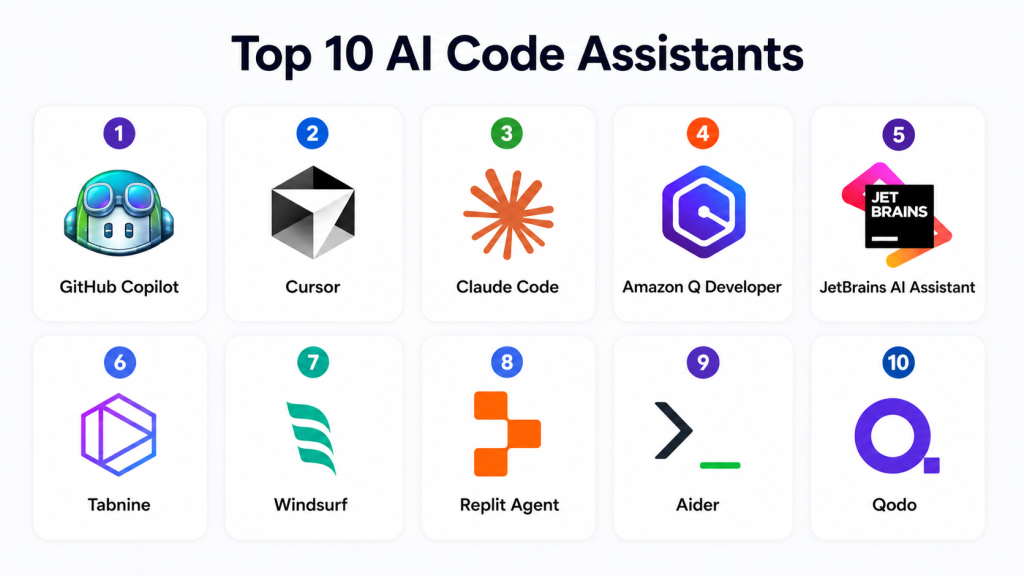
Introduction
AI Code Assistants are AI-powered developer tools that help programmers write, explain, refactor, debug, test, document, and optimize code using natural language prompts and contextual understanding. Modern AI coding tools go far beyond autocomplete. They can analyze entire repositories, generate pull requests, suggest architectural improvements, automate repetitive coding tasks, and even act as semi-autonomous coding agents.
Why It Matters
Software teams are under pressure to ship faster while maintaining security, reliability, and developer productivity. AI coding assistants reduce repetitive work, accelerate onboarding, improve documentation quality, automate boilerplate generation, and help developers navigate large codebases more efficiently. Modern AI coding platforms also support multi-file reasoning, terminal actions, test generation, code migration, and AI agents that can plan and execute coding tasks across projects. Enterprise adoption is accelerating rapidly as organizations integrate AI coding workflows into DevOps, platform engineering, and software delivery pipelines.
Real-World Use Cases
- AI-assisted code generation
- Debugging and bug fixing
- Test generation and automation
- Documentation and code explanation
- Refactoring legacy applications
- Multi-file codebase reasoning
- DevOps and infrastructure automation
- Pull request and commit generation
- AI pair programming
- Enterprise developer productivity
Evaluation Criteria for Buyers
- Code quality and reasoning depth
- Multi-file and repository understanding
- IDE and editor integrations
- Enterprise security and privacy controls
- AI agent and automation capabilities
- Supported programming languages
- Performance and latency
- Local model or BYO model support
- Collaboration and Git workflow support
- Cost and token usage controls
- Extensibility and APIs
- Governance and compliance readiness
Best for: software engineers, DevOps teams, platform engineering groups, startups, enterprise development teams, AI-native engineering organizations, and developers working with large or fast-moving codebases.
Not ideal for: organizations with strict offline-only workflows and no approved AI governance, extremely sensitive air-gapped systems without local AI support, or teams expecting AI to replace code review and engineering best practices entirely.
What’s Changed in AI Code Assistants
- AI coding assistants now support agentic workflows and autonomous task execution.
- Multi-file repository reasoning has become a major competitive differentiator.
- AI coding tools increasingly execute terminal commands and development workflows directly.
- Enterprise adoption is accelerating rapidly across large engineering organizations.
- AI code assistants now integrate deeply into Git workflows and CI pipelines.
- Long-context models are improving large codebase understanding.
- Local and privacy-focused coding assistants are gaining adoption in regulated environments.
- AI coding IDEs are replacing traditional autocomplete-centric workflows.
- Human-in-the-loop approvals remain important for production-grade code generation.
- Security and governance controls are becoming critical enterprise buying criteria.
- AI pair programming is evolving into autonomous coding agents.
- Developer experience is shifting from autocomplete to workflow orchestration.
Quick Buyer Checklist
- Check whether the tool understands full repositories or only active files.
- Verify support for your preferred IDE or editor.
- Confirm enterprise privacy and data retention controls.
- Review support for local or BYO models.
- Test debugging and refactoring quality.
- Measure latency and context window limits.
- Validate Git workflow and PR support.
- Review security scanning and governance controls.
- Check terminal and command execution capabilities.
- Confirm language and framework compatibility.
- Evaluate collaboration and team management features.
- Avoid tools that lack observability and usage governance.
Top 10 AI Code Assistants
1- GitHub Copilot
One-line verdict: Best overall AI coding assistant for developer productivity and broad IDE integration.
Short description:
GitHub Copilot remains one of the most widely adopted AI coding assistants for autocomplete, code generation, debugging, chat, and developer productivity workflows. It integrates deeply into developer environments and GitHub ecosystems.
Standout Capabilities
- Inline AI code completion
- AI coding chat assistant
- Multi-language support
- Pull request assistance
- Test generation
- Repository-aware coding
- GitHub ecosystem integration
- Agent mode workflows
AI-Specific Depth
- Model support: Proprietary hosted models and multi-model support
- RAG / knowledge integration: GitHub repository context integration
- Evaluation: Code suggestion validation and review workflows
- Guardrails: Enterprise governance and policy controls
- Observability: Usage analytics and enterprise administration
Pros
- Excellent IDE ecosystem support
- Strong autocomplete quality
- Broad developer adoption
Cons
- Enterprise governance may require configuration
- Best features tied to GitHub ecosystem
- Large repository context can vary by workflow
Security & Compliance
Supports enterprise governance, SSO, policy management, audit capabilities, and administrative controls. Specific certifications should be validated with the vendor.
Deployment & Platforms
- Windows
- macOS
- Linux
- VS Code
- JetBrains IDEs
- Cloud-hosted deployment
Integrations & Ecosystem
GitHub Copilot integrates deeply into modern development workflows and GitHub infrastructure.
- GitHub
- VS Code
- JetBrains
- Visual Studio
- CLI tooling
- Enterprise developer workflows
Pricing Model
Subscription and enterprise pricing model.
Best-Fit Scenarios
- Enterprise developer productivity
- AI-assisted coding in IDEs
- GitHub-centric engineering workflows
2- Cursor
One-line verdict: Best AI-first IDE for deep repository understanding and natural language coding workflows.
Short description:
Cursor is an AI-native development environment designed around conversational coding, repository reasoning, and AI-assisted development workflows. It has become highly popular among developers working with large projects and modern AI-driven workflows.
Standout Capabilities
- AI-native coding environment
- Repository-wide understanding
- Multi-file editing
- Natural language code generation
- AI chat and refactoring
- Terminal integration
- Codebase indexing
- Context-aware workflows
AI-Specific Depth
- Model support: Multi-model AI support
- RAG / knowledge integration: Repository indexing and contextual reasoning
- Evaluation: Code review and workflow validation
- Guardrails: User approval and edit review controls
- Observability: Workflow visibility and usage tracking
Pros
- Strong repository reasoning
- Excellent developer experience
- Powerful AI-native workflows
Cons
- AI-first workflow may require adjustment
- Heavy usage can increase costs
- Enterprise governance varies by deployment
Security & Compliance
Supports enterprise administration, access management, and organizational controls. Specific certifications are not publicly stated.
Deployment & Platforms
- Windows
- macOS
- Linux
- AI-native IDE environment
Integrations & Ecosystem
Cursor integrates into modern software engineering and Git workflows.
- Git repositories
- AI models
- Terminal environments
- Developer workflows
- APIs
- Modern programming languages
Pricing Model
Freemium and subscription-based pricing.
Best-Fit Scenarios
- AI-first coding workflows
- Large repository development
- Natural language software engineering
3- Claude Code
One-line verdict: Best for deep reasoning, large codebases, and agentic coding workflows.
Short description:
Claude Code focuses on advanced reasoning, repository understanding, multi-file refactoring, and AI agent workflows for developers working on complex engineering tasks.
Standout Capabilities
- Large context window support
- Deep codebase understanding
- Agentic coding workflows
- Multi-file refactoring
- Terminal workflows
- Long-session reasoning
- Architecture analysis
- AI-assisted planning
AI-Specific Depth
- Model support: Anthropic Claude ecosystem
- RAG / knowledge integration: Long-context repository understanding
- Evaluation: Multi-step reasoning validation
- Guardrails: Human review workflows and policy controls
- Observability: Usage visibility and workflow telemetry
Pros
- Excellent reasoning quality
- Strong large-codebase handling
- Powerful long-context capabilities
Cons
- Heavy usage can become expensive
- CLI-centric workflows may not suit everyone
- Enterprise ecosystem still expanding
Security & Compliance
Enterprise governance and security controls vary by deployment tier and enterprise agreements.
Deployment & Platforms
- CLI-based workflows
- Cloud-hosted AI environment
- Cross-platform developer support
Integrations & Ecosystem
Claude Code integrates into modern AI-assisted engineering environments.
- Git repositories
- Terminal environments
- APIs
- Enterprise developer tooling
- IDE integrations
- AI workflows
Pricing Model
Subscription and usage-based pricing.
Best-Fit Scenarios
- Large-scale codebase analysis
- AI agent coding workflows
- Complex software engineering tasks
4- Amazon Q Developer
One-line verdict: Best for AWS-native development teams and cloud infrastructure automation.
Short description:
Amazon Q Developer helps developers build, troubleshoot, modernize, and automate software and cloud workflows across AWS-centric engineering environments.
Standout Capabilities
- AWS workflow integration
- Cloud infrastructure guidance
- AI coding assistance
- Code modernization
- Security recommendations
- CLI and IDE support
- Cloud troubleshooting
- Enterprise developer tooling
AI-Specific Depth
- Model support: AWS AI ecosystem
- RAG / knowledge integration: AWS documentation and infrastructure context
- Evaluation: Cloud workflow and code validation
- Guardrails: Enterprise policy and governance workflows
- Observability: Usage monitoring and AWS visibility
Pros
- Strong AWS ecosystem integration
- Useful cloud automation capabilities
- Good infrastructure engineering support
Cons
- Best value for AWS users
- General coding depth varies by workflow
- Ecosystem dependency considerations
Security & Compliance
Supports enterprise governance, IAM integration, and cloud security controls.
Deployment & Platforms
- Cloud deployment
- IDE integrations
- AWS ecosystem environments
Integrations & Ecosystem
Amazon Q integrates deeply into AWS developer workflows.
- AWS services
- VS Code
- JetBrains
- CLI workflows
- Cloud infrastructure
- APIs
Pricing Model
Subscription and usage-based pricing.
Best-Fit Scenarios
- AWS-native engineering
- Infrastructure automation
- Cloud modernization projects
5- JetBrains AI Assistant
One-line verdict: Best for developers deeply invested in JetBrains IDE ecosystems.
Short description:
JetBrains AI Assistant provides contextual coding assistance, debugging help, documentation generation, and AI workflows directly inside JetBrains development environments.
Standout Capabilities
- Deep IDE integration
- AI code completion
- Debugging assistance
- Test generation
- Documentation workflows
- Refactoring suggestions
- Multi-language support
- Context-aware development
AI-Specific Depth
- Model support: Hosted AI models and JetBrains ecosystem support
- RAG / knowledge integration: IDE and repository context
- Evaluation: Contextual code review support
- Guardrails: IDE-based developer approval workflows
- Observability: Enterprise administration visibility
Pros
- Excellent IDE experience
- Strong developer productivity
- Good debugging assistance
Cons
- Best for JetBrains users
- Less flexible outside JetBrains ecosystem
- AI-native workflow depth varies
Security & Compliance
Supports enterprise administration and organizational controls. Specific certifications should be validated with the vendor.
Deployment & Platforms
- Windows
- macOS
- Linux
- JetBrains IDE ecosystem
Integrations & Ecosystem
JetBrains AI Assistant integrates into JetBrains development workflows.
- IntelliJ IDEA
- PyCharm
- WebStorm
- Git workflows
- Enterprise tooling
- APIs
Pricing Model
Subscription pricing model.
Best-Fit Scenarios
- JetBrains-centric development
- Enterprise IDE workflows
- AI-assisted debugging and refactoring
6- Tabnine
One-line verdict: Best for privacy-focused organizations needing local AI coding assistance.
Short description:
Tabnine focuses on AI-powered code completion and developer productivity while supporting privacy-conscious and enterprise-controlled deployment options.
Standout Capabilities
- Local AI deployment options
- AI autocomplete
- Privacy-focused workflows
- Team model customization
- Enterprise governance
- Multi-language support
- IDE integrations
- Offline-friendly environments
AI-Specific Depth
- Model support: Hosted and local model support
- RAG / knowledge integration: Repository and IDE context
- Evaluation: Suggestion review workflows
- Guardrails: Enterprise privacy and governance controls
- Observability: Usage monitoring and administration
Pros
- Strong privacy positioning
- Useful for regulated environments
- Local deployment flexibility
Cons
- Suggestion quality can vary versus cloud-first competitors
- Advanced AI workflows are more limited
- Smaller ecosystem than leading AI IDEs
Security & Compliance
Supports enterprise governance, private deployment, and administrative controls.
Deployment & Platforms
- Windows
- macOS
- Linux
- Cloud and local deployment
Integrations & Ecosystem
Tabnine integrates across major developer environments and enterprise workflows.
- VS Code
- JetBrains
- Visual Studio
- Enterprise environments
- APIs
- Developer workflows
Pricing Model
Freemium and enterprise subscription pricing.
Best-Fit Scenarios
- Privacy-sensitive development
- Local AI coding assistance
- Regulated industry engineering
7- Windsurf
One-line verdict: Best for developers wanting conversational AI coding and workflow automation.
Short description:
Windsurf provides AI-assisted coding, repository understanding, and conversational software engineering workflows inside an AI-enhanced development environment.
Standout Capabilities
- Conversational coding workflows
- AI-assisted repository understanding
- Multi-file code editing
- Workflow automation
- Context-aware assistance
- Modern developer experience
- AI chat workflows
- Refactoring support
AI-Specific Depth
- Model support: Multi-model AI workflows
- RAG / knowledge integration: Repository context understanding
- Evaluation: AI-assisted workflow review
- Guardrails: Human approval workflows
- Observability: Developer workflow visibility
Pros
- Modern AI-native experience
- Good repository understanding
- Flexible conversational workflows
Cons
- Enterprise maturity still evolving
- Ecosystem smaller than larger competitors
- Governance features vary by deployment
Security & Compliance
Enterprise governance support varies by plan and deployment.
Deployment & Platforms
- Windows
- macOS
- Linux
- AI-native coding environment
Integrations & Ecosystem
Windsurf integrates into modern software engineering workflows.
- Git repositories
- APIs
- Developer tooling
- AI models
- Terminal workflows
- IDE integrations
Pricing Model
Freemium and subscription pricing.
Best-Fit Scenarios
- Conversational AI coding
- Modern startup engineering
- AI-assisted repository workflows
8- Replit Agent
One-line verdict: Best for rapid app prototyping and browser-based AI software development.
Short description:
Replit Agent combines cloud development environments with AI-assisted coding, app generation, debugging, and deployment workflows for fast software prototyping.
Standout Capabilities
- Browser-based coding
- AI app generation
- Deployment automation
- Collaborative development
- Instant environments
- AI debugging support
- Full-stack workflows
- Rapid prototyping
AI-Specific Depth
- Model support: Hosted AI workflows
- RAG / knowledge integration: Workspace context understanding
- Evaluation: AI-assisted testing and debugging
- Guardrails: User-controlled execution
- Observability: Workspace monitoring and visibility
Pros
- Very accessible development experience
- Excellent rapid prototyping workflows
- Strong collaborative capabilities
Cons
- Less suitable for large enterprise repositories
- Browser-first workflow may not fit all teams
- Advanced governance varies
Security & Compliance
Supports workspace management and developer controls. Enterprise governance capabilities vary.
Deployment & Platforms
- Browser-based environment
- Cloud-native development
- Cross-platform access
Integrations & Ecosystem
Replit integrates development, deployment, and AI coding workflows.
- Cloud deployment
- Git repositories
- APIs
- AI-assisted workflows
- Collaboration tools
- Developer environments
Pricing Model
Freemium and usage-based pricing.
Best-Fit Scenarios
- Rapid application prototyping
- Collaborative coding
- AI-assisted startup development
9- Aider
One-line verdict: Best for terminal-native AI coding and Git-centric developer workflows.
Short description:
Aider is an AI coding assistant built around terminal workflows and Git integration, enabling developers to edit repositories, manage commits, and automate development tasks from the command line.
Standout Capabilities
- Terminal-native workflows
- Git-aware editing
- AI-assisted commits
- Repository editing
- Automated coding workflows
- Lightweight architecture
- Multi-model support
- Developer-centric automation
AI-Specific Depth
- Model support: Multi-model and BYO model support
- RAG / knowledge integration: Repository-aware workflows
- Evaluation: Git-based review workflows
- Guardrails: Human-controlled Git operations
- Observability: Terminal and repository visibility
Pros
- Excellent Git integration
- Lightweight and flexible
- Good for terminal-heavy workflows
Cons
- CLI workflows may not suit all developers
- Less beginner-friendly
- Enterprise administration capabilities vary
Security & Compliance
Security and governance depend on deployment model and selected AI providers.
Deployment & Platforms
- Windows
- macOS
- Linux
- Terminal environments
Integrations & Ecosystem
Aider integrates into developer Git and terminal workflows.
- Git
- Terminal environments
- APIs
- AI models
- Repository workflows
- CLI tooling
Pricing Model
Open-source and usage-based AI provider pricing.
Best-Fit Scenarios
- Terminal-native development
- Git-centric workflows
- Flexible AI coding environments
10- Qodo
One-line verdict: Best for AI-assisted code quality, testing, and software reliability workflows.
Short description:
Qodo focuses on AI-assisted code quality, testing, and software reliability with workflows designed to improve maintainability and engineering quality.
Standout Capabilities
- AI-assisted testing
- Code quality analysis
- Reliability workflows
- AI code review support
- Documentation generation
- Development lifecycle integration
- Refactoring assistance
- Engineering quality tooling
AI-Specific Depth
- Model support: Hosted AI coding workflows
- RAG / knowledge integration: Repository and code analysis
- Evaluation: AI-assisted code evaluation
- Guardrails: Review workflows and developer oversight
- Observability: Engineering quality visibility
Pros
- Strong testing focus
- Useful reliability workflows
- Good engineering quality support
Cons
- Less AI-native IDE depth than some competitors
- Enterprise ecosystem still growing
- Broader coding workflows may require integrations
Security & Compliance
Supports enterprise development workflows and administrative controls.
Deployment & Platforms
- IDE integrations
- Cloud-hosted AI workflows
- Developer environments
Integrations & Ecosystem
Qodo integrates into software quality and development workflows.
- Git repositories
- IDEs
- APIs
- Testing workflows
- Developer tooling
- CI environments
Pricing Model
Subscription-based pricing.
Best-Fit Scenarios
- AI-assisted testing
- Code quality improvement
- Reliability-focused engineering teams
Comparison Table
| Tool Name | Best For | Deployment | Model Flexibility | Strength | Watch-Out | Public Rating |
|---|---|---|---|---|---|---|
| GitHub Copilot | General developer productivity | Cloud | Multi-model | IDE ecosystem | GitHub dependency | N/A |
| Cursor | AI-first development | Cloud | Multi-model | Repository reasoning | AI-first learning curve | N/A |
| Claude Code | Large codebases | Cloud | Anthropic ecosystem | Deep reasoning | Cost scaling | N/A |
| Amazon Q Developer | AWS teams | Cloud | AWS ecosystem | Cloud workflows | AWS dependency | N/A |
| JetBrains AI Assistant | JetBrains users | Cloud | Hosted models | IDE integration | Ecosystem lock-in | N/A |
| Tabnine | Privacy-focused teams | Hybrid | Hosted and local | Local deployment | Workflow depth varies | N/A |
| Windsurf | Conversational coding | Cloud | Multi-model | AI-native UX | Enterprise maturity | N/A |
| Replit Agent | Rapid prototyping | Cloud | Hosted models | Browser workflows | Large repo limitations | N/A |
| Aider | Terminal-native coding | Hybrid | BYO and multi-model | Git workflows | CLI learning curve | N/A |
| Qodo | Code quality workflows | Cloud | Hosted models | Testing focus | Smaller ecosystem | N/A |
Scoring & Evaluation
The scoring below is comparative, not absolute. It reflects each platform’s usefulness across repository reasoning, AI workflow depth, integrations, usability, enterprise governance, developer productivity, and operational flexibility. Teams should validate every tool against their own languages, repositories, IDE preferences, compliance requirements, and engineering workflows.
| Tool | Core | Reliability/Eval | Guardrails | Integrations | Ease | Perf/Cost | Security/Admin | Support | Weighted Total |
|---|---|---|---|---|---|---|---|---|---|
| GitHub Copilot | 10 | 8 | 8 | 10 | 9 | 8 | 8 | 9 | 8.8 |
| Cursor | 9 | 9 | 8 | 8 | 8 | 8 | 7 | 8 | 8.3 |
| Claude Code | 9 | 10 | 8 | 8 | 7 | 7 | 7 | 8 | 8.2 |
| Amazon Q Developer | 8 | 8 | 8 | 9 | 8 | 8 | 9 | 8 | 8.3 |
| JetBrains AI Assistant | 8 | 8 | 8 | 8 | 9 | 8 | 8 | 8 | 8.1 |
| Tabnine | 7 | 7 | 9 | 8 | 8 | 8 | 9 | 7 | 7.9 |
| Windsurf | 8 | 8 | 7 | 7 | 8 | 8 | 7 | 7 | 7.7 |
| Replit Agent | 8 | 7 | 7 | 7 | 9 | 8 | 6 | 7 | 7.6 |
| Aider | 8 | 8 | 8 | 7 | 6 | 9 | 7 | 7 | 7.7 |
| Qodo | 8 | 8 | 8 | 7 | 7 | 8 | 8 | 7 | 7.8 |
Top 3 for Enterprise
- GitHub Copilot
- Claude Code
- Amazon Q Developer
Top 3 for SMB
- Cursor
- Windsurf
- Replit Agent
Top 3 for Developers
- Cursor
- Claude Code
- Aider
Which AI Code Assistant Is Right for You
Solo / Freelancer
Solo developers should prioritize usability, pricing flexibility, and lightweight workflows. Cursor, GitHub Copilot, and Replit Agent are strong choices for fast iteration and productivity.
SMB
SMBs should focus on repository understanding, collaboration, and cost control. Cursor, GitHub Copilot, Windsurf, and Qodo provide strong developer productivity without excessive operational complexity.
Mid-Market
Mid-market organizations should prioritize governance, integrations, AI workflow consistency, and engineering standardization. GitHub Copilot, JetBrains AI Assistant, and Amazon Q Developer are practical options.
Enterprise
Large enterprises should focus on governance, repository-scale reasoning, auditability, privacy controls, and integration depth. GitHub Copilot, Claude Code, Amazon Q Developer, and Tabnine are strong enterprise candidates.
Regulated Industries
Finance, healthcare, telecom, insurance, and government organizations should prioritize privacy controls, auditability, local deployment options, and AI governance. Tabnine and enterprise-managed deployments are especially valuable here.
Budget vs Premium
Budget-conscious teams may prefer open-source or lightweight AI workflows such as Aider. Premium enterprise buyers should prioritize repository reasoning, AI governance, observability, and enterprise integrations.
Build vs Buy
Organizations with strong AI engineering teams can build internal coding assistants using APIs and local models, but commercial platforms provide better IDE integration, workflow orchestration, governance, and operational scalability.
Implementation Playbook 30 / 60 / 90 Days
First 30 Days
- Identify repetitive coding workflows.
- Pilot AI assistants with small engineering teams.
- Define code review and approval policies.
- Measure productivity improvements.
- Review privacy and data retention controls.
- Establish AI usage guidelines.
- Test IDE integrations.
- Benchmark code quality outcomes.
First 60 Days
- Expand rollout to more repositories.
- Integrate AI workflows into Git processes.
- Add AI-assisted testing and debugging.
- Monitor cost and token usage.
- Train developers on prompt engineering.
- Review governance and access controls.
- Create workflow standards.
- Validate security review processes.
First 90 Days
- Standardize AI-assisted engineering workflows.
- Expand repository indexing and automation.
- Optimize AI model routing and costs.
- Add observability and reporting dashboards.
- Implement developer productivity metrics.
- Conduct governance reviews.
- Scale AI workflows organization-wide.
- Continuously review generated code quality.
Common Mistakes and How to Avoid Them
- Trusting AI-generated code without review.
- Ignoring repository context limitations.
- Failing to define governance policies.
- Allowing sensitive code exposure without controls.
- Overusing autocomplete without understanding logic.
- Ignoring token and cost management.
- Skipping testing of AI-generated code.
- Not documenting approved AI workflows.
- Choosing tools without IDE compatibility checks.
- Ignoring local deployment requirements.
- Assuming AI replaces senior engineering judgment.
- Failing to monitor AI-generated security issues.
- Overcomplicating AI adoption too early.
- Ignoring developer training and onboarding.
FAQs
1. What is an AI code assistant?
An AI code assistant is a developer tool that uses large language models to help write, explain, debug, test, and refactor software code.
2. Can AI code assistants replace developers?
No. AI code assistants improve productivity and reduce repetitive work, but developers are still responsible for architecture, validation, security, testing, and business logic decisions.
3. Which AI coding assistant is best for beginners?
GitHub Copilot is often considered one of the easiest starting points because it integrates directly into common IDE workflows.
4. Which AI coding tool is best for large repositories?
Claude Code and Cursor are frequently recognized for strong repository reasoning and large-context workflows.
5. Are AI coding assistants safe for enterprise use?
They can be, but organizations need governance controls, privacy policies, secure prompting practices, and approval workflows.
6. Do AI coding assistants support local models?
Some tools, such as Tabnine and flexible CLI-based workflows, support local or BYO model approaches depending on deployment configuration.
7. What is an AI-native IDE?
An AI-native IDE is a coding environment designed around conversational AI workflows, repository reasoning, and AI-assisted software engineering rather than traditional autocomplete only.
8. Are AI code assistants expensive?
Costs vary significantly depending on subscriptions, enterprise licensing, token usage, and AI model selection. Heavy repository workflows can increase operational costs.
9. What is agentic coding?
Agentic coding refers to AI workflows where AI systems can plan, execute, and iterate across coding tasks with reduced manual intervention.
10. Which tool is best for privacy-focused environments?
Tabnine is commonly recommended for organizations requiring stronger local deployment and privacy-oriented workflows.
11. Can AI coding tools integrate with Git workflows?
Yes. Most leading tools support Git repositories, commit generation, pull requests, repository indexing, and development workflow automation.
12. What is the biggest challenge with AI coding assistants?
The biggest challenge is balancing productivity gains with governance, security review, code quality validation, and developer oversight.
Conclusion
AI Code Assistants are reshaping modern software engineering by combining code generation, repository reasoning, debugging, testing, workflow automation, and AI-assisted development into powerful productivity platforms. Development teams increasingly rely on these tools to accelerate delivery, improve onboarding, automate repetitive tasks, and manage increasingly large and complex codebases. The market is rapidly evolving from simple autocomplete toward agentic AI software engineering workflows capable of planning and executing multi-step development tasks.The best platform depends heavily on workflow preferences, repository scale, governance requirements, IDE ecosystems, and operational maturity. GitHub Copilot remains a strong all-around choice for broad developer adoption, Cursor and Claude Code lead in repository reasoning and AI-native workflows, Amazon Q Developer is highly effective for AWS-centric teams, while Tabnine provides strong privacy-focused deployment flexibility.

Find Trusted Cardiac Hospitals
Compare heart hospitals by city and services — all in one place.
Explore Hospitals
A well-structured comparison that clearly highlights how AI code assistants are transforming software development by improving coding speed, accuracy, and overall developer productivity.