
Install and Configure Elasticsearch in Linux
Download and Extract Elasticsearch
https://www.elastic.co/downloads/elasticsearch
Code language: JavaScript (javascript)
Run and Verify Elasticsearch 9.3
# AS NORMAL USER - NOT using root
$ cd /home/ubuntu
$ wget https://artifacts.elastic.co/downloads/elasticsearch/elasticsearch-9.3.3-linux-x86_64.tar.gz
$ tar -zxvf elasticsearch-9.3.3-linux-x86_64.tar.gz
$ mv elasticsearch-9.3.3 elasticsearch
$ cd elasticsearch/bin
$ ./elasticsearch

Out are given below;Code language: PHP (php)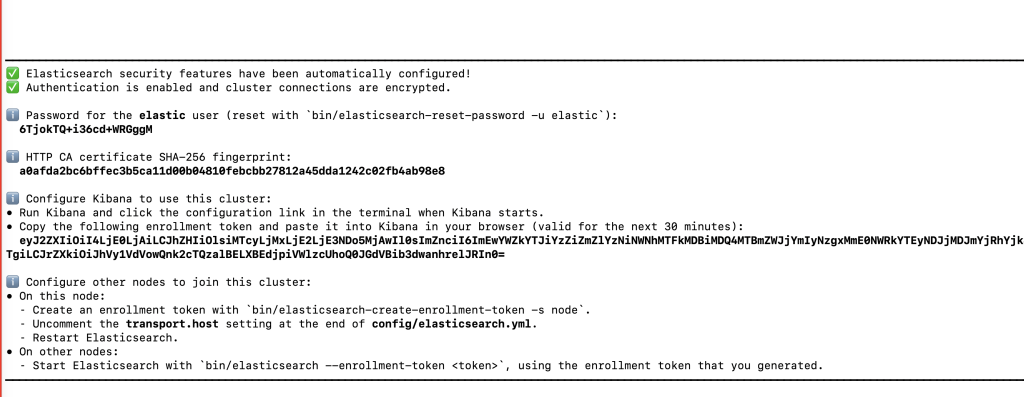
On Another Terminal

$ curl --cacert /home/ubuntu/elasticsearch/config/certs/http_ca.crt -u elastic https://localhost:9200
Enter host password for user 'elastic':
{
  "name" : "ip-172-31-16-174",
  "cluster_name" : "elasticsearch",
  "cluster_uuid" : "rTSCc0r5RbilexhVebzaog",
  "version" : {
    "number" : "9.3.3",
    "build_flavor" : "default",
    "build_type" : "tar",
    "build_hash" : "640408e2dfd2af9fbfe5079e1575f93d8909a5f5",
    "build_date" : "2026-04-01T22:08:18.783399214Z",
    "build_snapshot" : false,
    "lucene_version" : "10.3.2",
    "minimum_wire_compatibility_version" : "8.19.0",
    "minimum_index_compatibility_version" : "8.0.0"
  },
  "tagline" : "You Know, for Search"
}
Code language: JavaScript (javascript)
Run and Verify Elasticsearch 7.x
$ sudo yum install wget -y
$ wget https://artifacts.elastic.co/downloads/elasticsearch/elasticsearch-7.15.0-linux-x86_64.tar.gz
$ tar -zxvf elasticsearch-7.15.0-linux-x86_64.tar.gz
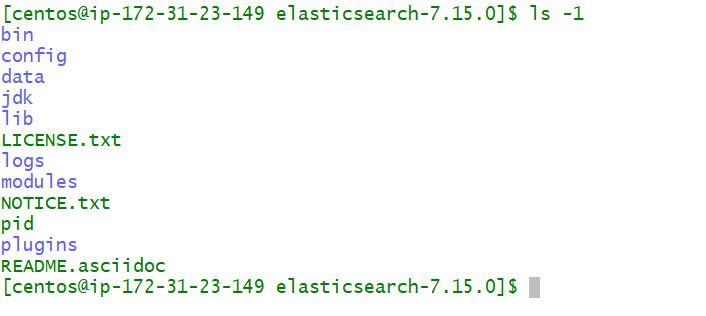
$ cd elasticsearch-7.15.0
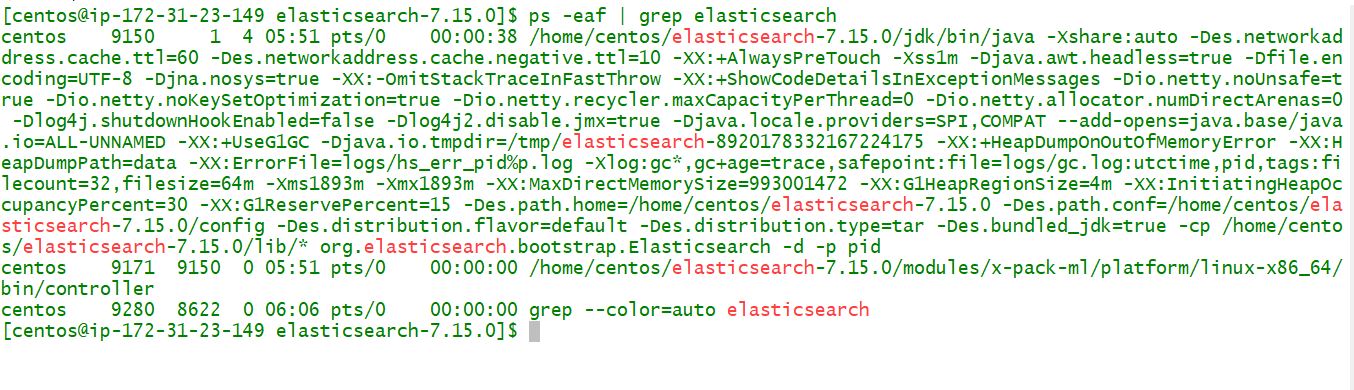
$ ./bin/elasticsearch -d -p pid
$ ps -eaf | grep elasCode language: JavaScript (javascript)
Run and Verify Elasticsearch 8.x
Terminal#1
$ wget https://artifacts.elastic.co/downloads/elasticsearch/elasticsearch-8.9.1-linux-x86_64.tar.gz
$ tar -zxvf elasticsearch-8.9.1-linux-x86_64.tar.gz
$ cd elasticsearch-8.9.1
$ ls config/
$ cd bin
$ ./elasticsearch

Terminal#2
$ curl --cacert /home/ubuntu/elasticsearch-8.9.1/config/certs/http_ca.crt -u elastic https://localhost:9200
Enter host password for user 'elastic':
{
  "name" : "ip-172-31-58-60",
  "cluster_name" : "elasticsearch",
  "cluster_uuid" : "dvbfb_NLS6qy1iuhc4yvKA",
  "version" : {
    "number" : "8.9.1",
    "build_flavor" : "default",
    "build_type" : "tar",
    "build_hash" : "a813d015ef1826148d9d389bd1c0d781c6e349f0",
    "build_date" : "2023-08-10T05:02:32.517455352Z",
    "build_snapshot" : false,
    "lucene_version" : "9.7.0",
    "minimum_wire_compatibility_version" : "7.17.0",
    "minimum_index_compatibility_version" : "7.0.0"
  },
  "tagline" : "You Know, for Search"
}Code language: PHP (php)
Run and Verify Elasticsearch 9.x
$ wget https://artifacts.elastic.co/downloads/elasticsearch/elasticsearch-9.0.0-linux-x86_64.tar.gz
$ tar -zxvf elasticsearch-9.0.0-linux-x86_64.tar.gz
$ cd ubuntu/elasticsearch-9.0.0
$ bin/elasticsearchCode language: JavaScript (javascript)
ubuntu@ip-172-31-38-122:~$ curl –cacert /home/ubuntu/elasticsearch-9.0.0/config/certs/http_ca.crt -u elastic https://localhost:9200
Enter host password for user ‘elastic’:
{
“name” : “ip-172-31-38-122”,
“cluster_name” : “elasticsearch”,
“cluster_uuid” : “wN4YsWQpQYSMNhIq-dRrMQ”,
“version” : {
“number” : “9.0.0”,
“build_flavor” : “default”,
“build_type” : “tar”,
“build_hash” : “112859b85d50de2a7e63f73c8fc70b99eea24291”,
“build_date” : “2026-04-08T15:13:46.049795831Z”,
“build_snapshot” : false,
“lucene_version” : “10.1.0”,
“minimum_wire_compatibility_version” : “8.18.0”,
“minimum_index_compatibility_version” : “8.0.0”
},
“tagline” : “You Know, for Search”
}
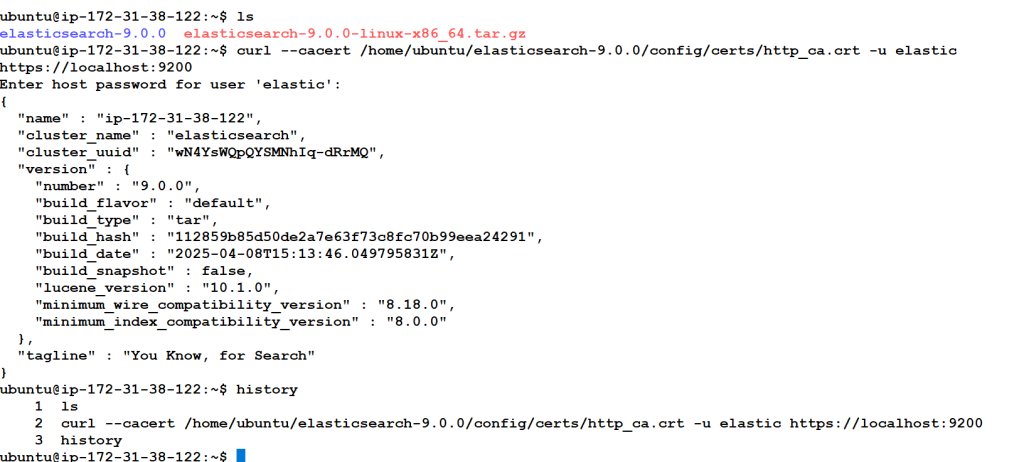
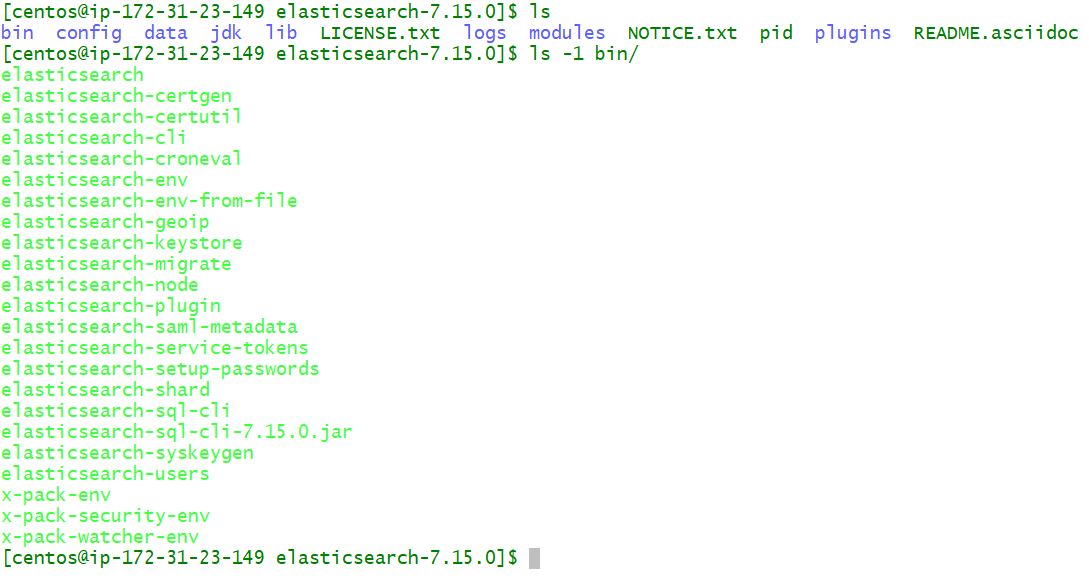
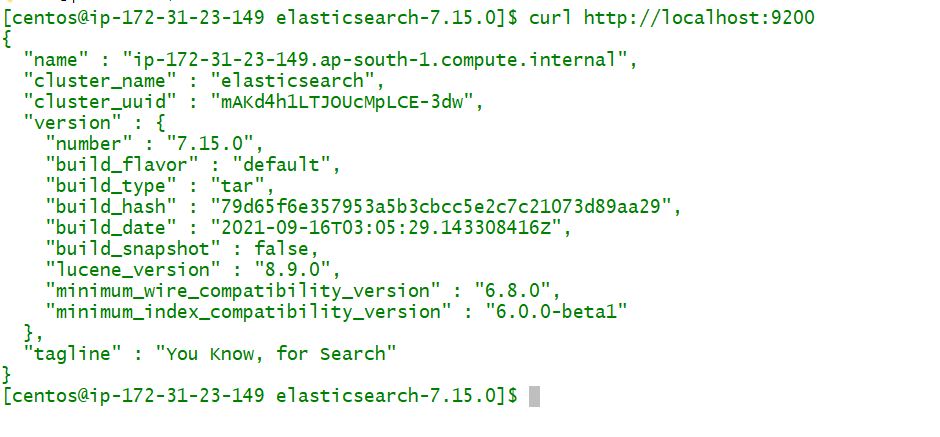
Images for Elasticsearch Install Validation
Install Elasticsearch with Docker
Pulling the image
Obtaining Elasticsearch for Docker is as simple as issuing a docker pull command against the Elastic Docker registry.
$ docker pull docker.elastic.co/elasticsearch/elasticsearch:7.15.0

Starting a single node cluster with Docker
To start a single-node Elasticsearch cluster for development or testing, specify single-node discovery to bypass the bootstrap checks:
$ docker run -p 9200:9200 -p 9300:9300 -e "discovery.type=single-node" docker.elastic.co/elasticsearch/elasticsearch:7.15.0Code language: JavaScript (javascript)
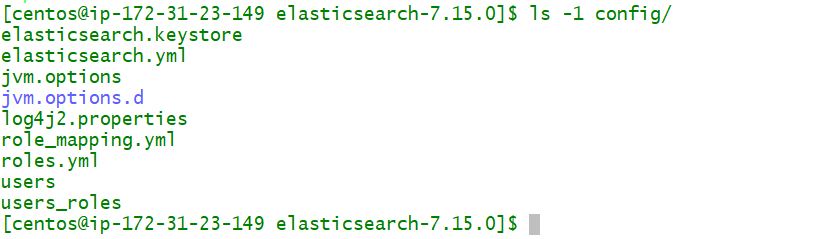
Elasticsearch Configuration file

I’m Rajesh Kumar, a DevOps, SRE, DevSecOps, Cloud, and Platform Engineering expert passionate about sharing practical knowledge, real-world experiences, and industry best practices. I have worked at Cotocus and regularly write about technology, travel, investing, health, product reviews, and digital marketing through my various platforms.
I publish technical articles at DevOps School, travel stories at Holiday Landmark, stock market insights at Stocks Mantra, health and fitness guidance at My Medic Plus, product reviews at TrueReviewNow, and SEO and digital marketing strategies at Wizbrand.
Find Trusted Cardiac Hospitals
Compare heart hospitals by city and services — all in one place.
Explore Hospitals