
Introduction
Model Watermarking & Provenance Tools help organizations prove where AI models, datasets, media files, and AI-generated outputs came from, how they were created, and whether they were modified after creation. These tools are becoming important for enterprises using generative AI, synthetic media, model marketplaces, content publishing workflows, regulated AI systems, and internal AI governance programs.
In simple terms, watermarking adds hidden or visible signals to AI-generated content or model outputs, while provenance records the origin, ownership, creation history, editing history, and chain of custody of digital assets. Together, they help organizations improve trust, reduce misinformation risks, protect intellectual property, support compliance, and verify authenticity across AI workflows.
Modern provenance tools use methods such as cryptographic signing, content credentials, metadata, invisible watermarks, model fingerprints, secure capture, audit logs, and verification workflows. Some tools focus on AI-generated media, some focus on creator attribution, some focus on enterprise content authenticity, and others support technical research around watermarking machine learning models.
Why It Matters
- Helps identify AI-generated or AI-modified content
- Improves content authenticity and digital trust
- Supports AI governance and audit readiness
- Protects creator attribution and intellectual property
- Reduces deepfake and misinformation risks
- Helps prove chain of custody for digital assets
- Supports compliance and transparency workflows
- Strengthens responsible AI deployment practices
Real-World Use Cases
- Watermarking AI-generated images, video, audio, or text
- Verifying content origin and edit history
- Adding provenance metadata to digital media
- Protecting brand content from unauthorized manipulation
- Tracking AI-generated outputs in enterprise workflows
- Supporting journalism, legal, and public-sector evidence review
- Managing creator attribution and content credentials
- Building trust signals into AI governance programs
Evaluation Criteria for Buyers
When evaluating Model Watermarking & Provenance Tools, buyers should focus on:
- Support for invisible watermarking
- Support for open provenance standards
- Cryptographic verification capabilities
- Compatibility with images, video, audio, and text
- Integration with content creation workflows
- Enterprise audit and reporting features
- Resistance to editing, compression, and screenshots
- Ease of verification for end users
- Support for creator attribution
- Governance and compliance readiness
Best for: Enterprises, media companies, AI platforms, publishers, creators, legal teams, compliance teams, security teams, and organizations producing or verifying AI-generated content.
Not ideal for: Small experiments where provenance is not important, teams that do not publish AI-generated content, or workflows that only need basic manual labeling.
What’s Changing in Model Watermarking & Provenance
- AI-generated content is increasing demand for stronger authenticity signals
- Content provenance is moving toward open standards and interoperable metadata
- Invisible watermarking is becoming common for AI-generated media
- Enterprises are adding provenance checks into governance workflows
- Publishers and platforms are adopting content credentials for transparency
- AI output verification is becoming important for legal and compliance teams
- Watermarking is expanding from images into text, audio, video, and model outputs
- Deepfake concerns are increasing demand for verification tools
- Creator attribution is becoming part of responsible AI strategy
- Provenance is becoming a practical layer of enterprise AI trust
Quick Buyer Checklist
Before selecting a platform, verify:
- Does it support watermarking for your content type?
- Can it verify AI-generated or AI-edited assets?
- Does it support open provenance standards?
- Can it preserve metadata across editing workflows?
- Does it work with your creative or AI stack?
- Can it support enterprise audit trails?
- Is verification easy for external users?
- Does it protect creator attribution?
- Does it support secure capture or chain of custody?
- Can it scale across teams and content pipelines?
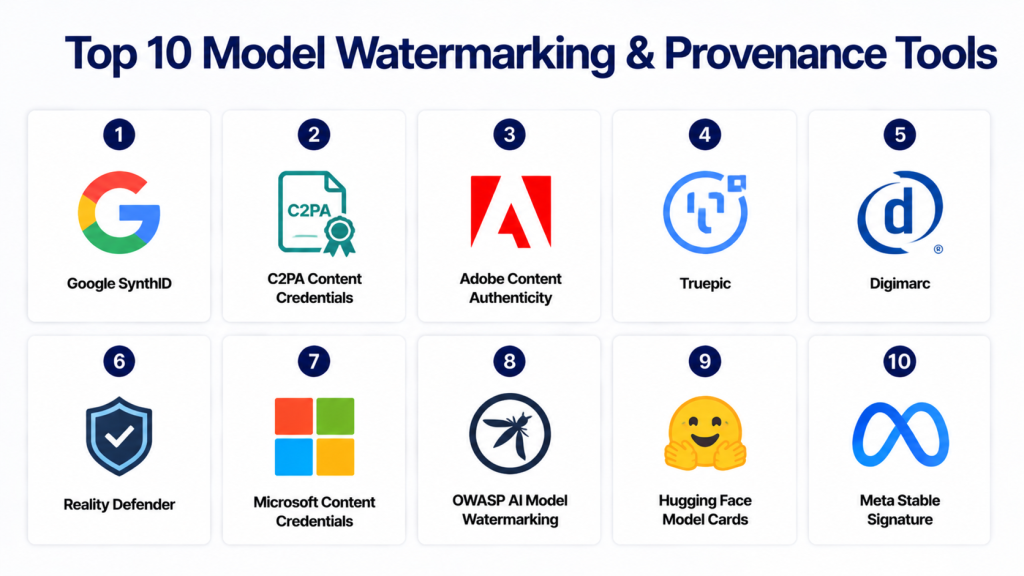
Top 10 Model Watermarking & Provenance Tools
1- Google SynthID
2- C2PA Content Credentials
3- Adobe Content Authenticity
4- Truepic
5- Digimarc
6- Reality Defender
7- Microsoft Content Credentials
8- OWASP AI Model Watermarking
9- Hugging Face Model Cards
10- Meta Stable Signature
1- Google SynthID
One-line Verdict
Strong AI watermarking technology for identifying AI-generated content across multiple media formats.
Short Description
Google SynthID is designed to watermark and identify AI-generated content. It focuses on adding invisible signals into AI outputs so that content can later be detected as AI-generated or AI-modified.
The tool is especially relevant for organizations using generative AI in images, text, audio, or video workflows. It helps improve transparency while reducing confusion between human-created and AI-generated media.
Standout Capabilities
- Invisible AI watermarking
- AI-generated content detection
- Support for multiple media types
- Integration with Google AI ecosystem
- Transparency-focused design
- Detection-oriented workflow
- Useful for synthetic media governance
- Supports responsible AI practices
AI-Specific Depth
SynthID is purpose-built for generative AI content identification. It is especially useful where organizations need to detect AI-generated outputs without relying only on visible labels or manual disclosure.
Pros
- Strong AI-native watermarking focus
- Useful for synthetic content transparency
- Backed by major AI ecosystem adoption
Cons
- Best aligned with Google ecosystem
- Verification depends on supported detection workflows
- Not a full enterprise governance platform by itself
Security & Compliance
Security details vary by implementation. Enterprise users should verify deployment controls and compliance support directly.
Deployment & Platforms
- Google AI ecosystem
- Cloud-based workflows
- Supported generative AI products
Integrations & Ecosystem
SynthID works best in workflows connected to Google’s AI and media generation ecosystem.
- Generative image workflows
- Text generation workflows
- Video and audio AI workflows
- AI content detection pipelines
- Responsible AI programs
Pricing Model
Varies by product and implementation.
Best-Fit Scenarios
- AI-generated content watermarking
- Synthetic media verification
- Google AI-based content workflows
2- C2PA Content Credentials
One-line Verdict
Open provenance standard for verifying digital content origin, edits, and authenticity.
Short Description
C2PA Content Credentials provide a standard way to attach tamper-evident provenance information to digital content. Instead of only detecting whether content is AI-generated, it helps show where a file came from, who created it, and what changes were made.
This makes C2PA especially valuable for media organizations, publishers, creative teams, public-sector agencies, and enterprises that need interoperable authenticity signals across many tools and platforms.
Standout Capabilities
- Open provenance standard
- Content origin tracking
- Edit history support
- Cryptographic verification
- Metadata-based authenticity signals
- Cross-platform interoperability
- Creator attribution support
- Chain-of-custody workflows
AI-Specific Depth
C2PA is not limited to AI content, but it is highly relevant for AI-generated and AI-edited media because it can help identify how content was created and modified.
Pros
- Open and interoperable standard
- Strong fit for content authenticity
- Useful across many media workflows
Cons
- Depends on adoption across platforms
- Metadata can be removed in weak workflows
- Requires ecosystem support for full value
Security & Compliance
Supports tamper-evident provenance workflows and cryptographic verification concepts.
Deployment & Platforms
- Standard-based implementation
- Media workflows
- Creative and publishing platforms
Integrations & Ecosystem
C2PA can be used across digital media and publishing ecosystems.
- Image workflows
- Video workflows
- Publishing platforms
- Creative tools
- Verification systems
Pricing Model
Standard-based ecosystem. Pricing depends on implementation vendor.
Best-Fit Scenarios
- Digital content provenance
- Newsroom authenticity
- Cross-platform content verification
3- Adobe Content Authenticity
One-line Verdict
Creator-focused provenance and attribution platform built around Content Credentials.
Short Description
Adobe Content Authenticity helps creators, publishers, and enterprises attach provenance and attribution information to digital assets. It is designed to improve transparency around who created content, how it was edited, and whether AI tools were involved.
The platform is especially useful for creative professionals and organizations already using Adobe workflows. It helps make authenticity information easier to apply and verify across media assets.
Standout Capabilities
- Creator attribution
- Content Credentials support
- Provenance metadata
- AI usage disclosure
- Digital asset authenticity
- Creative workflow integration
- Tamper-evident content history
- Media transparency controls
AI-Specific Depth
Adobe Content Authenticity supports AI transparency by helping label and preserve information about AI involvement, creator rights, and digital media history.
Pros
- Strong creative ecosystem fit
- Good attribution workflows
- Useful for media and publishing teams
Cons
- Best value within creative workflows
- Not a model security platform
- Metadata preservation depends on downstream platforms
Security & Compliance
Supports provenance-based trust and content authenticity workflows.
Deployment & Platforms
- Web-based creative workflows
- Adobe ecosystem
- Media asset workflows
Integrations & Ecosystem
Adobe Content Authenticity fits naturally into creative and publishing ecosystems.
- Image workflows
- Video workflows
- Design workflows
- Content Credentials ecosystem
- Creator attribution systems
Pricing Model
Varies by Adobe product and usage.
Best-Fit Scenarios
- Creator attribution
- AI content disclosure
- Media authenticity workflows
4- Truepic
One-line Verdict
Enterprise-grade content authenticity platform focused on secure capture and verified media provenance.
Short Description
Truepic helps organizations capture, verify, and authenticate digital media. It is often used where image and video authenticity matter, such as insurance, inspections, journalism, legal workflows, public-sector evidence, and enterprise verification.
The platform focuses on proving that media came from a trusted source and was not manipulated after capture. This makes it useful for workflows where content authenticity is business-critical.
Standout Capabilities
- Secure media capture
- Content provenance tracking
- Image and video verification
- Chain-of-custody workflows
- Enterprise authenticity reporting
- Tamper detection support
- Verification workflows
- Evidence-grade media handling
AI-Specific Depth
Truepic is not only an AI watermarking tool, but it is highly relevant for AI-era provenance because it helps verify whether media is authentic, captured securely, and traceable.
Pros
- Strong secure capture capabilities
- Useful for enterprise verification
- Good fit for evidence-heavy workflows
Cons
- Not focused on model watermarking
- Best suited for media verification
- May be more than needed for basic labeling
Security & Compliance
Enterprise media verification and chain-of-custody controls are available.
Deployment & Platforms
- Cloud platform
- Mobile capture workflows
- Enterprise verification workflows
Integrations & Ecosystem
Truepic fits into enterprise verification and media trust environments.
- Inspection systems
- Insurance workflows
- Legal evidence workflows
- Media verification platforms
- Enterprise content systems
Pricing Model
Enterprise pricing.
Best-Fit Scenarios
- Secure image and video capture
- Media verification
- Evidence and inspection workflows
5- Digimarc
One-line Verdict
Mature digital watermarking and content identification platform for brands, media, and enterprise assets.
Short Description
Digimarc provides digital watermarking and identification technologies for physical and digital assets. In AI-era content workflows, it can help organizations embed persistent signals into media or product-related content to support identification, tracking, and authenticity.
The platform is useful for brands, publishers, packaging teams, media owners, and enterprises that need scalable asset identification and watermarking capabilities.
Standout Capabilities
- Digital watermarking
- Asset identification
- Brand protection workflows
- Media tracking
- Product authentication support
- Enterprise-scale deployment
- Cross-channel identification
- Content traceability
AI-Specific Depth
Digimarc is broader than AI, but its watermarking capabilities are relevant for AI-generated content labeling, media tracking, and authenticity workflows.
Pros
- Mature watermarking technology
- Strong enterprise use cases
- Useful across physical and digital channels
Cons
- Not only focused on AI-generated content
- Enterprise setup required
- AI-specific workflows may need configuration
Security & Compliance
Enterprise-grade asset identification and watermarking workflows.
Deployment & Platforms
- Enterprise platform
- Digital media workflows
- Brand and product workflows
Integrations & Ecosystem
Digimarc can support multiple content and asset management environments.
- Digital media platforms
- Brand protection workflows
- Packaging systems
- Enterprise content systems
- Verification workflows
Pricing Model
Enterprise pricing.
Best-Fit Scenarios
- Brand protection
- Digital asset watermarking
- Enterprise content identification
6- Reality Defender
One-line Verdict
AI media detection and verification platform focused on identifying manipulated or synthetic content.
Short Description
Reality Defender helps organizations detect AI-generated or manipulated media across images, video, audio, and text. While it is more detection-focused than watermarking-focused, it is useful in provenance workflows because it helps verify whether content appears authentic or synthetic.
The platform is relevant for media companies, financial institutions, public-sector teams, security groups, and enterprises concerned about deepfakes and synthetic content risk.
Standout Capabilities
- Deepfake detection
- Synthetic media detection
- Image, video, audio, and text analysis
- Risk scoring
- Enterprise verification workflows
- Media authenticity alerts
- Threat monitoring
- API-based analysis
AI-Specific Depth
Reality Defender focuses heavily on AI-generated and AI-manipulated content detection, making it useful alongside watermarking and provenance systems.
Pros
- Strong synthetic media detection focus
- Useful for security and fraud teams
- Supports multiple content formats
Cons
- Detection is different from provenance
- Accuracy depends on content type and attack method
- May require integration with broader workflows
Security & Compliance
Enterprise verification workflows are available. Specific compliance details should be verified directly.
Deployment & Platforms
- SaaS
- API-based workflows
- Enterprise verification environments
Integrations & Ecosystem
Reality Defender can fit into security, fraud, and media verification workflows.
- Fraud detection systems
- Media verification workflows
- Security operations
- Content moderation systems
- Enterprise APIs
Pricing Model
Enterprise pricing.
Best-Fit Scenarios
- Deepfake detection
- Synthetic media verification
- Fraud and security workflows
7- Microsoft Content Credentials
One-line Verdict
Provenance-focused content authenticity approach aligned with enterprise and creative AI workflows.
Short Description
Microsoft Content Credentials help support digital content provenance by attaching authenticity information to AI-generated or edited content. It is relevant for organizations using Microsoft AI and productivity ecosystems where content transparency is important.
The approach supports broader industry movement toward content provenance and authenticity labels, especially for AI-generated media and enterprise publishing workflows.
Standout Capabilities
- Content provenance support
- AI content labeling
- Creator and edit history support
- Enterprise ecosystem alignment
- Metadata-based verification
- Transparency workflows
- Digital media authenticity
- AI disclosure support
AI-Specific Depth
Microsoft’s provenance approach is relevant for AI-generated content disclosure, authenticity tracking, and enterprise transparency workflows.
Pros
- Strong enterprise ecosystem fit
- Useful for AI content transparency
- Good alignment with provenance standards
Cons
- Best value inside Microsoft workflows
- Not a full standalone watermarking platform
- Verification depends on ecosystem support
Security & Compliance
Enterprise security depends on Microsoft product configuration and deployment.
Deployment & Platforms
- Microsoft ecosystem
- Cloud and productivity workflows
- AI content workflows
Integrations & Ecosystem
Microsoft Content Credentials fit naturally into Microsoft-centered digital work environments.
- Microsoft AI tools
- Productivity platforms
- Creative and media workflows
- Enterprise content systems
- Provenance verification workflows
Pricing Model
Varies by Microsoft product and licensing.
Best-Fit Scenarios
- Microsoft ecosystem provenance
- AI content disclosure
- Enterprise content authenticity
8- OWASP AI Model Watermarking
One-line Verdict
Open-source initiative focused on embedding and detecting watermarks in AI and ML models.
Short Description
OWASP AI Model Watermarking is an open-source initiative focused on helping organizations protect model ownership, verify authenticity, and detect unauthorized use of AI models. Unlike content-only provenance tools, this area focuses more directly on watermarking the model itself or validating model identity.
This makes it especially relevant for AI vendors, model marketplaces, research teams, and organizations concerned about model theft, unauthorized redistribution, or intellectual property protection.
Standout Capabilities
- AI model watermarking concepts
- Model ownership verification
- Watermark embedding
- Watermark detection
- Open-source security approach
- AI model authenticity
- Intellectual property protection
- Research-oriented workflows
AI-Specific Depth
This initiative focuses directly on AI and ML model watermarking rather than only watermarking outputs or media files.
Pros
- AI model-specific focus
- Open-source security alignment
- Useful for model authenticity research
Cons
- More technical and early-stage
- Requires engineering expertise
- Not a turnkey enterprise platform
Security & Compliance
Designed around model authenticity and AI security concepts.
Deployment & Platforms
- Open-source initiative
- Research workflows
- AI model security environments
Integrations & Ecosystem
OWASP AI Model Watermarking fits into security research and AI model protection workflows.
- ML model pipelines
- AI security labs
- Research environments
- Model registries
- Governance workflows
Pricing Model
Open-source.
Best-Fit Scenarios
- Model IP protection
- Model authenticity verification
- AI security research
9- Hugging Face Model Cards
One-line Verdict
Widely used model documentation and transparency system for tracking model provenance, usage, limitations, and metadata.
Short Description
Hugging Face Model Cards help AI teams document model origin, intended use, limitations, datasets, training information, evaluation details, and responsible AI considerations. While model cards are not watermarking tools, they are highly useful for provenance documentation and AI transparency.
For organizations publishing or consuming open models, model cards provide an important trust layer by making model history and usage expectations easier to understand.
Standout Capabilities
- Model documentation
- Dataset and training transparency
- Usage limitations
- Evaluation reporting
- Responsible AI notes
- Model metadata
- Community visibility
- Model provenance support
AI-Specific Depth
Hugging Face Model Cards are highly relevant for AI provenance because they document how a model was created, evaluated, and intended to be used.
Pros
- Widely adopted in AI community
- Strong transparency value
- Easy to use for model documentation
Cons
- Not a watermarking mechanism
- Depends on accurate manual documentation
- Enterprise governance may require extra controls
Security & Compliance
Depends on organization’s documentation quality and governance workflows.
Deployment & Platforms
- Hugging Face ecosystem
- Open model repositories
- AI documentation workflows
Integrations & Ecosystem
Model Cards fit naturally into model publishing and AI documentation workflows.
- Hugging Face Hub
- Open-source models
- Model registries
- Research workflows
- AI governance documentation
Pricing Model
Free and paid ecosystem options.
Best-Fit Scenarios
- Model provenance documentation
- Open model transparency
- Responsible AI reporting
10- Meta Stable Signature
One-line Verdict
Research-backed watermarking approach for identifying AI-generated images from diffusion models.
Short Description
Meta Stable Signature is a watermarking approach designed to embed signatures into images generated by latent diffusion models. It focuses on improving identification of AI-generated images while maintaining image quality.
The tool is mainly relevant for research teams, AI image generation platforms, and organizations exploring watermarking methods for synthetic visual content.
Standout Capabilities
- AI image watermarking
- Diffusion model support
- Invisible signature embedding
- Synthetic image identification
- Research-oriented implementation
- Image authenticity support
- Model-output watermarking
- AI transparency workflows
AI-Specific Depth
Stable Signature is focused on watermarking AI-generated images from generative image models, making it relevant for synthetic media provenance and research workflows.
Pros
- Strong research relevance
- Useful for AI image provenance
- Focused on generative image outputs
Cons
- Research-oriented
- Not a full enterprise platform
- Requires technical implementation
Security & Compliance
Depends on implementation and deployment workflow.
Deployment & Platforms
- Research environments
- AI image generation workflows
- Custom model pipelines
Integrations & Ecosystem
Stable Signature fits best into AI image generation and research workflows.
- Diffusion model pipelines
- AI image generation tools
- Research labs
- Model development workflows
- Synthetic media verification
Pricing Model
Varies / N/A.
Best-Fit Scenarios
- AI image watermarking research
- Synthetic image provenance
- Diffusion model output verification
Comparison Table
| Tool | Best For | Deployment | Core Strength | Content Type | Enterprise Depth | Public Rating |
|---|---|---|---|---|---|---|
| Google SynthID | AI-generated content watermarking | Cloud / AI ecosystem | Invisible watermarking | Text, image, audio, video | High | Varies / N/A |
| C2PA Content Credentials | Open provenance standard | Standard-based | Origin and edit history | Media assets | High | Varies / N/A |
| Adobe Content Authenticity | Creator attribution | Web / Creative workflows | Content credentials | Image, video, audio | High | Varies / N/A |
| Truepic | Secure capture | SaaS | Verified media provenance | Image, video | High | Varies / N/A |
| Digimarc | Digital watermarking | Enterprise | Asset identification | Media and assets | High | Varies / N/A |
| Reality Defender | Synthetic media detection | SaaS / API | Deepfake detection | Image, video, audio, text | High | Varies / N/A |
| Microsoft Content Credentials | Enterprise provenance | Microsoft ecosystem | AI content transparency | Digital media | High | Varies / N/A |
| OWASP AI Model Watermarking | Model watermarking research | Open-source | Model authenticity | AI models | Medium | Varies / N/A |
| Hugging Face Model Cards | Model provenance documentation | Cloud / Hub | Model transparency | AI models | Medium | Varies / N/A |
| Meta Stable Signature | AI image watermarking | Research / Custom | Diffusion image signatures | Images | Medium | Varies / N/A |
Scoring & Evaluation Table
| Tool | Core | Ease | Integrations | Security | Performance | Support | Value | Weighted Total |
|---|---|---|---|---|---|---|---|---|
| Google SynthID | 9.3 | 8.5 | 8.8 | 9.0 | 9.1 | 8.6 | 8.5 | 8.91 |
| C2PA Content Credentials | 9.2 | 8.2 | 9.2 | 9.1 | 8.8 | 8.5 | 9.0 | 8.93 |
| Adobe Content Authenticity | 9.0 | 8.8 | 9.1 | 8.8 | 8.7 | 8.7 | 8.6 | 8.86 |
| Truepic | 8.9 | 8.3 | 8.5 | 9.2 | 8.7 | 8.6 | 8.2 | 8.67 |
| Digimarc | 8.8 | 8.2 | 8.6 | 8.9 | 8.8 | 8.5 | 8.1 | 8.59 |
| Reality Defender | 8.7 | 8.4 | 8.5 | 8.9 | 8.7 | 8.6 | 8.2 | 8.58 |
| Microsoft Content Credentials | 8.8 | 8.6 | 9.0 | 8.9 | 8.7 | 8.7 | 8.5 | 8.75 |
| OWASP AI Model Watermarking | 8.4 | 7.6 | 8.0 | 8.7 | 8.2 | 7.8 | 9.0 | 8.29 |
| Hugging Face Model Cards | 8.5 | 9.0 | 9.1 | 8.0 | 8.4 | 8.7 | 9.2 | 8.70 |
| Meta Stable Signature | 8.3 | 7.5 | 7.9 | 8.3 | 8.5 | 7.8 | 8.8 | 8.16 |
Top 3 Recommendations
Best for Enterprise Content Provenance
- C2PA Content Credentials
- Adobe Content Authenticity
- Truepic
Best for AI-Generated Content Watermarking
- Google SynthID
- Digimarc
- Meta Stable Signature
Best for Model Transparency and Governance
- Hugging Face Model Cards
- OWASP AI Model Watermarking
- Microsoft Content Credentials
Which Tool Is Right for You
Solo Developers
Hugging Face Model Cards, OWASP AI Model Watermarking, and Meta Stable Signature are useful for developers and researchers who need model transparency, technical watermarking experimentation, or lightweight provenance workflows.
SMB Organizations
Adobe Content Authenticity, C2PA Content Credentials, and Google SynthID are good starting points for smaller teams that need practical content transparency without building a complex enterprise system.
Mid-Market Enterprises
Truepic, Digimarc, Reality Defender, and Microsoft Content Credentials are useful for organizations managing larger volumes of content, brand assets, media workflows, or AI-generated outputs.
Large Enterprises
C2PA-based workflows, Adobe Content Authenticity, Truepic, Digimarc, and Google SynthID are better suited for enterprises that need scalable authenticity, chain-of-custody, media verification, and governance alignment.
Budget vs Premium
Open standards and model cards reduce cost but require process discipline. Premium platforms provide stronger workflows, verification tools, enterprise support, and operational scalability.
Feature Depth vs Ease of Use
Creator-focused tools are easier to adopt, while model watermarking and cryptographic provenance systems may require deeper technical setup and integration planning.
Integrations & Scalability
Choose tools that fit your content pipeline, AI generation workflow, creative stack, model registry, publishing system, and governance process.
Security & Compliance Needs
Regulated organizations should prioritize audit logs, tamper-evident provenance, chain-of-custody, verification workflows, and enterprise access controls.
Implementation Playbook
First 30 Days
- Inventory AI-generated content workflows
- Identify high-risk media and model assets
- Define provenance and watermarking goals
- Select pilot content types such as images, video, or model outputs
- Decide whether you need watermarking, provenance, detection, or all three
- Create baseline documentation standards
- Assign ownership across AI, legal, creative, and security teams
Days 30–60
- Integrate watermarking into AI content generation workflows
- Add provenance metadata to publishing pipelines
- Configure verification workflows for internal teams
- Train creators and reviewers on authenticity signals
- Test metadata preservation across platforms
- Document limitations and failure cases
- Start logging provenance-related incidents
Days 60–90
- Scale provenance workflows across business units
- Add verification checkpoints before publication
- Integrate watermarking with AI governance systems
- Build audit-ready reporting workflows
- Expand coverage to additional content types
- Review platform compatibility and metadata durability
- Standardize provenance policy across the enterprise
Common Mistakes to Avoid
- Treating watermarking as a complete security solution
- Ignoring provenance metadata preservation
- Assuming all platforms support the same standards
- Forgetting that screenshots and compression may affect signals
- Using manual labels without verification workflows
- Not documenting AI-generated content policies
- Ignoring model-level provenance documentation
- Failing to train creators and reviewers
- Depending only on AI detection tools
- Not testing watermark durability across edits
- Ignoring legal and compliance requirements
- Failing to define ownership of provenance workflows
- Using closed workflows where interoperability is needed
- Not combining watermarking with audit logs and governance
Frequently Asked Questions
1. What are Model Watermarking & Provenance Tools?
Model Watermarking & Provenance Tools help identify, verify, and document the origin of AI models, AI-generated outputs, and digital media. They support trust, attribution, governance, and authenticity.
2. What is the difference between watermarking and provenance?
Watermarking embeds a signal into content or model outputs. Provenance records origin, ownership, edit history, creation details, and chain of custody for digital assets.
3. Are watermarks always visible?
No. Many AI watermarking tools use invisible or hidden signals that do not visibly change the content but can be detected later using verification tools.
4. Can watermarking stop deepfakes?
Watermarking can help identify trusted or AI-generated content, but it cannot stop all deepfakes by itself. It works best when combined with detection, provenance, moderation, and governance workflows.
5. What is content provenance?
Content provenance is the documented history of a digital asset, including who created it, how it was created, what edits were made, and whether authenticity information can be verified.
6. Which tools are best for creators?
Adobe Content Authenticity and C2PA Content Credentials are strong choices for creators who want attribution, transparency, and content history support.
7. Which tools are best for enterprises?
Truepic, Digimarc, Google SynthID, Microsoft Content Credentials, and C2PA-based workflows are strong enterprise options for provenance and authenticity programs.
8. Can AI models themselves be watermarked?
Yes. AI model watermarking focuses on embedding or detecting signals inside models to prove ownership, authenticity, or unauthorized reuse. This area is more technical and still evolving.
9. Are model cards the same as provenance tools?
No. Model cards are documentation tools, not watermarking systems. However, they support provenance by explaining model origin, intended use, limitations, datasets, and evaluation details.
10. What should buyers prioritize first?
Buyers should first identify whether they need content watermarking, provenance metadata, synthetic media detection, model documentation, or model-level watermarking. The best solution depends on the workflow and risk level.
Conclusion
Model Watermarking & Provenance Tools are becoming essential for organizations that need to prove content authenticity, protect intellectual property, disclose AI-generated media, and maintain trust in digital workflows. As AI-generated images, text, audio, video, and model outputs become more common, watermarking and provenance can help enterprises reduce misinformation risk, support compliance, and improve accountability. Tools like Google SynthID, C2PA Content Credentials, Adobe Content Authenticity, Truepic, and Digimarc provide strong options for content authenticity, while Hugging Face Model Cards and OWASP AI Model Watermarking support model transparency and technical provenance needs. The best approach is to combine watermarking, provenance metadata, verification, governance, and documentation rather than relying on one method alone. Start by shortlisting tools based on your content types and risk level, pilot watermarking and provenance workflows on high-value assets, validate durability across real publishing processes, and then scale the system across your broader AI governance and content operations.

Find Trusted Cardiac Hospitals
Compare heart hospitals by city and services — all in one place.
Explore Hospitals
This blog provides a thoughtful comparison of model watermarking and provenance tools in the AI space. I appreciated how the article simplified technical concepts and presented the pros and cons in a very reader-friendly way.