
Introduction
Document Ingestion and Chunking Pipelines help AI systems turn raw documents into clean, searchable, structured content for retrieval augmented generation, semantic search, AI copilots, customer support assistants, and enterprise knowledge systems. These pipelines take files such as PDFs, Word documents, spreadsheets, web pages, images, emails, tickets, manuals, contracts, and reports, then parse, clean, split, tag, embed, and send them into vector databases or search platforms.
They matter because AI output quality depends heavily on retrieval quality. If documents are poorly parsed, badly chunked, missing metadata, or indexed without structure, even a strong language model will return weak answers. Good ingestion and chunking pipelines improve context quality, reduce hallucination risk, preserve document meaning, and make AI systems easier to monitor and govern.
Why It Matters
- Improves retrieval augmented generation accuracy
- Converts messy documents into AI-ready content
- Preserves context during chunking
- Supports metadata filtering and access control
- Reduces hallucination caused by poor retrieval
- Helps AI copilots search enterprise knowledge more reliably
Real-World Use Cases
- Enterprise document search
- AI knowledge base assistants
- Customer support automation
- Legal contract analysis
- Healthcare document retrieval
- Financial report intelligence
- Developer documentation search
- Research paper search and summarization
Evaluation Criteria for Buyers
- File type coverage
- Parsing accuracy
- Chunking strategy flexibility
- Metadata extraction
- Table and image handling
- OCR quality
- Vector database integration
- Retrieval augmented generation support
- Security and access control
- Deployment flexibility
- Observability and error handling
- Pricing predictability
Best for: AI engineers, data engineers, ML platform teams, enterprise search teams, SaaS product teams, legal tech teams, healthcare AI teams, and organizations building retrieval augmented generation systems.
Not ideal for: Small projects with only a few plain text documents, teams that do not need semantic search, or applications where simple file upload and manual search are enough.
What’s Changed in Document Ingestion and Chunking Pipelines
- Chunking quality is now treated as a core AI reliability factor
- Layout-aware parsing is becoming more important for PDFs, slides, tables, and scanned documents
- Multimodal ingestion is expanding beyond text into images, audio, and visual document structure
- Retrieval evaluation is now used to test whether chunks actually improve AI answers
- Metadata enrichment is becoming essential for permission-aware search
- Real-time ingestion is replacing slow batch-only workflows
- OCR quality matters more for enterprise archives and scanned documents
- Graph-based and hierarchical chunking are being used for complex documents
- AI agents need cleaner document pipelines for tool calling and contextual memory
- Cost control is becoming important as document volume grows
- Governance, lineage, and auditability are now buyer requirements
- Vendor lock in risk is increasing as ingestion systems become central AI infrastructure
Quick Buyer Checklist
- Does it support your file types
- Can it parse PDFs, tables, images, slides, and scanned documents
- Does it support custom chunking strategies
- Can it preserve headings, sections, tables, and metadata
- Does it integrate with vector databases
- Does it support retrieval augmented generation workflows
- Can it run in cloud, self hosted, or hybrid environments
- Does it provide OCR and layout-aware extraction
- Can it handle large document volumes
- Does it support access control and governance
- Can it monitor failures, duplicates, and stale content
- Is pricing predictable at production scale
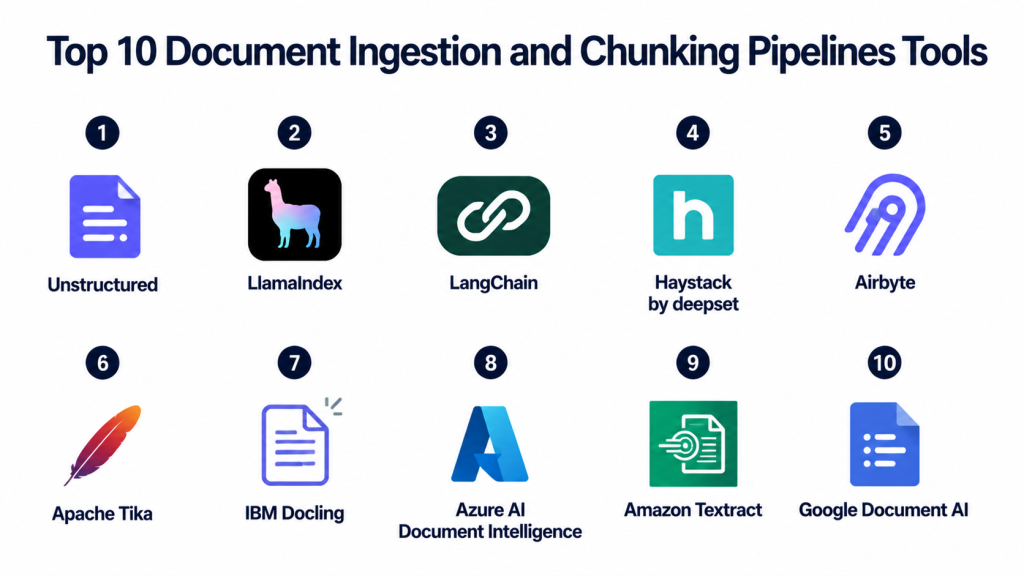
Top 10 Document Ingestion and Chunking Pipelines Tools
1- Unstructured
One-line verdict: Best for transforming complex documents into clean AI-ready content for retrieval pipelines.
Short description:
Unstructured is a document processing platform focused on preparing messy enterprise content for AI systems.
It can parse many file types, extract structured elements, and prepare documents for retrieval augmented generation workflows.
It is useful for teams working with PDFs, HTML, Word files, emails, images, and enterprise document archives.
Its main strength is converting unstructured files into cleaner structured outputs for downstream indexing.
Standout Capabilities
- Broad file type processing
- Document parsing and partitioning
- Table and layout extraction support
- OCR workflows for scanned content
- Metadata enrichment
- API and open source options
- Good fit for RAG pipelines
- Integrates with vector and AI workflows
AI-Specific Depth
- Model support: BYO model workflows and external AI integrations
- RAG and knowledge integration: Strong support for document preparation and indexing
- Evaluation: Varies / N/A
- Guardrails: Varies / N/A
- Observability: Processing logs and pipeline visibility depend on deployment
Pros
- Strong document preprocessing focus
- Useful for complex enterprise file types
- Good fit for RAG ingestion pipelines
Cons
- Production setup may require engineering effort
- Advanced workflows can become complex
- Enterprise capabilities vary by deployment
Security and Compliance
Security depends on deployment model and plan. Access controls, encryption, retention policies, and audit workflows should be verified directly. Certifications are Not publicly stated unless confirmed by the vendor.
Deployment and Platforms
- Cloud
- Self hosted options
- API access
- Python workflows
- Enterprise deployment options
Integrations and Ecosystem
- LangChain
- LlamaIndex
- Vector databases
- Cloud storage systems
- Document repositories
- AI application pipelines
Pricing Model
Open source and commercial options. Pricing varies by usage, deployment model, volume, and enterprise requirements.
Best-Fit Scenarios
- Complex document ingestion
- Enterprise RAG systems
- PDF and scanned document processing
- AI-ready data preparation
- Multi-format document pipelines
2- LlamaIndex
One-line verdict: Best for building document ingestion and indexing pipelines for retrieval augmented generation.
Short description:
LlamaIndex is a data framework that helps teams connect documents, databases, APIs, and knowledge sources to AI applications.
It supports ingestion pipelines, document loaders, chunking, indexing, retrieval, and integration with vector databases.
It is widely used by developers building knowledge assistants and RAG applications.
Its biggest value is turning many data sources into structured retrieval workflows.
Standout Capabilities
- Document loaders
- Ingestion pipeline support
- Chunking and node transformation
- Vector store integrations
- Retrieval abstractions
- Query routing workflows
- Metadata handling
- Strong RAG developer ecosystem
AI-Specific Depth
- Model support: Multi-provider and BYO embedding workflows
- RAG and knowledge integration: Core strength
- Evaluation: Basic retrieval evaluation support available
- Guardrails: Varies / N/A
- Observability: Depends on setup and connected tools
Pros
- Excellent for RAG workflows
- Flexible data ingestion options
- Strong developer adoption
Cons
- Not a standalone document processing engine
- Requires backend selection
- Production quality depends on architecture
Security and Compliance
Security depends on the deployment, vector database, model provider, storage layer, and infrastructure. Certifications are Not publicly stated for the framework itself.
Deployment and Platforms
- Python framework
- Local development
- Cloud application deployment
- Works with external vector databases
- API and app framework integration
Integrations and Ecosystem
- Pinecone
- Weaviate
- Qdrant
- Milvus
- OpenAI
- Hugging Face
- LangChain
- Document loaders
Pricing Model
Open source framework with costs driven by hosting, model providers, vector databases, and enterprise services.
Best-Fit Scenarios
- RAG document pipelines
- Knowledge base assistants
- AI copilots
- Custom ingestion workflows
- Document search applications
3- LangChain
One-line verdict: Best for orchestrating ingestion, splitting, embedding, retrieval, and AI workflow logic.
Short description:
LangChain is an AI application framework used to connect documents, embeddings, vector databases, tools, agents, and language models.
It includes document loaders and text splitters that help developers create ingestion and chunking workflows.
It is commonly used when ingestion is part of a larger AI application or agent workflow.
Its strength is orchestration rather than standalone document parsing.
Standout Capabilities
- Document loaders
- Text splitters
- Vector database integrations
- AI workflow orchestration
- Agent and tool support
- Prompt and chain management
- Memory workflows
- Large integration ecosystem
AI-Specific Depth
- Model support: Multi-provider and BYO model workflows
- RAG and knowledge integration: Strong support
- Evaluation: Evaluation varies by related ecosystem tools
- Guardrails: Varies / N/A
- Observability: Tracing available through connected ecosystem tools
Pros
- Very flexible AI workflow design
- Large integration ecosystem
- Useful for complex AI applications
Cons
- Not a dedicated ingestion platform
- Production systems can become complex
- Requires strong architecture discipline
Security and Compliance
Security depends on deployment, model providers, vector databases, connected tools, and infrastructure. Certifications are Not publicly stated for the framework itself.
Deployment and Platforms
- Python framework
- JavaScript framework
- Local development
- Cloud application deployment
- API integration workflows
Integrations and Ecosystem
- Pinecone
- Weaviate
- Qdrant
- Redis
- Chroma
- OpenAI
- Anthropic
- Hugging Face
Pricing Model
Open source framework. Costs depend on infrastructure, vector databases, model providers, and observability tools.
Best-Fit Scenarios
- RAG orchestration
- AI agents with document search
- Custom ingestion workflows
- Multi-step AI applications
- Developer-led AI products
4- Haystack by deepset
One-line verdict: Best for production-ready AI pipelines with document retrieval, preprocessing, and modular control.
Short description:
Haystack is an open source framework for building search, RAG, question answering, and AI pipeline systems.
It provides modular pipeline components for document loading, preprocessing, embedding, retrieval, and generation.
It is useful for teams that want a clearer pipeline architecture for production AI systems.
Its strength is composability and control across retrieval workflows.
Standout Capabilities
- Modular pipeline design
- Document preprocessing components
- Retriever and generator workflows
- Search and question answering support
- RAG application patterns
- Flexible model integration
- Open source foundation
- Production-oriented architecture
AI-Specific Depth
- Model support: Open source, proprietary, and BYO model workflows
- RAG and knowledge integration: Strong support for retrieval pipelines
- Evaluation: Evaluation workflows vary by setup
- Guardrails: Varies / N/A
- Observability: Pipeline visibility depends on deployment and tooling
Pros
- Clear pipeline architecture
- Strong retrieval workflow control
- Good for production-oriented teams
Cons
- Requires engineering experience
- Less beginner-friendly than some tools
- Enterprise features vary by setup
Security and Compliance
Security depends on deployment infrastructure and connected services. Enterprise controls should be verified directly. Certifications are Not publicly stated for the open source framework itself.
Deployment and Platforms
- Python framework
- Self hosted
- Cloud application deployment
- API deployment
- Linux infrastructure
Integrations and Ecosystem
- Elasticsearch
- OpenSearch
- Weaviate
- Pinecone
- Hugging Face
- OpenAI
- Custom pipelines
Pricing Model
Open source framework with costs based on infrastructure, models, and enterprise services.
Best-Fit Scenarios
- Production RAG pipelines
- Question answering systems
- Enterprise search workflows
- Custom document retrieval
- Modular AI architecture
5- Airbyte
One-line verdict: Best for connecting enterprise data sources into AI ingestion and retrieval pipelines.
Short description:
Airbyte is a data integration platform used to move data from many sources into warehouses, lakes, databases, and AI pipelines.
While it is not a chunking engine by itself, it is useful for ingestion pipelines that pull structured and semi-structured data into AI-ready systems.
It can support RAG workflows when paired with document processors, embedding models, and vector databases.
Its strength is broad connector coverage and repeatable data movement.
Standout Capabilities
- Broad connector ecosystem
- Open source data integration
- Cloud and self hosted options
- Scheduled data syncs
- ELT workflow support
- API and database connectors
- Useful for enterprise ingestion
- Works with downstream AI pipelines
AI-Specific Depth
- Model support: N/A
- RAG and knowledge integration: Useful as a data source ingestion layer
- Evaluation: N/A
- Guardrails: Varies / N/A
- Observability: Sync logs and pipeline monitoring available
Pros
- Strong connector ecosystem
- Good for recurring data ingestion
- Useful for enterprise source integration
Cons
- Not a native chunking platform
- Needs downstream processing tools
- RAG quality depends on full pipeline design
Security and Compliance
Access control, encryption, workspace permissions, and governance vary by deployment and plan. Certifications should be verified directly.
Deployment and Platforms
- Cloud
- Self hosted
- API workflows
- Database connectors
- Enterprise data infrastructure
Integrations and Ecosystem
- Data warehouses
- Databases
- APIs
- Cloud storage
- Vector databases through downstream workflows
- AI data pipelines
Pricing Model
Open source and cloud pricing options. Costs depend on sync volume, connector usage, infrastructure, and enterprise requirements.
Best-Fit Scenarios
- Enterprise source ingestion
- Data pipeline automation
- RAG data preparation workflows
- Syncing business systems into AI pipelines
- Teams needing many connectors
6- Apache Tika
One-line verdict: Best open source foundation for extracting text and metadata from many document formats.
Short description:
Apache Tika is an open source content analysis toolkit that detects and extracts text and metadata from many file types.
It is often used as a foundational component in document ingestion systems before chunking, embedding, and indexing.
It works well for teams that need open source parsing capability inside custom pipelines.
Its biggest strength is broad format detection and extraction.
Standout Capabilities
- Broad file format detection
- Text extraction
- Metadata extraction
- Open source foundation
- Useful for custom pipelines
- Language detection support
- Works with many document types
- Integrates with search workflows
AI-Specific Depth
- Model support: N/A
- RAG and knowledge integration: Useful preprocessing layer for RAG pipelines
- Evaluation: N/A
- Guardrails: N/A
- Observability: Depends on custom implementation
Pros
- Free and open source
- Broad document format support
- Useful for custom ingestion systems
Cons
- Not a complete RAG pipeline
- Chunking requires additional tooling
- Layout handling may need complementary tools
Security and Compliance
Security depends on how it is deployed and integrated. Certifications are Not publicly stated for the open source project itself.
Deployment and Platforms
- Java-based toolkit
- Self hosted
- Server integration
- Linux, Windows, and macOS support
- API workflows through custom services
Integrations and Ecosystem
- Search engines
- Custom ETL pipelines
- Java applications
- Document repositories
- RAG preprocessing workflows
- Apache ecosystem tools
Pricing Model
Open source and free to use. Costs come from infrastructure and engineering effort.
Best-Fit Scenarios
- Custom document parsing
- Enterprise ingestion foundations
- Metadata extraction
- Search indexing workflows
- Open source AI pipelines
7- IBM Docling
One-line verdict: Best for open document conversion workflows focused on AI-ready structured output.
Short description:
IBM Docling is an open source document conversion toolkit designed to transform complex documents into structured formats for AI and data workflows.
It is useful for parsing PDFs and other document types where layout, tables, and structure matter.
Teams can use it as part of ingestion pipelines before chunking, embedding, and indexing.
Its strength is document conversion for AI-ready processing.
Standout Capabilities
- Document conversion workflows
- PDF parsing support
- Structured output generation
- Table-aware processing capabilities
- Open source usage
- AI-ready document preparation
- Works in custom pipelines
- Useful for RAG preprocessing
AI-Specific Depth
- Model support: N/A
- RAG and knowledge integration: Useful preprocessing layer for RAG systems
- Evaluation: Varies / N/A
- Guardrails: N/A
- Observability: Depends on deployment and pipeline tooling
Pros
- Good for document conversion
- Useful for structured AI-ready output
- Open source flexibility
Cons
- Not a full ingestion platform by itself
- Requires pipeline integration
- Enterprise governance depends on implementation
Security and Compliance
Security depends on deployment architecture and infrastructure. Certifications are Not publicly stated for the open source toolkit itself.
Deployment and Platforms
- Open source toolkit
- Local deployment
- Self hosted workflows
- Python environments
- Cloud application integration
Integrations and Ecosystem
- RAG pipelines
- Vector databases through downstream workflows
- Document processing systems
- Python AI stacks
- Custom ETL workflows
- AI application frameworks
Pricing Model
Open source. Costs depend on infrastructure, engineering, and any connected services.
Best-Fit Scenarios
- PDF conversion
- AI-ready document preprocessing
- Table-aware document workflows
- Custom RAG ingestion
- Open source document pipelines
8- Azure AI Document Intelligence
One-line verdict: Best for cloud-based enterprise document extraction inside Microsoft environments.
Short description:
Azure AI Document Intelligence helps teams extract text, tables, key-value pairs, and structure from documents.
It is often used for forms, invoices, contracts, receipts, and enterprise document processing workflows.
When paired with chunking and vector indexing systems, it can support RAG and semantic search pipelines.
It is especially useful for organizations already using Microsoft cloud infrastructure.
Standout Capabilities
- OCR and document extraction
- Form and layout understanding
- Table extraction
- Key-value extraction
- Microsoft cloud integration
- API-based processing
- Enterprise workflow support
- Useful for scanned documents
AI-Specific Depth
- Model support: Managed document AI models
- RAG and knowledge integration: Useful as upstream extraction layer
- Evaluation: Varies / N/A
- Guardrails: Cloud governance controls available
- Observability: Azure monitoring integrations available
Pros
- Strong document extraction capabilities
- Good fit for Microsoft ecosystems
- Useful for enterprise forms and scanned files
Cons
- Cloud dependency
- Chunking needs downstream design
- Pricing can vary with usage volume
Security and Compliance
Azure IAM, encryption, networking controls, and audit capabilities are available depending on deployment and subscription. Certifications vary by service and region.
Deployment and Platforms
- Cloud
- Azure managed service
- API access
- Web and enterprise workflow integration
- Microsoft ecosystem integration
Integrations and Ecosystem
- Azure AI services
- Azure storage
- Microsoft enterprise systems
- Search platforms
- RAG workflows
- Custom AI applications
Pricing Model
Cloud usage pricing based on document processing volume and feature usage.
Best-Fit Scenarios
- Form extraction
- Invoice processing
- Scanned document workflows
- Microsoft enterprise AI
- Document extraction for RAG
9- Amazon Textract
One-line verdict: Best for AWS teams extracting text, tables, and forms from scanned documents.
Short description:
Amazon Textract is a managed document extraction service that uses machine learning to extract text, forms, and tables from documents.
It is commonly used for invoices, financial forms, healthcare forms, identity documents, and enterprise archives.
For RAG systems, it works best as an upstream extraction layer before chunking and indexing.
It is a strong option for organizations already using AWS infrastructure.
Standout Capabilities
- OCR for scanned documents
- Table extraction
- Form extraction
- Key-value pair detection
- AWS ecosystem integration
- API-based workflows
- Scalable managed processing
- Useful for structured document extraction
AI-Specific Depth
- Model support: Managed document AI models
- RAG and knowledge integration: Useful as extraction layer before indexing
- Evaluation: Varies / N/A
- Guardrails: AWS governance controls available
- Observability: Cloud monitoring integrations available
Pros
- Strong AWS integration
- Good for forms and tables
- Managed document extraction
Cons
- Not a full chunking pipeline
- AWS dependency
- Costs can grow with document volume
Security and Compliance
AWS IAM, encryption, logging, and governance controls are available depending on configuration. Certifications vary by service and region.
Deployment and Platforms
- Cloud
- AWS managed service
- API access
- Enterprise cloud workflows
- AWS ecosystem integration
Integrations and Ecosystem
- AWS storage
- AWS AI services
- Data pipelines
- Search systems
- Vector databases through downstream workflows
- RAG applications
Pricing Model
Cloud usage pricing based on pages and document processing features.
Best-Fit Scenarios
- Scanned document extraction
- Invoice and form processing
- AWS AI pipelines
- Enterprise archive processing
- Upstream RAG extraction
10- Google Document AI
One-line verdict: Best for Google Cloud teams needing scalable document extraction and AI preprocessing.
Short description:
Google Document AI is a managed document processing platform that extracts structured information from documents using AI models.
It supports document parsing, OCR, form processing, and enterprise document workflows.
For AI search and RAG systems, it works as an upstream document extraction and structuring layer.
It is best suited for teams already using Google Cloud data and AI services.
Standout Capabilities
- OCR and layout extraction
- Document parsing workflows
- Form and entity extraction
- Google Cloud integration
- API-based processing
- Enterprise document workflows
- Scalable managed infrastructure
- Useful for structured extraction
AI-Specific Depth
- Model support: Managed document AI models
- RAG and knowledge integration: Useful before chunking and indexing
- Evaluation: Varies / N/A
- Guardrails: Google Cloud governance controls available
- Observability: Cloud monitoring integrations available
Pros
- Strong Google Cloud fit
- Good document extraction capabilities
- Scalable managed processing
Cons
- Not a complete chunking system
- Google Cloud dependency
- Requires downstream pipeline design
Security and Compliance
Google Cloud IAM, encryption, audit logging, and governance controls are available depending on configuration and region. Certifications vary by service and deployment.
Deployment and Platforms
- Cloud
- Google Cloud managed service
- API access
- Enterprise cloud workflows
- AI and data platform integration
Integrations and Ecosystem
- Google Cloud storage
- Google AI services
- Data pipelines
- Search platforms
- RAG workflows
- Custom AI applications
Pricing Model
Cloud usage pricing based on document processing volume and processor type.
Best-Fit Scenarios
- Cloud document extraction
- Enterprise forms processing
- Google Cloud AI workflows
- Document preprocessing for RAG
- Scalable OCR and parsing
Comparison Table
| Tool | Best For | Deployment | Key Strength | Pricing Model | Ideal Buyer |
|---|---|---|---|---|---|
| Unstructured | Complex document preprocessing | Cloud and self hosted | AI-ready document parsing | Open source plus commercial | Enterprise AI teams |
| LlamaIndex | RAG ingestion workflows | Framework | Indexing and retrieval pipelines | Open source plus infra costs | AI app developers |
| LangChain | AI workflow orchestration | Framework | Loaders and splitters | Open source plus infra costs | AI engineering teams |
| Haystack by deepset | Production AI pipelines | Framework and self hosted | Modular retrieval pipelines | Open source plus infra costs | Search and RAG teams |
| Airbyte | Source data ingestion | Cloud and self hosted | Connector ecosystem | Open source plus cloud | Data engineering teams |
| Apache Tika | File text extraction | Self hosted | Broad format extraction | Free open source | Custom pipeline teams |
| IBM Docling | Structured document conversion | Self hosted | AI-ready conversion | Open source | RAG developers |
| Azure AI Document Intelligence | Enterprise document extraction | Cloud | Forms and OCR extraction | Cloud usage pricing | Microsoft cloud teams |
| Amazon Textract | AWS document extraction | Cloud | Forms and tables | Cloud usage pricing | AWS teams |
| Google Document AI | Google Cloud document processing | Cloud | Scalable document AI | Cloud usage pricing | Google Cloud teams |
Scoring and Evaluation Table
| Tool | Parsing Quality | Chunking Support | Ease of Use | Scalability | AI Integration | Security Readiness | Observability | Value | Weighted Total |
|---|---|---|---|---|---|---|---|---|---|
| Unstructured | 9 | 8 | 7 | 8 | 9 | 7 | 7 | 8 | 8.0 |
| LlamaIndex | 7 | 9 | 8 | 7 | 9 | 6 | 7 | 8 | 7.7 |
| LangChain | 7 | 8 | 7 | 7 | 9 | 6 | 8 | 8 | 7.5 |
| Haystack by deepset | 8 | 8 | 7 | 8 | 8 | 7 | 7 | 8 | 7.7 |
| Airbyte | 6 | 5 | 8 | 9 | 7 | 8 | 8 | 8 | 7.3 |
| Apache Tika | 8 | 4 | 6 | 7 | 6 | 6 | 5 | 9 | 6.4 |
| IBM Docling | 8 | 6 | 7 | 7 | 7 | 6 | 6 | 8 | 6.9 |
| Azure AI Document Intelligence | 9 | 5 | 8 | 9 | 8 | 9 | 8 | 7 | 7.9 |
| Amazon Textract | 8 | 5 | 8 | 9 | 8 | 9 | 8 | 7 | 7.7 |
| Google Document AI | 8 | 5 | 8 | 9 | 8 | 8 | 8 | 7 | 7.6 |
Top 3 Tools for Enterprise
1- Unstructured
Best for enterprises processing complex documents across many formats and preparing them for AI-ready retrieval workflows.
2- Azure AI Document Intelligence
Best for enterprises using Microsoft cloud infrastructure and needing strong OCR, forms, and structured extraction.
3- Amazon Textract
Best for AWS-heavy enterprises processing scanned documents, forms, and tables at scale.
Top 3 Tools for SMB
1- LlamaIndex
Best for SMB teams building RAG applications with flexible ingestion, chunking, indexing, and retrieval workflows.
2- Unstructured
Best for smaller teams that need reliable document parsing without building every processor from scratch.
3- IBM Docling
Best for SMB teams wanting open source document conversion for AI-ready pipelines.
Top 3 Tools for Developers
1- LlamaIndex
Best for developers building document ingestion, chunking, indexing, and retrieval pipelines for AI apps.
2- LangChain
Best for developers orchestrating document loaders, text splitters, vector stores, and AI workflow logic.
3- Apache Tika
Best for developers building custom document extraction pipelines with open source format support.
Which Tool Is Right for You?
For complex enterprise documents
Choose Unstructured if your documents include PDFs, slides, HTML, images, emails, tables, and inconsistent layouts.
For retrieval augmented generation workflows
Choose LlamaIndex when ingestion, chunking, indexing, metadata, and vector retrieval are central to your AI application.
For AI workflow orchestration
Choose LangChain when document ingestion is part of a larger workflow involving agents, tools, memory, prompts, and multiple model providers.
For production pipeline control
Choose Haystack by deepset if your team wants modular pipeline architecture for retrieval, preprocessing, and generation.
For data source connectivity
Choose Airbyte if your challenge is moving data from many SaaS apps, databases, APIs, and cloud systems into AI pipelines.
For open source file extraction
Choose Apache Tika if you need broad document format extraction as part of a custom ingestion system.
For structured document conversion
Choose IBM Docling if you want open source document conversion for AI-ready processing.
For Microsoft cloud document AI
Choose Azure AI Document Intelligence if your documents include forms, invoices, tables, and scanned content inside Azure workflows.
For AWS document extraction
Choose Amazon Textract if your enterprise already runs on AWS and needs OCR, form extraction, and table extraction.
For Google Cloud document processing
Choose Google Document AI if your team uses Google Cloud and needs managed document parsing at scale.
Implementation Playbook
First 30 Days
- Define document sources and file types
- Identify documents with tables, scans, images, and complex layouts
- Select three pipeline tools for testing
- Build a small ingestion workflow
- Test parsing quality on real documents
- Compare chunking strategies
- Add metadata fields such as source, owner, date, department, and permission level
Next 60 Days
- Connect ingestion pipeline to vector database or search platform
- Add OCR for scanned documents
- Improve chunking with headings, sections, and overlap rules
- Add duplicate detection and document version tracking
- Build retrieval evaluation datasets
- Test latency and indexing cost
- Add access control and permission-aware metadata
Next 90 Days
- Scale ingestion to production document volume
- Add observability for parsing failures and poor chunks
- Implement reindexing workflows
- Add monitoring for stale documents and failed syncs
- Optimize chunk size, chunk overlap, and metadata filters
- Validate retrieval quality with real user questions
- Finalize governance, audit, backup, and retention workflows
Common Mistakes and How to Avoid Them
1- Treating all documents the same
Different documents need different parsing and chunking strategies. Contracts, manuals, invoices, slide decks, and research papers should not always use the same logic.
2- Using fixed-size chunks without structure
Simple fixed-size chunks can break headings, tables, and context. Use layout-aware or section-aware chunking when document structure matters.
3- Ignoring metadata
Metadata improves filtering, access control, freshness, and retrieval precision. Add metadata during ingestion, not after production problems appear.
4- Skipping OCR testing
Scanned documents can produce poor text if OCR quality is weak. Test OCR output before indexing.
5- Forgetting table handling
Tables often contain critical business information. Make sure table extraction preserves meaning and relationships.
6- Not evaluating retrieval quality
Good-looking chunks do not always produce good retrieval. Test with real user questions and expected answers.
7- Ignoring permissions
AI search can expose sensitive files if access controls are not applied during retrieval. Use document-level permissions and metadata filters.
8- No reindexing plan
Documents change, models change, and chunking rules change. Build reindexing workflows early.
9- Overlooking cost
OCR, embedding generation, storage, and indexing can become expensive at scale. Estimate costs before full rollout.
10- Choosing tools only by popularity
The best tool depends on file types, volume, deployment needs, AI stack, and governance requirements.
Frequently Asked Questions
1- What are Document Ingestion and Chunking Pipelines?
Document Ingestion and Chunking Pipelines convert raw files into clean, structured, searchable chunks for AI systems. They usually include parsing, OCR, cleaning, metadata extraction, chunking, embedding, indexing, and monitoring.
2- Why are chunking pipelines important for RAG?
Chunking controls what context the AI model retrieves before answering. Poor chunks can cause missing context, irrelevant answers, hallucinations, and weak retrieval quality.
3- What is the difference between ingestion and chunking?
Ingestion brings documents into the system and extracts usable content. Chunking splits that content into smaller meaningful pieces for embedding, indexing, and retrieval.
4- Which tool is best for enterprise document ingestion?
Unstructured, Azure AI Document Intelligence, and Amazon Textract are strong enterprise options depending on document complexity, cloud ecosystem, and security needs.
5- Which tool is best for developers?
LlamaIndex, LangChain, and Apache Tika are strong developer choices because they support flexible custom workflows and integration with AI stacks.
6- Do I need OCR for document ingestion?
You need OCR if your documents include scanned PDFs, images, handwritten content, or files without selectable text. OCR quality should be tested before indexing.
7- What is the best chunking strategy?
The best strategy depends on document type. Section-based, heading-aware, semantic, and table-aware chunking usually perform better than simple fixed-size splitting for complex documents.
8- How does metadata improve retrieval?
Metadata helps filter content by source, department, permission level, document type, region, version, and freshness. This improves accuracy and governance.
9- Can ingestion pipelines support real-time updates?
Yes, many pipelines can support scheduled or near real-time updates, but exact performance depends on source connectors, processing speed, and indexing architecture.
10- What is the biggest challenge in document ingestion for AI?
The biggest challenge is preserving document meaning while cleaning, splitting, and indexing content. Teams must balance parsing quality, chunk size, metadata, cost, latency, and security.
Conclusion
Document Ingestion and Chunking Pipelines are a core foundation for reliable AI retrieval systems. They determine whether your AI assistant can understand documents accurately, retrieve the right context, and generate useful answers. A strong pipeline does more than upload files. It parses structure, extracts metadata, handles OCR, preserves tables, chunks content intelligently, and sends clean data into retrieval systems.The best tool depends on your document types, cloud ecosystem, security needs, and AI maturity. Unstructured is strong for complex document preparation, LlamaIndex and LangChain are powerful for RAG workflows, Haystack offers modular production pipelines, and Airbyte is useful for source connectivity. Apache Tika and IBM Docling are strong open source options, while Azure AI Document Intelligence, Amazon Textract, and Google Document AI fit cloud-native enterprise document extraction. The next step is to shortlist three tools, test them on real documents, compare chunk quality and retrieval accuracy, then scale with observability, metadata governance, and repeatable reindexing workflows.

Find Trusted Cardiac Hospitals
Compare heart hospitals by city and services — all in one place.
Explore Hospitals
What’s missing here is the real production complexity of chunking strategies in live RAG pipelines, where the optimal chunk size is not static and often needs to adapt based on document type, structure, and downstream retrieval behavior. In practice, teams struggle more with semantic coherence vs token efficiency trade-offs, where poorly chunked data leads to broken context even if embeddings are high quality. The article also doesn’t cover reprocessing and versioning challenges, since any change in chunking logic usually requires full re-indexing, which becomes expensive at scale, nor the issue of evaluation gaps—how to reliably measure retrieval quality impact when changing ingestion pipelines in production systems.