
Introduction
Hybrid Search Lexical Plus Vector Tooling combines traditional keyword search with semantic vector search to deliver more accurate and context-aware results. Lexical search is strong at exact matches such as names, SKUs, legal terms, error codes, and product IDs. Vector search is strong at understanding meaning, similarity, and user intent. When both are combined, search systems become more reliable for AI applications, enterprise search, ecommerce search, support automation, and retrieval augmented generation workflows.
Hybrid search matters because pure vector search can miss exact phrases, while pure keyword search can miss meaning. Modern AI systems need both. A strong hybrid search stack improves retrieval quality, reduces hallucination risk, helps AI copilots find better context, and supports permission-aware enterprise search at scale.
Why It Matters
- Improves retrieval accuracy
- Supports exact and semantic matching together
- Reduces irrelevant AI responses
- Helps retrieval augmented generation systems perform better
- Supports enterprise search across structured and unstructured data
- Improves customer-facing search experiences
Real-World Use Cases
- Enterprise knowledge search
- AI customer support assistants
- Ecommerce product discovery
- Legal and compliance search
- Developer documentation search
- Healthcare research retrieval
- Customer ticket similarity search
- Internal AI copilots
Evaluation Criteria for Buyers
- Quality of lexical keyword search
- Quality of vector similarity search
- Hybrid ranking and reranking support
- Metadata filtering
- Scalability and indexing speed
- Latency under production load
- RAG framework compatibility
- Observability and query analytics
- Security and permission controls
- Deployment flexibility
- Cost predictability
- Vendor lock in risk
Best for: AI engineers, search engineers, ML platform teams, ecommerce teams, enterprise search teams, SaaS companies, and organizations building retrieval augmented generation systems.
Not ideal for: Very small websites with simple search needs, static datasets, or teams that only need basic keyword matching without semantic understanding.
What’s Changed in Hybrid Search Lexical Plus Vector Tooling
- Hybrid retrieval is now preferred over pure vector search for production AI systems
- Reranking is becoming common for improving final result quality
- AI agents need better retrieval because they perform multiple search steps
- Metadata filtering is now essential for permission-aware enterprise retrieval
- Observability is required to debug failed or irrelevant search results
- Multimodal retrieval is expanding hybrid search beyond text
- Real time indexing is becoming more important for dynamic data
- Cost optimization matters as AI query volume grows
- Enterprise buyers expect RBAC, encryption, SSO, audit logs, and retention controls
- Search teams are testing multiple embedding models before production rollout
- Hybrid search is increasingly used for reducing hallucination in AI answers
- Vendor lock in and migration planning are now important buying factors
Quick Buyer Checklist
- Does it support both keyword and vector search
- Can it combine results with strong ranking logic
- Does it support metadata filtering
- Does it support reranking workflows
- Can it handle large-scale indexing
- Does it integrate with AI and RAG frameworks
- Does it provide query analytics and observability
- Does it support RBAC and document-level access control
- Can it update indexes in real time
- Is pricing predictable as query volume grows
- Can your team self host if needed
- Is migration possible without major rework
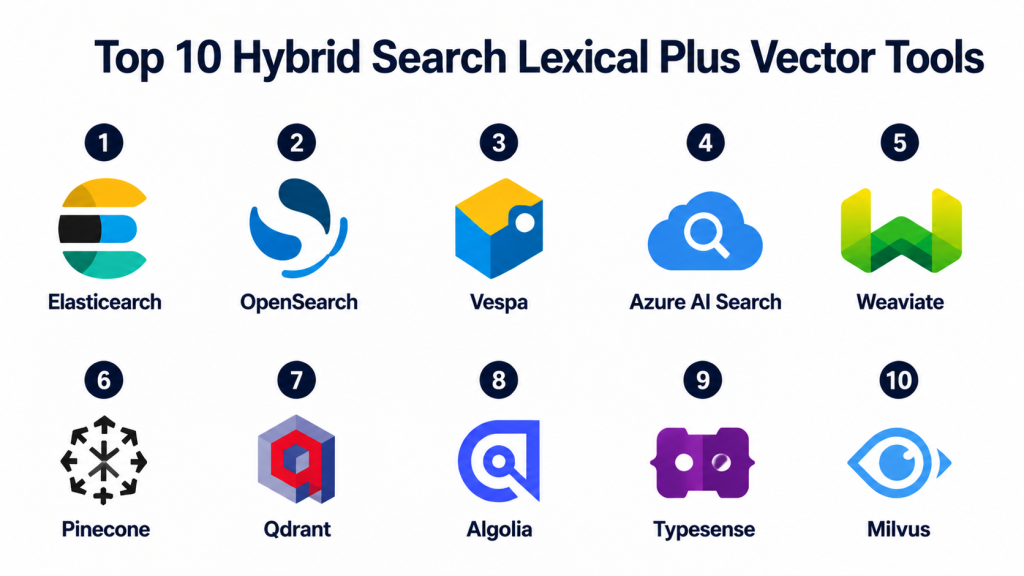
Top 10 Hybrid Search Lexical Plus Vector Tools
1- Elasticsearch
One-line verdict: Best for enterprises needing mature keyword search with strong vector retrieval support.
Short description:
Elasticsearch is a mature search and analytics platform that supports keyword search, filtering, vector search, and hybrid retrieval workflows.
It is widely used for enterprise search, observability, document retrieval, ecommerce search, and AI-powered knowledge systems.
Its biggest advantage is the depth of its search ecosystem and operational maturity.
It is a strong choice for teams that need serious hybrid retrieval at scale.
Standout Capabilities
- Mature lexical search
- Vector search support
- Hybrid ranking workflows
- Advanced filtering and aggregations
- Scalable distributed indexing
- Strong observability ecosystem
- Enterprise security features
- Large integration ecosystem
AI-Specific Depth
- Model support: External embeddings and BYO model workflows
- RAG and knowledge integration: Strong support through APIs and AI frameworks
- Evaluation: Limited native AI retrieval evaluation
- Guardrails: Varies / N/A
- Observability: Strong monitoring, logs, and analytics ecosystem
Pros
- Mature and battle-tested search platform
- Strong hybrid keyword and vector retrieval
- Excellent analytics and operational tooling
Cons
- Can be complex to configure
- Resource usage can be high
- Specialist expertise may be needed at scale
Security and Compliance
RBAC, encryption, SSO, and audit logging may be available depending on deployment and subscription. Certifications and residency controls vary and should be verified directly.
Deployment and Platforms
- Cloud
- Self hosted
- Kubernetes
- Linux infrastructure
- Web management interface
Integrations and Ecosystem
- Kibana
- Logstash
- Beats
- Enterprise data pipelines
- AI orchestration frameworks
- Observability systems
- Vector workflows
Pricing Model
Subscription and usage based pricing depending on deployment, storage, query volume, and enterprise features.
Best-Fit Scenarios
- Enterprise hybrid search
- AI knowledge retrieval
- Log and document search
- Ecommerce product search
- Large-scale search analytics
2- OpenSearch
One-line verdict: Best for teams wanting open source hybrid search with strong deployment control.
Short description:
OpenSearch is an open source search and analytics platform that supports lexical search, vector search, dashboards, and hybrid retrieval workflows.
It is useful for infrastructure teams that want more control over search deployment and lower vendor lock in.
It can support enterprise AI retrieval when tuned and managed carefully.
It is a strong fit for teams already comfortable managing search infrastructure.
Standout Capabilities
- Open source search platform
- Lexical and vector search support
- Hybrid retrieval workflows
- Dashboard and analytics features
- Distributed indexing
- Plugin extensibility
- Self hosted flexibility
- Cost control potential
AI-Specific Depth
- Model support: External embeddings and BYO model workflows
- RAG and knowledge integration: Supported through APIs and frameworks
- Evaluation: Varies / N/A
- Guardrails: Varies / N/A
- Observability: Dashboard metrics and monitoring available
Pros
- Open source flexibility
- Strong search foundation
- Good for cost-conscious infrastructure teams
Cons
- Requires tuning and maintenance
- Enterprise support depends on provider
- AI workflows may require engineering effort
Security and Compliance
Security plugins, access controls, encryption, and audit logs depend on deployment and provider. Certifications are Not publicly stated across all deployments.
Deployment and Platforms
- Self hosted
- Cloud through managed providers
- Kubernetes
- Linux infrastructure
- Web dashboards
Integrations and Ecosystem
- AWS ecosystem
- Monitoring systems
- Data pipelines
- AI frameworks
- Custom embedding workflows
- Search dashboards
Pricing Model
Open source with managed service and infrastructure based pricing options.
Best-Fit Scenarios
- Open source enterprise search
- Hybrid AI retrieval
- Cost controlled search deployments
- Search analytics
- Teams avoiding vendor lock in
3- Vespa
One-line verdict: Best for advanced hybrid retrieval, ranking, and real time serving at scale.
Short description:
Vespa is a search and serving engine built for real time ranking, recommendation systems, vector search, and hybrid retrieval.
It is designed for demanding applications where ranking quality, latency, and scale matter.
It is powerful for teams that need custom ranking logic and high performance retrieval pipelines.
It is best suited for technically mature engineering organizations.
Standout Capabilities
- Lexical and vector retrieval
- Advanced ranking logic
- Real time indexing
- Large scale serving architecture
- Machine learning ranking support
- Low latency execution
- Strong control over ranking pipelines
- Search and recommendation support
AI-Specific Depth
- Model support: BYO models and ranking models
- RAG and knowledge integration: Supported through APIs and custom workflows
- Evaluation: Varies / N/A
- Guardrails: Varies / N/A
- Observability: Query tracing and system metrics available
Pros
- Excellent for advanced ranking
- Strong scalability potential
- Good for complex retrieval products
Cons
- Steep learning curve
- Complex implementation
- Not ideal for simple search projects
Security and Compliance
Security configuration depends on deployment. Access controls, encryption, and operational policies require engineering setup. Certifications are Not publicly stated unless verified through enterprise offerings.
Deployment and Platforms
- Self hosted
- Cloud options
- Linux infrastructure
- Distributed deployments
- API access
Integrations and Ecosystem
- Custom ML ranking models
- Search systems
- Recommendation engines
- Data pipelines
- Enterprise AI workflows
- Retrieval applications
Pricing Model
Open source with infrastructure and enterprise support cost considerations.
Best-Fit Scenarios
- Real time ranking
- Recommendation systems
- Advanced search products
- Large-scale hybrid retrieval
- Teams needing custom ranking control
4- Azure AI Search
One-line verdict: Best for Microsoft ecosystem teams building governed hybrid search and RAG systems.
Short description:
Azure AI Search provides cloud-based indexing, lexical search, vector search, semantic ranking, and retrieval workflows inside the Microsoft cloud ecosystem.
It is a strong choice for enterprises already using Azure services and Microsoft governance patterns.
It supports AI search and retrieval augmented generation use cases with enterprise cloud controls.
It works well when search needs to integrate with broader Microsoft infrastructure.
Standout Capabilities
- Lexical and vector search
- Semantic ranking workflows
- Cloud native indexing
- Enterprise governance integration
- AI enrichment pipelines
- Microsoft ecosystem alignment
- Scalable search infrastructure
- API based retrieval workflows
AI-Specific Depth
- Model support: Managed and external embedding workflows
- RAG and knowledge integration: Strong Azure AI compatibility
- Evaluation: Varies / N/A
- Guardrails: Governance controls available through cloud ecosystem
- Observability: Azure monitoring integrations available
Pros
- Strong Microsoft ecosystem fit
- Good governance capabilities
- Useful for enterprise RAG systems
Cons
- Azure dependency
- Configuration can be complex
- Vendor lock in considerations
Security and Compliance
Azure IAM, encryption, audit logging, networking controls, and governance features are available depending on deployment and subscription. Certifications vary by service and region.
Deployment and Platforms
- Cloud
- Azure managed infrastructure
- API access
- Enterprise cloud workflows
- Web management interface
Integrations and Ecosystem
- Azure AI services
- Microsoft enterprise systems
- Vector workflows
- Data pipelines
- AI orchestration tools
- Enterprise applications
Pricing Model
Cloud usage pricing based on indexing, storage, query volume, and AI features.
Best-Fit Scenarios
- Microsoft enterprise search
- Governed RAG systems
- Enterprise document retrieval
- Cloud-native AI search
- Internal copilots
5- Weaviate
One-line verdict: Best for open source hybrid search with AI-native data modeling flexibility.
Short description:
Weaviate is an open source vector database with hybrid search capabilities that combine lexical and vector retrieval.
It supports flexible schema design, metadata filtering, and AI-native retrieval workflows.
It is useful for teams that want deployment flexibility and semantic retrieval control.
It works well for custom RAG systems and enterprise knowledge search.
Standout Capabilities
- Hybrid keyword and vector search
- Open source foundation
- Flexible schema design
- REST and GraphQL APIs
- Multi tenant support
- Cloud and self hosted options
- Modular embedding integrations
- Metadata filtering
AI-Specific Depth
- Model support: Open source, proprietary, and BYO embeddings
- RAG and knowledge integration: Strong support through AI frameworks
- Evaluation: Limited native evaluation support
- Guardrails: Varies / N/A
- Observability: Logs and metrics vary by deployment
Pros
- Flexible AI-native design
- Strong open source ecosystem
- Good hybrid search support
Cons
- Needs tuning for production scale
- Self hosting adds operational work
- Enterprise features vary by deployment
Security and Compliance
Authentication, RBAC, encryption, and enterprise controls vary by deployment. Certifications and residency details should be verified directly.
Deployment and Platforms
- Cloud
- Self hosted
- Kubernetes
- Linux server environments
- API access
Integrations and Ecosystem
- LangChain
- LlamaIndex
- OpenAI
- Hugging Face
- Cohere
- Custom model pipelines
- Kubernetes ecosystem
Pricing Model
Open source core with managed cloud and enterprise pricing options.
Best-Fit Scenarios
- Hybrid semantic search
- RAG applications
- Enterprise knowledge retrieval
- AI-native search platforms
- Teams wanting open source control
6- Pinecone
One-line verdict: Best for managed vector-first retrieval with hybrid search support for AI applications.
Short description:
Pinecone is a managed vector database used for semantic search, RAG systems, recommendation engines, and AI retrieval workflows.
It supports vector-first search patterns and can support hybrid retrieval designs using dense and sparse signals.
It is useful for teams that want scalable search infrastructure without managing clusters.
It works best when operational simplicity is a major priority.
Standout Capabilities
- Managed vector infrastructure
- Dense vector retrieval
- Sparse and dense retrieval workflows
- Metadata filtering
- Scalable indexing
- API-first developer experience
- Production RAG support
- Low operational overhead
AI-Specific Depth
- Model support: BYO embeddings
- RAG and knowledge integration: Strong support through AI frameworks
- Evaluation: Varies / N/A
- Guardrails: Varies / N/A
- Observability: Query metrics and usage visibility available depending on plan
Pros
- Easy to deploy
- Strong production fit
- Reduces infrastructure workload
Cons
- Less control than self hosted systems
- Cost can grow with scale
- Hybrid tuning may require careful architecture
Security and Compliance
RBAC, encryption, and enterprise security options may be available depending on plan. Exact certifications, residency, and retention controls should be verified with the vendor.
Deployment and Platforms
- Cloud managed
- API access
- Web management interface
- Self hosted option Varies / N/A
Integrations and Ecosystem
- LangChain
- LlamaIndex
- OpenAI embeddings
- Hugging Face embeddings
- Custom embedding pipelines
- AI application frameworks
Pricing Model
Usage based and plan based pricing. Exact cost varies by storage, query volume, and enterprise requirements.
Best-Fit Scenarios
- Managed AI retrieval
- RAG systems
- Semantic product search
- AI support assistants
- Teams wanting low operations
7- Qdrant
One-line verdict: Best for fast vector retrieval with filtering and hybrid search architecture flexibility.
Short description:
Qdrant is a vector database focused on speed, filtering, and developer-friendly retrieval workflows.
It is often used in hybrid search stacks where lexical search is combined with vector retrieval and metadata filters.
It works well for real time AI applications and semantic retrieval systems.
It is popular with developers who want simple APIs and strong performance.
Standout Capabilities
- Fast vector similarity search
- Payload based filtering
- REST and gRPC APIs
- Real time updates
- Cloud and self hosted options
- Developer-friendly setup
- Efficient retrieval performance
- Strong metadata filtering
AI-Specific Depth
- Model support: BYO embeddings
- RAG and knowledge integration: Strong support through common frameworks
- Evaluation: Varies / N/A
- Guardrails: Varies / N/A
- Observability: Metrics and monitoring vary by deployment
Pros
- Fast performance
- Strong filtering support
- Good developer experience
Cons
- Smaller ecosystem than older platforms
- Lexical-heavy workflows may need additional architecture
- Enterprise governance depth varies
Security and Compliance
Authentication, encryption, and access controls depend on deployment. Exact certifications and audit capabilities are Not publicly stated unless confirmed by vendor materials.
Deployment and Platforms
- Cloud
- Self hosted
- Kubernetes
- Linux server environments
- API access
Integrations and Ecosystem
- LangChain
- LlamaIndex
- OpenAI embeddings
- Hugging Face
- REST API workflows
- gRPC systems
Pricing Model
Open source with managed cloud pricing. Costs vary by usage, storage, and deployment model.
Best-Fit Scenarios
- Real time AI retrieval
- Filter-heavy semantic search
- Startup AI search systems
- Retrieval augmented generation
- Developer-first vector search
8- Algolia
One-line verdict: Best for fast customer-facing search with AI relevance and hybrid retrieval workflows.
Short description:
Algolia is a search platform built for fast search experiences, ecommerce discovery, SaaS search, and AI-powered relevance.
It combines strong lexical search with semantic and AI-enhanced ranking capabilities depending on product setup.
It is especially useful for customer-facing search where speed and user experience matter.
It works well for ecommerce, marketplaces, SaaS products, and content discovery.
Standout Capabilities
- Fast lexical search
- AI-powered relevance
- Semantic search workflows
- Personalization support
- API-first design
- Search analytics
- Ecommerce optimization
- Developer-friendly setup
AI-Specific Depth
- Model support: Managed AI relevance and external workflows vary by tier
- RAG and knowledge integration: Limited compared with AI infrastructure platforms
- Evaluation: Search analytics available
- Guardrails: Varies / N/A
- Observability: Search performance metrics available
Pros
- Very fast search experience
- Strong ecommerce fit
- Easy developer onboarding
Cons
- Enterprise AI retrieval depth varies
- Advanced governance may be limited
- Pricing can grow with usage
Security and Compliance
Enterprise access controls and cloud security features vary by plan. Certifications and residency details should be verified with the vendor.
Deployment and Platforms
- Cloud
- SaaS workflows
- API access
- Web management interface
- Frontend integrations
Integrations and Ecosystem
- Ecommerce platforms
- SaaS applications
- Analytics tools
- Frontend frameworks
- AI search workflows
- APIs
Pricing Model
Usage and subscription based pricing depending on query volume, records, and feature needs.
Best-Fit Scenarios
- Ecommerce search
- SaaS product search
- Customer-facing search
- Marketplace discovery
- Personalized search experiences
9- Typesense
One-line verdict: Best for lightweight developer-friendly hybrid search with open source flexibility.
Short description:
Typesense is an open source search engine focused on fast, typo-tolerant, and developer-friendly search.
It supports modern semantic and vector search patterns alongside strong lexical search capabilities.
It is a good option for startups and smaller teams that want lightweight infrastructure.
It works well for application search, product discovery, and AI-enhanced retrieval.
Standout Capabilities
- Fast lexical search
- Typo tolerant retrieval
- Vector search support
- Lightweight architecture
- Developer-friendly APIs
- Open source deployment
- Fast indexing
- Simple operational model
AI-Specific Depth
- Model support: External embeddings and BYO workflows
- RAG and knowledge integration: Supported through APIs and frameworks
- Evaluation: Varies / N/A
- Guardrails: Varies / N/A
- Observability: Basic monitoring available
Pros
- Easy deployment
- Strong developer usability
- Good performance for smaller teams
Cons
- Enterprise governance depth is limited
- Smaller ecosystem than larger platforms
- Advanced hybrid ranking may require tuning
Security and Compliance
Security depends on deployment architecture and infrastructure setup. Enterprise controls and certifications are Not publicly stated unless verified.
Deployment and Platforms
- Self hosted
- Cloud hosting
- Linux infrastructure
- API access
- Container support
Integrations and Ecosystem
- AI frameworks
- APIs
- SaaS applications
- Vector workflows
- Open source search systems
- Frontend applications
Pricing Model
Open source with managed cloud offerings.
Best-Fit Scenarios
- Startup search systems
- Lightweight hybrid retrieval
- SaaS application search
- Developer-first search infrastructure
- Fast API-based search
10- Milvus
One-line verdict: Best for large-scale vector retrieval used inside hybrid search architectures.
Short description:
Milvus is an open source vector database designed for large-scale similarity search and high volume embedding workloads.
While it is vector-first, it can be used in hybrid architectures with lexical search engines, metadata filters, and reranking layers.
It is useful for teams that need scale, distributed search, and open source control.
It works best when infrastructure teams can manage deployment and tuning.
Standout Capabilities
- Large scale vector indexing
- Distributed architecture
- Multiple index algorithm support
- High throughput ingestion
- Cloud native deployment patterns
- Strong open source ecosystem
- Horizontal scalability
- Large dataset optimization
AI-Specific Depth
- Model support: BYO embeddings
- RAG and knowledge integration: Supported through AI frameworks
- Evaluation: Varies / N/A
- Guardrails: Varies / N/A
- Observability: System metrics depend on deployment
Pros
- Strong scalability
- Good for large vector workloads
- Open source control
Cons
- Complex setup
- Lexical search may need complementary tooling
- Requires infrastructure expertise
Security and Compliance
Security depends on deployment and managed service choice. Authentication, access control, encryption, and audit logs require correct configuration. Certifications are Not publicly stated unless verified.
Deployment and Platforms
- Self hosted
- Cloud through managed offerings
- Kubernetes
- Linux infrastructure
- Distributed deployment
Integrations and Ecosystem
- Zilliz ecosystem
- LangChain
- LlamaIndex
- PyTorch workflows
- TensorFlow workflows
- Custom embedding pipelines
Pricing Model
Open source with managed cloud and enterprise options. Costs depend on infrastructure, storage, and query scale.
Best-Fit Scenarios
- Massive vector datasets
- Hybrid retrieval architecture
- Enterprise AI platforms
- Recommendation systems
- Large semantic search workloads
Comparison Table
| Tool | Best For | Deployment | Key Strength | Pricing Model | Ideal Buyer |
|---|---|---|---|---|---|
| Elasticsearch | Enterprise hybrid search | Cloud and self hosted | Mature lexical plus vector ecosystem | Subscription and usage based | Enterprise search teams |
| OpenSearch | Open source hybrid search | Cloud and self hosted | Control and cost flexibility | Open source plus managed | Infrastructure teams |
| Vespa | Advanced ranking and serving | Cloud and self hosted | Real time ranking | Open source plus support costs | Advanced engineering teams |
| Azure AI Search | Microsoft cloud hybrid search | Cloud | Governance and cloud integration | Cloud usage pricing | Azure enterprise teams |
| Weaviate | AI-native hybrid search | Cloud and self hosted | Flexible semantic retrieval | Open source plus cloud | AI platform teams |
| Pinecone | Managed vector-first hybrid retrieval | Cloud | Simplicity and scale | Usage based | AI application teams |
| Qdrant | Fast filtered vector retrieval | Cloud and self hosted | Speed and filtering | Open source plus cloud | Developers and startups |
| Algolia | Customer-facing AI search | Cloud | Speed and user experience | Usage and subscription based | Ecommerce and SaaS teams |
| Typesense | Lightweight hybrid search | Cloud and self hosted | Developer simplicity | Open source plus managed | SMB and developers |
| Milvus | Large vector workloads | Cloud and self hosted | Distributed scale | Open source plus managed | Large data teams |
Scoring and Evaluation Table
| Tool | Lexical Search | Vector Search | Hybrid Ranking | Ease of Use | Scalability | AI Integration | Security Readiness | Observability | Weighted Total |
|---|---|---|---|---|---|---|---|---|---|
| Elasticsearch | 9 | 8 | 9 | 6 | 9 | 8 | 8 | 9 | 8.3 |
| OpenSearch | 8 | 7 | 8 | 6 | 8 | 7 | 7 | 8 | 7.5 |
| Vespa | 8 | 9 | 10 | 5 | 10 | 8 | 7 | 8 | 8.2 |
| Azure AI Search | 8 | 8 | 8 | 7 | 9 | 8 | 9 | 8 | 8.1 |
| Weaviate | 7 | 9 | 8 | 7 | 8 | 8 | 7 | 7 | 7.8 |
| Pinecone | 6 | 9 | 8 | 9 | 9 | 8 | 8 | 7 | 8.0 |
| Qdrant | 6 | 9 | 7 | 8 | 8 | 8 | 7 | 6 | 7.5 |
| Algolia | 9 | 7 | 8 | 9 | 8 | 7 | 7 | 7 | 7.8 |
| Typesense | 8 | 7 | 7 | 8 | 7 | 7 | 6 | 6 | 7.1 |
| Milvus | 5 | 10 | 7 | 6 | 10 | 8 | 7 | 6 | 7.7 |
Top 3 Tools for Enterprise
1- Elasticsearch
Best for enterprises that need mature lexical search, vector search, observability, security controls, and large-scale operational stability.
2- Azure AI Search
Best for enterprises using Microsoft cloud infrastructure and looking for governed hybrid search with AI retrieval workflows.
3- Vespa
Best for advanced enterprise teams building real time ranking, recommendation, and complex retrieval products at scale.
Top 3 Tools for SMB
1- Algolia
Best for SMB teams that need fast, customer-facing search with strong user experience and lower setup complexity.
2- Typesense
Best for smaller teams wanting open source, lightweight, developer-friendly hybrid search infrastructure.
3- Qdrant
Best for SMB teams building AI retrieval systems where vector search speed and metadata filtering are priorities.
Top 3 Tools for Developers
1- Typesense
Best for developers who want simple APIs, fast setup, and lightweight search infrastructure.
2- Qdrant
Best for developers building vector-first AI applications with strong filtering needs.
3- Weaviate
Best for developers building AI-native hybrid retrieval systems with schema flexibility and open source control.
Which Tool Is Right for You?
For enterprise hybrid search
Choose Elasticsearch when you need mature keyword search, vector search, analytics, governance, and operational tooling in one platform.
For open source control
Choose OpenSearch, Weaviate, Typesense, or Milvus if avoiding vendor lock in and controlling infrastructure are top priorities.
For advanced ranking
Choose Vespa when ranking quality, real time serving, and custom retrieval logic are core requirements.
For Microsoft cloud environments
Choose Azure AI Search if your data, security, and AI systems already live inside the Microsoft ecosystem.
For managed AI retrieval
Choose Pinecone if you want scalable vector-first infrastructure with lower operational effort.
For developer-friendly vector retrieval
Choose Qdrant if you want fast vector search, clean APIs, and strong metadata filtering.
For customer-facing product search
Choose Algolia if search speed, personalization, and user experience matter more than deep infrastructure control.
For large vector workloads
Choose Milvus if your team needs distributed vector search and can manage production infrastructure.
Implementation Playbook
First 30 Days
- Define your hybrid search use case clearly
- Identify exact match requirements such as IDs, SKUs, names, and compliance terms
- Identify semantic search requirements such as intent, similarity, and context
- Select two or three candidate platforms
- Prepare a test dataset with real queries
- Create embeddings for representative content
- Benchmark lexical, vector, and hybrid search quality
Next 60 Days
- Add metadata filtering and permission logic
- Test ranking and reranking workflows
- Integrate hybrid retrieval with AI applications
- Add query analytics and latency monitoring
- Tune lexical weighting versus vector weighting
- Build retrieval evaluation datasets
- Test cost and query performance under realistic load
Next 90 Days
- Scale indexing for production datasets
- Implement access controls and audit workflows
- Add monitoring dashboards for search quality and cost
- Create reindexing and rollback plans
- Add reranking for high value queries
- Validate retrieval quality with live users
- Finalize production deployment and governance policies
Common Mistakes and How to Avoid Them
1- Using only vector search
Pure vector search can miss exact names, IDs, codes, legal phrases, and product terms. Use lexical matching when precision matters.
2- Using only keyword search
Keyword search can miss intent, synonyms, and meaning. Add vector retrieval for semantic understanding.
3- Not tuning hybrid weighting
Hybrid search quality depends on balancing lexical and vector scores. Test weighting with real queries.
4- Ignoring metadata filters
Metadata helps control permissions, categories, regions, document types, and freshness. Design metadata early.
5- Skipping reranking
Initial retrieval may not produce the best final order. Use reranking for important workflows.
6- Weak evaluation datasets
Without test queries and expected results, teams cannot measure search quality improvements.
7- Ignoring observability
Search systems need logs, traces, latency metrics, failed query analysis, and result inspection.
8- Underestimating cost
Vector storage, indexing, embedding generation, and query volume can become expensive at scale.
9- Forgetting access control
Hybrid retrieval can expose sensitive documents if permissions are not enforced at retrieval time.
10- Choosing tools without migration planning
Search migrations are difficult. Plan export, backup, reindexing, and fallback workflows early.
Frequently Asked Questions
1- What is Hybrid Search Lexical Plus Vector Tooling?
Hybrid Search Lexical Plus Vector Tooling combines keyword search and vector similarity search. This allows systems to match exact terms while also understanding meaning, intent, and semantic similarity.
2- Why is hybrid search better than pure vector search?
Pure vector search is strong for meaning but can miss exact terms such as product codes, names, IDs, and legal phrases. Hybrid search improves accuracy by combining exact matching with semantic understanding.
3- Why is hybrid search important for retrieval augmented generation?
Retrieval augmented generation depends on finding the right context before generating answers. Hybrid search improves context retrieval, reduces hallucination risk, and improves answer reliability.
4- Which tool is best for enterprise hybrid search?
Elasticsearch, Azure AI Search, and Vespa are strong enterprise choices. Elasticsearch is mature, Azure AI Search fits Microsoft ecosystems, and Vespa is strong for advanced ranking.
5- Which tool is best for SMB teams?
Algolia, Typesense, and Qdrant are strong SMB choices. Algolia is fast for product search, Typesense is lightweight and developer friendly, and Qdrant is strong for vector-heavy AI retrieval.
6- Which tool is best for developers?
Typesense, Qdrant, and Weaviate are strong developer choices. They offer approachable APIs, flexible deployment, and strong support for modern AI retrieval workflows.
7- What is the role of reranking in hybrid search?
Reranking improves the final result order after initial retrieval. It is useful when the first search pass returns relevant results but not in the best order.
8- Does hybrid search require a vector database?
Not always. Some platforms provide both lexical and vector capabilities in one system, while others combine a search engine with a vector database and reranking layer.
9- How should teams evaluate hybrid search quality?
Teams should test real queries, expected results, latency, recall, precision, ranking quality, failed searches, and user satisfaction. Evaluation should compare lexical-only, vector-only, and hybrid results.
10- What is the biggest challenge in hybrid search?
The biggest challenge is balancing keyword relevance, vector similarity, metadata filtering, ranking, cost, and latency. Good hybrid search requires continuous testing and tuning.
Conclusion
Hybrid Search Lexical Plus Vector Tooling is now a critical foundation for modern AI retrieval systems. It combines the precision of keyword search with the contextual understanding of vector search, making it more reliable than either approach alone. For AI copilots, enterprise search, ecommerce discovery, recommendation systems, and retrieval augmented generation, hybrid search improves accuracy, trust, and user experience.The best platform depends on your scale, team skills, deployment preference, and retrieval complexity. Elasticsearch is strong for mature enterprise search, Azure AI Search fits Microsoft cloud environments, Vespa is excellent for advanced ranking, and OpenSearch provides open source control. Algolia and Typesense work well for fast customer-facing search, while Weaviate, Pinecone, Qdrant, and Milvus are strong for AI-native retrieval workflows. The next step is to shortlist three tools, test real queries, compare lexical-o

Find Trusted Cardiac Hospitals
Compare heart hospitals by city and services — all in one place.
Explore Hospitals