
Introduction
Vector Database Platforms power semantic search, similarity matching, embeddings indexing, and high‑performance retrieval for AI and machine learning applications. These systems enable AI models—especially large language models and retrieval‑augmented generation systems—to find relevant information from embeddings (numerical representations of text, images, audio, or other data modalities). Unlike traditional databases, vector databases optimize similarity search (e.g., nearest neighbor search), scale to billions of vectors, and serve real‑time AI workloads with high throughput and low latency.
In modern AI applications, vector databases are central to features like enterprise knowledge search, customer support assistants, recommendation systems, content deduplication, semantic query understanding, image‑based search, and RAG pipelines where retrieval accuracy affects downstream generation quality. Evaluating vector platforms requires understanding indexing performance, scaling patterns, consistency, multi‑modal support, latency under load, cost efficiency, security/governance features, query APIs, and integration flexibility.
Best for: AI engineers, data scientists, LLMOps teams, enterprise AI platforms, and product teams building search‑centric or retrieval‑augmented AI services
Not ideal for: purely relational storage needs, simple key‑value caching, or applications that don’t require semantic search
What’s Changed in Vector Database Platforms
- Support for multi‑modal vectors (text, images, audio, structured data)
- GPU‑accelerated indexing for high‑throughput retrieval
- Hybrid search (sparse + dense) for improved accuracy
- Cloud‑managed, fully auto‑scaled vector services
- Continuous deployment and zero‑downtime indexing
- Fine‑grained access controls for enterprise data governance
- Built‑in safeguards against data leakage and inference attacks
- Observability: latency, cost per query, throughput metrics
- Integration with RAG, LLM workflows, and AI orchestration tools
- Cache and tiered indexing for cost optimization
- Distributed and sharded indexing at scale
- Support for real‑time updating and streaming vectors
Quick Buyer Checklist
- Vector indexing and shard management
- Multi‑modal vector support
- Query latency and throughput guarantees
- Hybrid sparse + dense search support
- Scalability to billions of vectors
- GPU‑accelerated querying support
- Observability and query telemetry
- Guardrails and data governance capabilities
- Multi‑cloud and hybrid deployment options
- API flexibility (REST, gRPC, Python, SDKs)
- Integration with LLM and RAG pipelines
- Cost controls and query cost visibility
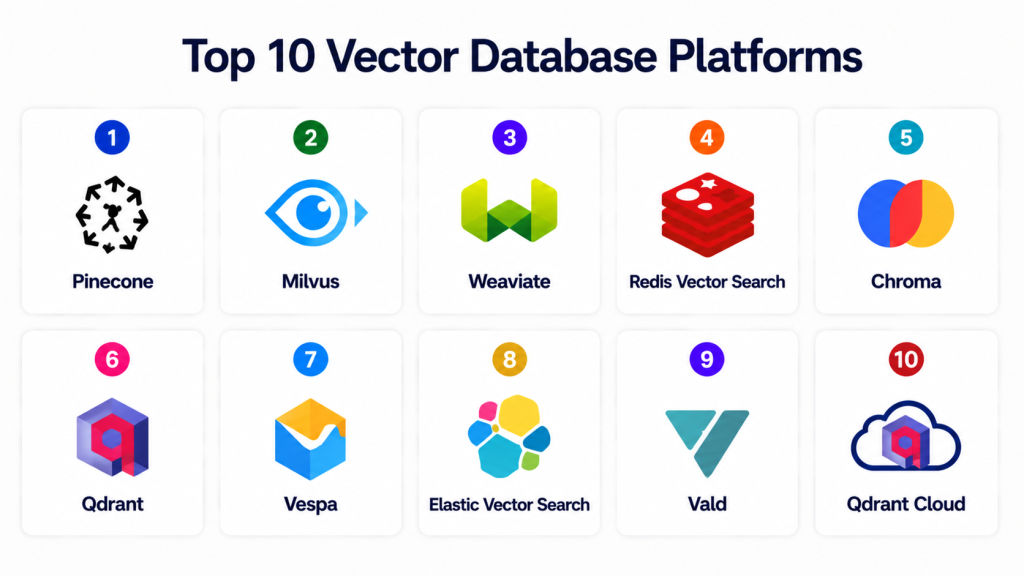
Top 10 Vector Database Platforms
1 — Pinecone
One‑line verdict: Best managed, production‑ready vector database for scalable, low‑latency AI retrieval.
Short description: Pinecone is a cloud‑native, fully managed vector database optimized for semantic search and AI retrieval at scale. It handles indexing, shard management, and scaling automatically, so engineering teams can focus on application logic rather than data infrastructure.
Standout Capabilities
- Fully managed service with auto‑scaling
- Low‑latency nearest neighbor search
- High throughput for production workloads
- Built‑in sharding and replication
- Consistent API across clusters
- Hybrid search support
- Multi‑cloud integration
AI‑Specific Depth
- Model support: BYO and open embeddings; integrates with modern LLMs
- RAG / knowledge integration: Deep integration with AI retrieval pipelines
- Evaluation: Query performance and accuracy metrics
- Guardrails: API‑level access policies
- Observability: Latency, throughput, and cost metrics
Pros
- Operational simplicity
- Scales seamlessly for production
- Reliable performance under load
Cons
- Cloud dependency (vendor lock‑in potential)
- Cost scales with query volume and vector size
- Less control over low‑level indexing
Security & Compliance
RBAC, encryption at rest and during transit, and enterprise network controls. Certifications: Not publicly stated.
Deployment & Platforms
Cloud‑managed.
Integrations & Ecosystem
- LLM frameworks
- RAG tools
- AI orchestration platforms
- Python/REST APIs
Pricing Model
Usage‑based managed service.
Best‑Fit Scenarios
- Production AI search systems
- Enterprise RAG pipelines
- High‑throughput retrieval
2 — Milvus
One‑line verdict: Best open‑source, high‑performance vector database with distributed capabilities.
Short description: Milvus is an open‑source vector database designed for scalable similarity search. It supports massive embedding datasets, distributed indexing, GPU acceleration, and multi‑tenant architecture.
Standout Capabilities
- Distributed indexing and querying
- GPU acceleration support
- High throughput and low latency
- Multi‑tenant support
- Real‑time data ingestion
- Hybrid search workflows
- Strong community ecosystem
AI‑Specific Depth
- Model support: Open embeddings; BYO models
- RAG / knowledge integration: Integrates with RAG pipelines
- Evaluation: Retrieval performance metrics
- Guardrails: Access control policies (deployment‑level)
- Observability: Performance dashboards
Pros
- High scalability
- Open‑source flexibility
- Supports massive vector volumes
Cons
- Requires operational expertise
- Complex deployment at massive scale
- Security and governance require additional tooling
Security & Compliance
RBAC and infrastructure‑level controls; certifications: Not publicly stated.
Deployment & Platforms
Cloud, on‑prem, hybrid.
Integrations & Ecosystem
- LangChain
- LlamaIndex
- Weaviate
- AI pipelines
Pricing Model
Open‑source with enterprise support options.
Best‑Fit Scenarios
- Distributed vector search
- Large embedding datasets
- GPU‑accelerated AI retrieval
3 — Weaviate
One‑line verdict: Best open‑source semantic search engine with AI‑native indexing and vector retrieval.
Short description: Weaviate combines vector search, semantic indexing, hybrid search, and AI‑native integrations to build semantic applications quickly. It supports multi‑modal data and schema‑aware retrieval.
Standout Capabilities
- Semantic vector search
- Hybrid retrieval workflows
- Multi‑modal indexing
- Schema and context awareness
- Plugin ecosystem
- API‑first design
AI‑Specific Depth
- Model support: Integration with open and hosted models
- RAG / knowledge integration: Deep support through ecosystem
- Evaluation: Search quality and relevance analysis
- Guardrails: API access controls
- Observability: Search metrics and logging
Pros
- Flexible schema support
- Strong semantic retrieval
- Open‑source extensibility
Cons
- Deployment complexity at large scale
- Not as turnkey as managed services
Security & Compliance
RBAC and access controls; certifications: Not publicly stated.
Deployment & Platforms
Cloud, on‑prem, hybrid.
Integrations & Ecosystem
- LLM frameworks
- RAG tooling
- Python/REST APIs
Pricing Model
Open‑source with optional managed cloud.
Best‑Fit Scenarios
- Semantic AI lookup
- Hybrid search applications
- Context‑aware AI services
4 — Redis Vector Search
One‑line verdict: Best ultra‑low‑latency vector search for real‑time and edge retrieval.
Short description: Redis Vector Search extends Redis to support vector embeddings and ultra‑fast nearest neighbor search, ideal for applications needing real‑time responses.
Standout Capabilities
- In‑memory vector search
- Hybrid sparse + dense capabilities
- Sub‑millisecond query response
- Easy developer integration
- Multi‑tenant support
AI‑Specific Depth
- Model support: BYO embeddings; model agnostic
- RAG / knowledge integration: Embedding lookup for RAG
- Evaluation: Latency and correctness analytics
- Guardrails: Access patterns via Redis Auth
- Observability: Query telemetry
Pros
- Very low latency
- Simple deployment
- Fits real‑time AI services
Cons
- Memory cost for large vector sets
- Not ideal for massive scalability
- Governance limited to Redis features
Security & Compliance
Authentication, ACLs, in‑transit encryption; certifications: Not publicly stated.
Deployment & Platforms
Cloud, on‑prem, hybrid.
Integrations & Ecosystem
- LangChain
- Python/Redis clients
Pricing Model
Open‑source or enterprise.
Best‑Fit Scenarios
- Real‑time AI search
- Edge‑centric applications
- Low‑latency retrieval
5 — Chroma
One‑line verdict: Best lightweight open‑source vector store for fast prototyping and development.
Short description: Chroma offers a simple, developer‑friendly vector database optimized for rapid AI prototyping. It handles embeddings storage and fast retrieval without complex configuration.
Standout Capabilities
- Simple setup and API
- Fast embedding search
- Adjustable indexing backends
- Python SDK support
- Lightweight footprint
AI‑Specific Depth
- Model support: Works with open and hosted embedding models
- RAG / knowledge integration: Quick integration with RAG setups
- Evaluation: Basic retrieval analytics
- Guardrails: Query filters
- Observability: Lightweight metrics
Pros
- Developer friendly
- Quick to prototype
- Open‑source
Cons
- Not built for massive datasets
- Limited advanced scaling
- Governance features minimal
Security & Compliance
Depends on deployment; certifications: Not publicly stated.
Deployment & Platforms
Local, cloud, hybrid.
Integrations & Ecosystem
- LangChain
- LlamaIndex
- Python AI stacks
Pricing Model
Open‑source.
Best‑Fit Scenarios
- RAG prototyping
- Lightweight embeddings projects
- Iterative AI development
6 — Qdrant
One‑line verdict: Best vector database for developers needing balance between performance and flexibility.
Short description: Qdrant combines efficient vector similarity search with flexible filtering, scalability, and geo/spatial querying, making it versatile for AI retrieval use cases.
Standout Capabilities
- Scalar filters with vector search
- Geo‑spatial search features
- Multi‑tenant support
- Scalable indexing
- API‑first design
AI‑Specific Depth
- Model support: BYO embeddings and model agnostic
- RAG / knowledge integration: Strong support through SDKs
- Evaluation: Filtering performance analytics
- Guardrails: API access policies
- Observability: Search telemetry
Pros
- Flexible search features
- Filter + vector combos
- Good for hybrid retrieval
Cons
- Emerging ecosystem
- Scaling to huge vector volumes needs careful planning
Security & Compliance
ACLs and API controls; certifications: Not publicly stated.
Deployment & Platforms
Cloud, on‑prem, hybrid.
Integrations & Ecosystem
- Python SDK
- REST API
- LLM integrations
Pricing Model
Open‑source with managed offerings.
Best‑Fit Scenarios
- Hybrid AI search
- Contextual retrieval systems
- Geo + semantic search
7 — Vespa
One‑line verdict: Best real‑time vector search engine for large‑scale enterprise systems.
Short description: Vespa combines large‑scale search, ranking, and vector search in a single engine, enabling real‑time AI search applications under heavy production loads.
Standout Capabilities
- Real‑time search and ranking
- Scalable distributed indexing
- Multi‑modal vector support
- Hybrid sparse + dense search
- Custom ranking functions
AI‑Specific Depth
- Model support: BYO models and embedding workflows
- RAG / knowledge integration: Tight search + generation integration
- Evaluation: Retrieval ranking metrics
- Guardrails: Custom policy coding
- Observability: Operational telemetry
Pros
- Enterprise scalability
- Real‑time capabilities
- Built for high throughput
Cons
- Operational complexity
- Smaller community
- Steep learning curve
Security & Compliance
Deployment‑dependent; certifications: Not publicly stated.
Deployment & Platforms
Cloud, on‑prem, hybrid.
Integrations & Ecosystem
API‑first design; works with AI pipelines.
Pricing Model
Open‑source with enterprise.
Best‑Fit Scenarios
- Large vector workloads
- Real‑time AI search
- Enterprise inference systems
8 — Elastic Vector Search
One‑line verdict: Best vector database extension for existing Elastic Enterprise deployments.
Short description: Elastic Vector Search extends Elasticsearch with vector retrieval capabilities, enabling seamless semantic search while leveraging familiar Elastic analytics and security tooling.
Standout Capabilities
- Vector search within Elasticsearch
- Hybrid query support
- Kibana analytics integration
- Indexing workflows combined with logs/metrics
- Enterprise security controls
AI‑Specific Depth
- Model support: BYO embeddings and model agnostic
- RAG / knowledge integration: Combines vector and keyword search
- Evaluation: Search quality metrics
- Guardrails: Enterprise security policies
- Observability: Elastic monitoring stack
Pros
- Fits existing Elastic investments
- Combined search modalities
- Strong enterprise security
Cons
- Elastic licensing overhead
- Not as optimized as specialized vector stores
- Scaling retrieval can require tuning
Security & Compliance
Enterprise RBAC, encryption, compliance tooling.
Deployment & Platforms
Cloud, on‑prem, hybrid.
Integrations & Ecosystem
- Elastic stack
- Kibana dashboards
- AI retrieval workflows
Pricing Model
Subscription‑based.
Best‑Fit Scenarios
- Elastic‑centric enterprises
- Combined search and analytics
- Security‑focused deployments
9 — Vald
One‑line verdict: Best CNCF‑aligned vector database for cloud‑native AI search.
Short description: Vald is a cloud‑native vector database project under the Cloud Native Computing Foundation, focused on scalable distributed indexing and retrieval workflows that fit Kubernetes and modern infrastructure patterns.
Standout Capabilities
- Kubernetes‑native architecture
- Distributed indexing
- Autoscaling support
- Hybrid search workflows
- Multi‑tenant querying
AI‑Specific Depth
- Model support: Open embeddings, model agnostic
- RAG / knowledge integration: Kubernetes CI/CD friendly
- Evaluation: Throughput and latency metrics
- Guardrails: Kubernetes policy enforcement
- Observability: Telemetry with cloud‑native tooling
Pros
- Designed for cloud‑native deployments
- Seamless Kubernetes integration
- Good for microservices
Cons
- Operational complexity
- Smaller ecosystem
Security & Compliance
RBAC, namespace policy alignment; certifications: Not publicly stated.
Deployment & Platforms
Cloud, on‑prem, hybrid, Kubernetes.
Integrations & Ecosystem
- Kubernetes tooling
- Prometheus monitoring
- AI pipelines
Pricing Model
Open‑source.
Best‑Fit Scenarios
- Cloud‑native AI search
- Kubernetes‑centric infrastructure
10 — Qdrant Cloud
One‑line verdict: Best fully managed cloud vector platform with filter‑aware search and hybrid retrieval.
Short description: Qdrant Cloud builds on the open‑source Qdrant project but adds simplified fully managed deployment, auto‑scaling, and enterprise controls to reduce operational burden.
Standout Capabilities
- Managed cloud deployment
- Filter‑aware search
- Hybrid retrieval
- Auto‑scaling
- API‑first workflows
- Managed security controls
AI‑Specific Depth
- Model support: Open and hosted embedding pipelines
- RAG / knowledge integration: Deep support via SDKs
- Evaluation: Query quality metrics
- Guardrails: Managed RBAC
- Observability: Managed telemetry
Pros
- Managed service with scaling
- Easy onboarding
- Enterprise controls
Cons
- Platform costs
- Less control than self‑hosted
Security & Compliance
Managed RBAC, encryption, and cloud security controls.
Deployment & Platforms
Managed cloud.
Integrations & Ecosystem
- AI and RAG frameworks
- LangChain
- LlamaIndex
- Python SDKs
Pricing Model
Subscription usage‑based.
Best‑Fit Scenarios
- Managed vector search
- Enterprise retrieval without ops overhead
Comparison Table
| Tool | Best For | Deployment | Model Flexibility | Strength | Watch‑Out | Public Rating |
|---|---|---|---|---|---|---|
| Pinecone | Managed production | Cloud | Model‑agnostic | Auto‑scaling, low latency | Vendor lock‑in | N/A |
| Milvus | Distributed enterprise | Cloud/Hybrid/On‑prem | Model‑agnostic | GPU acceleration, scalability | Operational complexity | N/A |
| Weaviate | Semantic search | Cloud/Hybrid/On‑prem | Model‑agnostic | Semantic + multi‑modal | Complex scaling | N/A |
| Redis Vector Search | Ultra‑low‑latency | Cloud/Hybrid/On‑prem | Model‑agnostic | Real‑time retrieval | Memory cost | N/A |
| Chroma | Lightweight dev | Cloud/Local | Model‑agnostic | Prototyping ease | Scalability limit | N/A |
| Qdrant | Hybrid search | Cloud/Hybrid/On‑prem | Model‑agnostic | Flexible filters | Emerging ecosystem | N/A |
| Vespa | Real‑time enterprise | Cloud/Hybrid/On‑prem | Model‑agnostic | Realtime ranking | Complexity | N/A |
| Elastic Vector Search | Enterprise search | Cloud/Hybrid/On‑prem | Model‑agnostic | Elastic stack synergy | Licensing overhead | N/A |
| Vald | Cloud‑native AI search | Cloud/Hybrid/K8s | Model‑agnostic | Kubernetes‑native | Small ecosystem | N/A |
| Qdrant Cloud | Managed hybrid | Cloud | Model‑agnostic | Managed ops | Cost | N/A |
Scoring & Evaluation
Scoring is comparative, not absolute. Managed services score highly for operational simplicity, while open‑source systems score for control and extensibility.
| Tool | Core | Reliability/Eval | Guardrails | Integrations | Ease | Perf/Cost | Security/Admin | Support | Weighted Total |
|---|---|---|---|---|---|---|---|---|---|
| Pinecone | 9 | 8 | 8 | 9 | 9 | 8 | 8 | 9 | 8.5 |
| Milvus | 9 | 8 | 8 | 8 | 7 | 9 | 8 | 8 | 8.3 |
| Weaviate | 8 | 8 | 8 | 8 | 7 | 8 | 8 | 8 | 8.0 |
| Redis Vector Search | 8 | 7 | 7 | 7 | 9 | 8 | 7 | 8 | 7.8 |
| Chroma | 7 | 7 | 7 | 7 | 9 | 9 | 7 | 7 | 7.7 |
| Qdrant | 8 | 8 | 7 | 8 | 8 | 8 | 7 | 8 | 8.0 |
| Vespa | 9 | 9 | 8 | 8 | 6 | 9 | 8 | 7 | 8.1 |
| Elastic Vector Search | 8 | 8 | 9 | 8 | 6 | 7 | 9 | 8 | 8.0 |
| Vald | 8 | 8 | 7 | 7 | 7 | 8 | 7 | 7 | 7.6 |
| Qdrant Cloud | 8 | 8 | 8 | 8 | 9 | 8 | 8 | 9 | 8.2 |
Top 3 for Enterprise: Pinecone, Milvus, Vespa
Top 3 for SMB: Weaviate, Qdrant, Qdrant Cloud
Top 3 for Developers: Chroma, Redis Vector Search, Elastic Vector Search
Which Vector Database Platform Is Right for You
Solo / Freelancer
Chroma and Redis Vector Search are great for rapid prototyping and low‑latency AI search builds.
SMB
Weaviate, Qdrant, and Qdrant Cloud balance flexibility with ease of use.
Mid‑Market
Pinecone, Milvus, and Elastic Vector Search support production‑grade retrieval and governance.
Enterprise
Pinecone, Milvus, Vespa, and Elastic Vector Search provide scalability, performance, and enterprise security.
Regulated Industries
Elastic Vector Search and Pinecone offer strong governance workflows with enterprise security controls.
Budget vs Premium
Open‑source platforms reduce upfront cost but require engineering resources. Managed services increase operational simplicity.
Build vs Buy
Build with open‑source systems when you need full control. Buy managed solutions when operational efficiency and SLAs matter.
Implementation Playbook
30 Days
- Identify AI retrieval workloads
- Choose a prototype vector store
- Ingest embeddings from core knowledge sources
- Connect LLM retrieval funnels
- Establish baseline queries and metrics
60 Days
- Evaluate hybrid search needs
- Add analytics and telemetry
- Test scaling under load
- Configure access controls and governance
- Optimize latency and caching
90 Days
- Move to production clusters
- Add multi‑modal vectors
- Implement cost controls and query throttling
- Connect with enterprise AI platforms
- Standardize retrieval patterns
Common Mistakes & How to Avoid Them
- Ignoring retrieval latency under load
- Deploying without query telemetry
- Not planning governance and access controls
- Underestimating scaling needs
- Choosing lightweight stores for heavy production
- Ignoring vector sharding strategies
- Failing to monitor cost patterns
- Missing hybrid sparse + dense search
- Lack of fallback search mechanisms
- No evaluation of retrieval quality
- Poor schema and metadata practices
- Over‑chunking knowledge sources
- Misconfiguring geo/spatial searching
- Inefficient embedding pipelines
FAQs
1. What is a vector database?
A vector database stores and fetches embeddings using similarity search to power AI retrieval systems.
2. Why do AI systems need vector databases?
They enable semantic and similarity search, which is crucial for RAG, recommendations, and knowledge‑grounded AI.
3. Are vector databases expensive?
Costs vary by usage and scale; managed services can be higher but reduce operational overhead.
4. How do vector databases scale?
Through sharding, replication, distributed indexing, and GPU acceleration.
5. Can vector databases handle multi‑modal data?
Yes. Many modern platforms support text, images, audio, and structured data embeddings.
6. What is hybrid search?
Combining sparse and dense search improves relevance in semantic retrieval.
7. Which vector database should I choose for enterprise?
Pinecone, Milvus, Elastic Vector Search, or Vespa are strong enterprise options.
8. Do vector databases support governance controls?
Many provide RBAC, encryption, logging, and enterprise‑grade security.
9. How does latency affect AI applications?
Low latency improves user experience and real‑time AI interactions.
10. Can vector databases integrate with LLMs?
Yes. They integrate with LangChain, RAG pipelines, and LLM frameworks.
11. What is embeddings search?
It retrieves vectors similar in semantic space to a query vector.
12. How do I evaluate vector search quality?
Measure retrieval relevance, query latency, throughput, and hybrid search effectiveness.
Conclusion
Vector Database Platforms are foundational infrastructure for modern AI systems that require high‑performance retrieval. Managed services like Pinecone simplify production deployment, while open‑source engines like Milvus and Weaviate provide flexibility and control. Real‑time engines like Redis Vector Search support low‑latency use cases, and enterprise engines like Vespa handle large‑scale workloads with complex querying needs. As AI systems increasingly rely on embeddings and semantic understanding, choosing the right vector database platform depends on scale, latency requirements, governance needs, and integration with existing AI pipelines. Start with a prototype store, evaluate retrieval quality, add observability and cost controls, then scale toward production needs

Find Trusted Cardiac Hospitals
Compare heart hospitals by city and services — all in one place.
Explore Hospitals
Great comparison of vector database platforms with clear insights on features and use cases.
Very useful for anyone exploring AI, semantic search, and GenAI application development.